website statistics

Google Released Chrome Browser For iOS And Already Became Most Popular App

Google finally confirmed Chrome now available to the iOS system with full support for syncing across platforms on the Google IO 2012 developer conference.

When do you use Facebook?

View Results

Loading ... Loading ...
1 Star2 Stars3 Stars4 Stars5 Stars (Rate This)
Loading ... Loading ...

iPhone & iPad user now don’t have to complain that they don’t have a good choice of browser. Google just released its Chrome browser for all Apple device. And within few hour it became most downloaded and post popular free apps of the App Store. Keep reading for more details.


Chrome
iTunes Link: http://itunes.apple.com/app/chrome/id535886823?mt=8

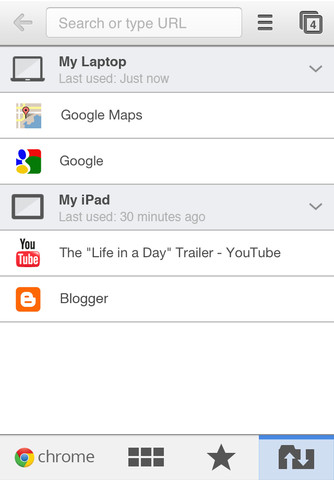
Vice President of Chrome Brian Rakowski demonstrated Chrome using a MacBook and an iPhone. Chrome is currently available in the app store to download absolutely free of cost. Chrome is compatible with iPhone, iPod touch, and iPad and it’s requires iOS 4.3 or higher version. From the Chrome app for iOS you can synchronize your browser with your Chrome account. By this you are able to synchronize tabs, bookmarks and log-in credentials across multiple devices. Checkout more features below.

Search fast
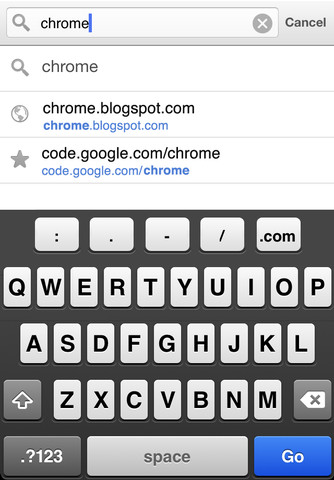
• Search and navigate fast, directly from the same box. Choose from results that appear as you type.

Simple, intuitive experience
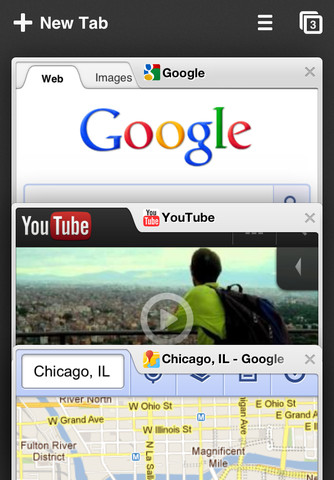
• Open and quickly switch between an unlimited number of tabs. On your iPhone and iPod touch, flip through tabs the way you would fan a deck of cards. On iPad, swipe from edge to edge to switch tabs.

Sign in
• Sign in to Chrome to sync your open tabs, bookmarks, passwords, and omnibox data from your computer to your iPhone, iPod touch, or iPad. Pick up right where you left off.
• Send pages from Chrome on your computer to your iPhone, iPod touch, or iPad with one click and read them on the go, even if you’re offline.

Privacy
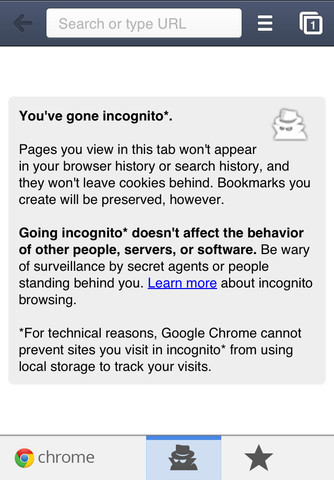
• Open a tab in Incognito* to browse without saving your history. To learn more, please visit: http://goo.gl/WUx02
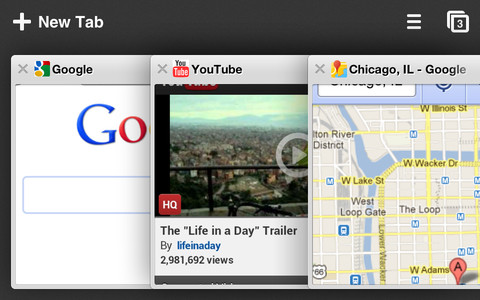
iPhone Screenshot 1
iPhone Screenshot 2
iPhone Screenshot 3
iPhone Screenshot 4
iPhone Screenshot 5

Source

Buy Cheapest Related Product From Amazon.com


Texas University Students Could Hijack U.S. Military Drone From Midair

Blackberry 10 Will Be Shipped First Quarter Of 2013
You can also press the left/right arrow key on your keyboard to go to previous/next post
  On June 29, 2012(10 months, 26 days ago.)

Recent Search

Recent Tutorials

This tutorial will show how to use S.M.A.R.T. (Self Monitoring Analysis and Reporting Technology) to continuously collect information on health of your equipment.
In this tutorial I'll show you how you can easily protect yourself from any kind of security breaks that may occur through Java.
Today Apple enabled "Two Step Verification" for iCloud And Apple ID. But the process is not that simple. But no worry, here we have made a step by step tutorial.
Cant remember your iPhone passcode? Here I will show you some workaround on what to do and how to recover and restore for every possible scenario.
This tutorial will show you how to perform the Winapp2.ini installation inside CCleaner and how to use it under Windows operating system.
With app called AD Sound Recorder, you can record any stream that passes through your sound card or speakers and in this tutorial I will show you how to do that.
If you want to have Boxee app inside your Apple TV, in this tutorial we will show you how to install XBMC and Boxee using Windows on your Apple TV.
This tutorial will show you how to transfer PS3 Saved Game Files from your PC to your PS3 game console.
Adding videos from external sources such as internet, more specifically from YouTube, is a great solution to enhance a presentation; in this tutorial I will show you the procedure.
If you are one of new comers to Windows Phone 8, like me, in this tutorial I will walk you through the process to update your Windows Phone 8 device.
Close You Have To Login
User:
Pass:
Login With »Login With TwitterLogin With Facebook