
The XBMC media center has been successfully ported to the Apple TV, iPad, and iPhone.This means you can decode that awesome 1080p HD content, and utilize the hardware inside your little box.If you are interested the instructions to install XBMC on Apple TV 2 (Black) is given after the break.
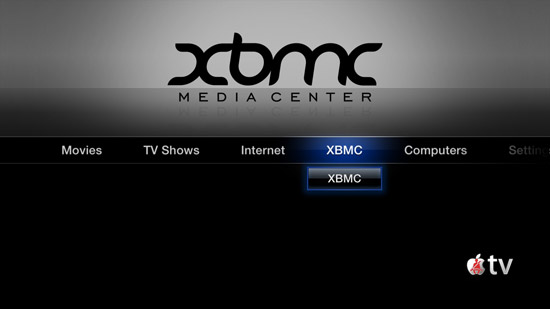
Features:
* Full XBMC install, this is not a remote or thin client streamer.
* No longer is your AppleTV2 chained to iTunes.
* Who wants transcoded video anyway?
* Share files on your network your way.
* Full hardware decode for 720p/1080p movies.
* Everything else you know and love about XBMC.
The steps are as follows:
Step 1: Launch terminal or your favorite command line based client on your Apple computer.
Step 2: Note your Apple TV IP address, this can be found by going to Settings >> General >> Network. Now connect via SSH into your Apple TV by entering following command.
ssh root@YOURIPADDRESS
You will be prompted for a password. Enter ‘alpine’ if you have not changed this already.

Step 3: Type the following into Terminal and press enter
apt-get update
Step 4: Add XBMC Repo
apt-get install org.xbmc.repo
Step 5: Update Repo.
apt-get update
Step 6: Install XMBC.
apt-get install org.xbmc.xbmc-atv2
Instructions to Install XBMC on iPhone or iPad iOS 4.2.1 :
Step 1: Launch Cydia on your iPhone/iPad
Step 2: Navigate to Manage >> Sources >> Edit & Add following url as new Cydia source.
http://mirrors.xbmc.org/apt/ios/
Step 3: Search for XBMC-iOS and install the package.
That’s all.


Don’t you need to jailbreak it first?
Thanks to contributions from a lot of Apple TV 2G owners we created this tutorial which explains step by step how to jailbreak and install XBMC. There are also solutions to common problems people have during the installation.
http://arturito.net/2011/04/12/apple-tv-2g-untethered-jailbreak-and-xbmc-installation-ios-4-3-working/
is here any possiblity to instal xbmc with ios 4.0.2 in an iphone4
doesn’t fucking work
Amazing write-up! This could aid plenty of people find out more about this particular issue. Are you keen to integrate video clips coupled with these? It would absolutely help out. Your conclusion was spot on and thanks to you; I probably won’t have to describe everything to my pals. I can simply direct them here!