
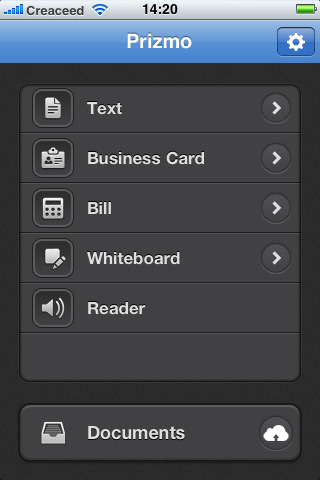
A new app for iPhone users named as – Prizmo.It combines OCR (Optical Character Recognition), text to speech, and translation all in one place.
Most of the program features do not need an internet connection. Scanning and OCR are built into the program. For translation, which uses Google Translate, then internet connectivity is needed.
For most OCR tasks, the accuracy is very high. Like most OCR apps, you may have to fix a letter or some errant mistake, but my results were very good. A good image is needed to start with, well lit and in focus.The iPhone camera will take care of the focus, and the app provides super-imposed grid lines to help you hold the camera straight.
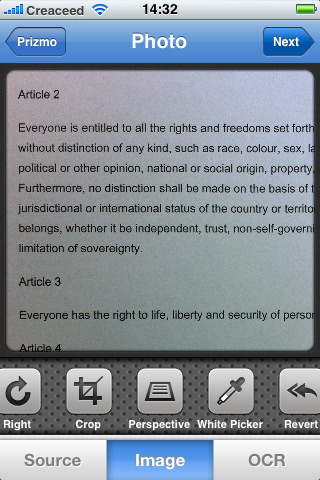
After you take an image or import it from your camera roll, you can crop and enhance the image to assure a good capture. You can also rotate the image, because the OCR software wants to see the text oriented correctly. In addition, you can correct any geometric distortion in the image to make the OCR go more smoothly and accurately. There is also an option to white balance the image before the OCR step.
The OCR process is very fast, and in a couple of seconds you have the text. From that point, you can copy the text, email it, or use Dropbox or CloudApp.
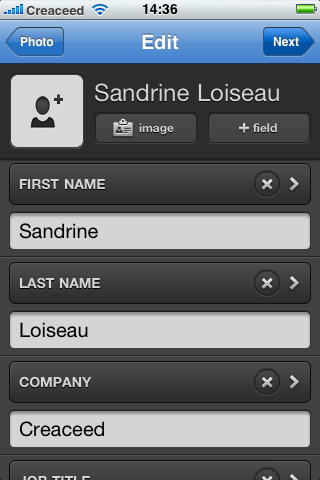
The app appears to have no easy way to capture the addresses on a business card. The OCR picks it up, but the contact template doesn’t include an address field. You can create one, but you’d have to re-type everything into that field. It’s a major shortcoming if your main use of this program is for scanning business cards. I also thought the built-in help was very superficial. It connects to the developer’s website, but the text is small and the information is sparse.
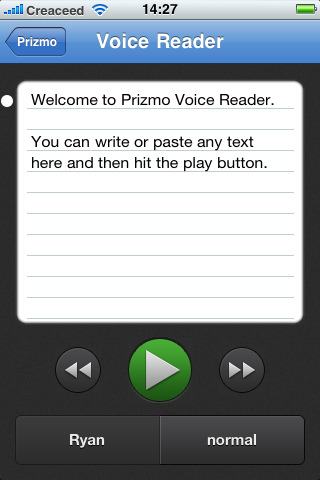
Creaceed, the Belgian developer of Prizmo, reports it has submitted version 1.01 to the app store and is waiting for approval. Version 1.01 is supposed to fix a few bugs and improve “field handling” with business cards. That should fix the address field issue.
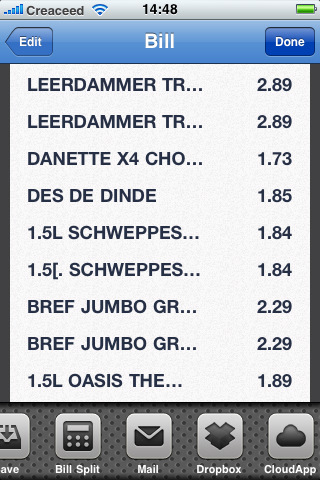
There are other programs that do OCR, other programs that do text to speech, and others still that will do translations. This is the first program that integrates these functions into a solid app. At $ 9.99 it has a premium price, but for those that need it, it’s going to be indispensable.
Creaceed has a Mac version of Prizmo which is also excellent. Prizmo for iPhone works best on a 3GS or iPhone 4. It can work on a 2G or 3G iPhone if you use a Griffin Clarifi case.
Prizmo, which sells for US $9.99, can scan business cards, books, white boards, or even receipts. It can output the text to the clipboard or email, and can even take a receipt and put it into a spreadsheet format.
If that isn’t enough, Prizmo can read the text to you with the addition of an optional text to speech module. There are 35 voices you can choose from, in ten languages. Each module is $2.99.
Thanks
This is a really neat new technology. Thanks for sharing. I also wanted to mention a favorite free OCR conversion site I’ve found online. It’s offered by Ricoh Innovations at no charge. Check it out at: http://beta.rii.ricoh.com/betalabs/content/document-conversion
I would check out ProOnGo Expense – it’s an app that uses OCR technology to read standard and e-receipts. By far the best way to record your business expenses because they back up everything on their servers so if you ever lose your phone or get a new one, you can just download all of your receipts and expenses.