Ployd Black Box is an amazing app developed by BEAGLE Co., Ltd. This app comes with a unique idea. Ployd BlackBox effectively serves its intended purpose of being a vehicle’s black box! This premium app was cost $4.99 which you can get now at free of cost but for a limited time period! So at least you can try this app for free now by directly downloading from iTunes Store.
iTunes Link: http://itunes.apple.com/app/ployd-black-box/id393081609?mt=8
Overview:
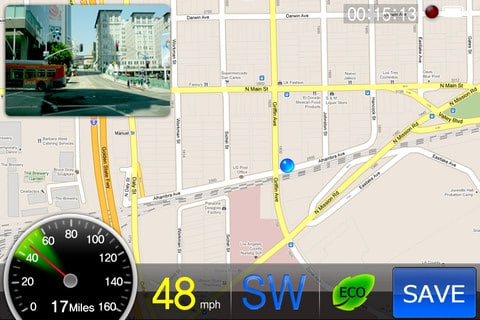
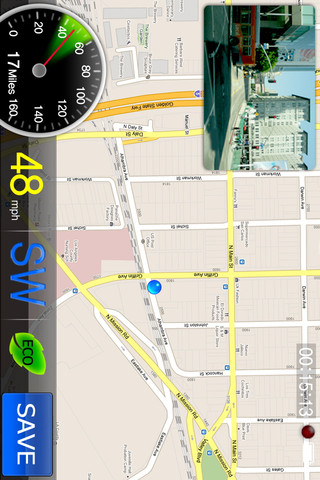
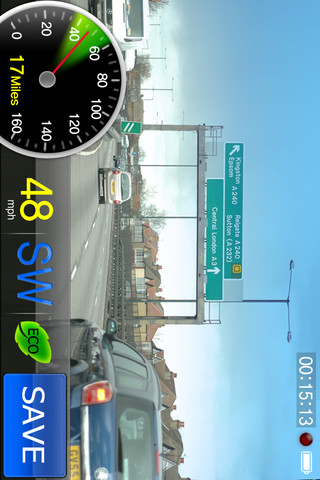
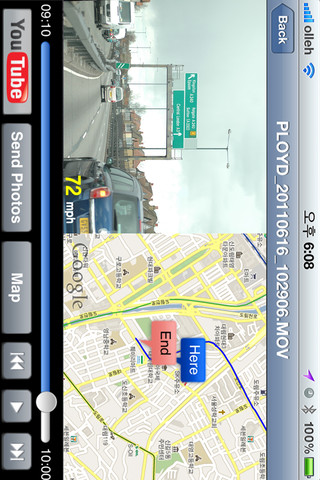
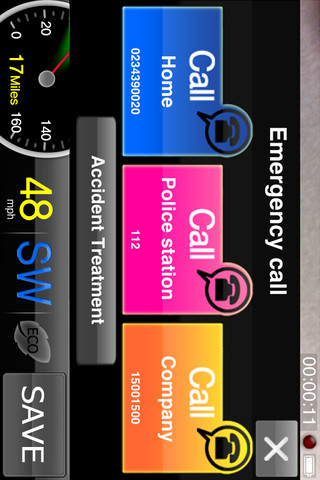
This medium sized app can run in any iOS device. Very interesting and needed app for iOS devices! The graphics interface is also good and makes user friendly to use. Deployed in vehicles that frequently work in heavy traffic situations at risk of a variety of accidents, Ployd BlackBox effectively serves its intended purpose of being a vehicle’s black box. In addition, Ployd BlackBox saves the vehicle speed, date, and time and location data from the phone’s GPS receiver, and allows you to view the vehicle’s route overlaid on top of a map, side by side with the video. Moreover, when you decelerate abruptly while driving, the G-Sensor registers it as an accident. Upon detecting such incidents, Emergency Calls automatically displays a button on the phone’s screen. Focus on your driving only! Ployd BlackBox takes all driving records for you! Now checkout the developers features bellow.
Key features:
- Continuous video and event recording,
- Driving video and accident video can be saved separately,
- Driving video playback with simultaneous Maps overlay,
- Accident detection function (front, rear, left, right, up, down, shock detection)
- Automatically display emergency contacts when an accident has been detected.
- Automatically connect to emergency operators when an accident has been detected,
- Replay accident videos on-site,
- Send recorded video via email(After moving to the photo folder)
- HD recording (Only available in iPhone 4),
- Camera direction can be switched between left and right (Automatic display rotation setting),
– Simultaneous mp3 playback and blackbox recording (voice recording must be off).
- Parking location finder (can be used underground too),
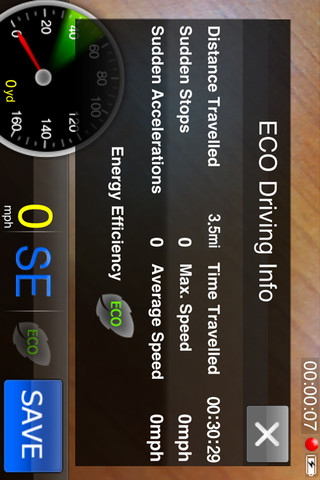
- Driving reports,
- Real-time fuel usage prediction (5 different colors).
– Upload Video function on Youtube.
– Helper function of dealing with the accident.
– View function of the Map while video is recording.
– Turn on/off function of the G-Sensor.
– Turn on/off function of the Auto
– Recording when the Ployd is operating.
Checkout the previous and current Version Updates!
Version 1.2.4
– Fixed the Algorithm of camera-focusing function.
Ver 1.2.0
– Changed the location of Main Menu.
– Added upload Video function on Youtube.
– Added helper function of dealing with the accident.
– Added View function of the Map while video is recording.
– Added turn on/off function of the G-Sensor.
– Added turn on/off function of the Auto – Recording when the Ployd is operating.
ver 1.1.1
- Camera direction can be switched between left and right (Automatic display rotation setting),
– Automatically connect to emergency operators when an accident has been detected,
ver 1.1.0
- Parking location finder (can be used underground too)
- HD recording (Only available in iPhone 4)
- video file protection.
- Help option moved to main shell
- Memory Stabilization
- bug fix etc.
ver 1.0.3
- Solved problem that occurred when phone receive a SMS during the recording.
- Add an option which able to record a video without a sound. ( able to record during the play mp3)
- Add an Option to setting a beep sound.
Requirements: Compatible with iPhone 3GS, iPhone 4, iPhone 4S, iPod touch (3rd generation), iPod touch (4th generation) and iPad. Requires iOS 4.2 or later. This app is totally free to download from iTunes.
Current Version: 1.2.4
Size: 6.8 MB

[ttjad keyword=”ipad”]