
website statistics

Siri Blocked On Employees’ iPhones At IBM For Security Reasons

When do you use Facebook?

View Results

Loading ... Loading ...
1 Star2 Stars3 Stars4 Stars5 Stars (Rate This)
Loading ... Loading ...

More and more companies have come about to adopt the ‘bring your own device’ policy, given the sheer variety of smartphones that the employees can choose from. However, this policy comes with a number of limitations since the use of smartphone has to be restricted in a number of ways to ensure security at the company. So is the case at IBM where iPhone’s Siri is disabled for security reasons.
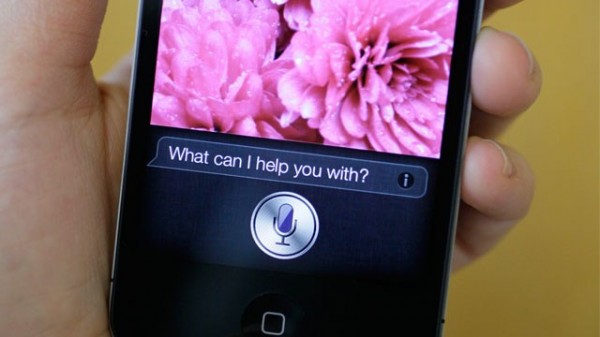

This has now been revealed by IBM’s Chief Information Officer, Jeanette Horan. Horan said that a number of services on the smartphones are disabled due to security reasons at IBM and iPhone’s Siri is one of such services. IBM is of the view that since Siri communicates to external servers, it may carry user’s instructions, something messages that have been dictated, and store them on a third-party server. And that this information can then be exploited.

It does sound bit too cynic but IBM seems to have a point. Horan sums it up in the following words, “We’re just extraordinarily conservative… It’s the nature of our business.”

As part of the terms to use Siri, Apple does say that the users consent to “Apple’s and its subsidiaries’ and agents’ transmission, collection, maintenance, processing, and use of this information, including your voice input and User Data, to provide and improve Siri, Dictation, and other Apple products and services.”

IBM also doesn’t allow its employees to make use of public sharing tools such as iCloud or Dropbox. This, too, is a matter of security concerns for IBM and thus, the employees can’t store files on these cloud offerings.

Source: MIT Technology Review

Courtesy: The Verge

Buy Cheapest Related Product From Amazon.com


FBI Creates A New Net-Surveillance Unit

Yahoo Enters Web Browser Business With Axis
You can also press the left/right arrow key on your keyboard to go to previous/next post
  On May 24, 2012(12 months, 3 days ago.)

Recent Search

Recent Tutorials

This tutorial will show how to use S.M.A.R.T. (Self Monitoring Analysis and Reporting Technology) to continuously collect information on health of your equipment.
In this tutorial I'll show you how you can easily protect yourself from any kind of security breaks that may occur through Java.
Today Apple enabled "Two Step Verification" for iCloud And Apple ID. But the process is not that simple. But no worry, here we have made a step by step tutorial.
Cant remember your iPhone passcode? Here I will show you some workaround on what to do and how to recover and restore for every possible scenario.
This tutorial will show you how to perform the Winapp2.ini installation inside CCleaner and how to use it under Windows operating system.
With app called AD Sound Recorder, you can record any stream that passes through your sound card or speakers and in this tutorial I will show you how to do that.
If you want to have Boxee app inside your Apple TV, in this tutorial we will show you how to install XBMC and Boxee using Windows on your Apple TV.
This tutorial will show you how to transfer PS3 Saved Game Files from your PC to your PS3 game console.
Adding videos from external sources such as internet, more specifically from YouTube, is a great solution to enhance a presentation; in this tutorial I will show you the procedure.
If you are one of new comers to Windows Phone 8, like me, in this tutorial I will walk you through the process to update your Windows Phone 8 device.
Close You Have To Login
User:
Pass:
Login With »Login With TwitterLogin With Facebook