
After Samsung introduced Galaxy S III last month, their Siri like App S-Voice suddenly become point of attraction. Most of the Android user anticipated if they could get it in their device too. Now its possible. Here we have prepared a easy step by step guide to get S-Voice in any Android device.
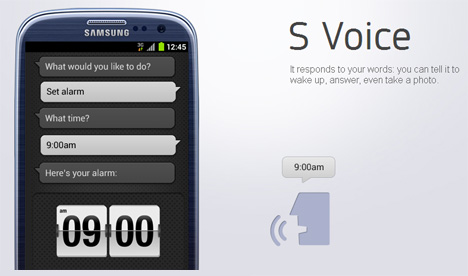
Apple introduced their Siri only for the iPhone 4S, and Samsung introduced S-Voice only for the Galaxy S III. As we reported Samsung Galaxy S III ROM Leaked, S Voice Now Available For Other Android Devices few days ago, now here we put together a tutorial to get S-Voice in any Android device.
Need to Know:
1. Make sure you are running Android 4.0+(Ice Cream Sandwich) ROM.
2. Be very careful with the whole process, proceed only if you are certain of taking the risk, we are not responsible for any unusual outcome of the whole process.
Download This First
The Signed APK: (readymade build.prop as I9300)
Mirror 1# https://docs.google.com/open?id=0B3dAMHacbZmtdDMyZ0hSdWJKQ00
Mirror 2# http://ifile.it/l97qrb1
Mirror 3# https://hotfile.com/dl/156330651/3d66185/S-Voice.apk.html
Instruction: Step By Step
1. First, download the APK file usingany of the link given above and keep it on your Desktop.
2. Enable Unknown sources on your phone by going to Menu –>Settings –>Applications –>Unknown sources, Check the box.
3. Connect your phone to your PC/Mac using the USB cable.
4. Transfer the S-Voice APK file to your Android phone’s internal storage.
5. Unplug the phone after the file has been successfully transferred to your phone.
6. Go to My files on your phone and then tap on the S-Voice APK file to install it.
7. After the app is installed on your phone, head to the Menu and then tap the app icon to launch it.
Note:
If the APK is giving you parsing error then move the APK under data/app and set permission via Root Explorer or something as,
x x –
x – –
x – –
Now, you should have successfully installed the S-Voice app on your Android phone.You can now enjoy its feature, try to control your phone using S-Voice, giving command and have fun.
If you are interested about leaning whats the difference between Apple Siri and Samsung S-Voice, check out this article.
All Credit goes to ithehappy the main author who actually made all this possible. So head over to this main forum post if you face any problem or want to say thanks or donation too.
Follow us on Twitter or be a Fan on Facebook or Subscribe On our News Feed for free to get regular update.
[ttjad keyword=”android-phone”]

![Read more about the article [Tutorial] How To View Thumbnails Of Your Favorite Websites In Mozilla Firefox](https://thetechjournal.com/wp-content/uploads/2012/05/speed-dial-setup-popup-window.webp)
![Read more about the article [Tutorial] Save Snapchats And Open Them Later With Snaphack](https://thetechjournal.com/wp-content/uploads/2013/10/snapchat.webp)
![Read more about the article [Tutorial] How To Protect Windows From Java Security Problems](https://thetechjournal.com/wp-content/uploads/2013/03/java-windows-ttj-logo.webp)