
The iPhone Dev Team and Chronic Dev Team have finally released the version 2.0 of Absinthe. With the help of this tool, untethered jailbreak can be accomplished on all A4 and A5 devices which have been upgraded to iOS 5.1.1. Naturally, all the iOS users have been desperately waiting for this tool since it lets them use Cydia and allows them to use unlimited extensions and apps apart from Apple’s App Store.

Here’s a simple tutorial to enable you to download and install Absinthe 2.0 and accomplish jailbreak on your iPhone, iPad and iPod via Mac. You can view a full list of devices which are supported by Absinthe 2.0 over here. Don’t forget to restore and back up all the data of your device before you start the jailbreak.
Step 1: Download Absinthe 2.0 for Mac from here.
Step 2: To mount the downloaded dmg, double click it. Then drag the absinthe application to your Mac’s desktop.
Step 3: To launch the Absinthe application, double click it.
Step 4: You will then be asked by Absinthe 2.0 to plug in your iDevice to your Mac through USB. You should make sure that there are no passcodes or VPN settings enabled on your device when you plug it into the computer.
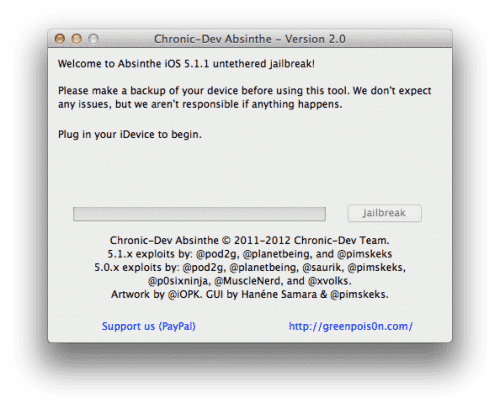
Step 5: Now hit the Jailbreak button on the window to start the process.
Step 6: Most of your work is done here. The application will itself continue working, undergoing a number of steps including starting jailbreak, sending initial data, sending final data, waiting for reboot and process completion.
Step 7: A final screen will tell you that you are done and that the jailbreak is complete.
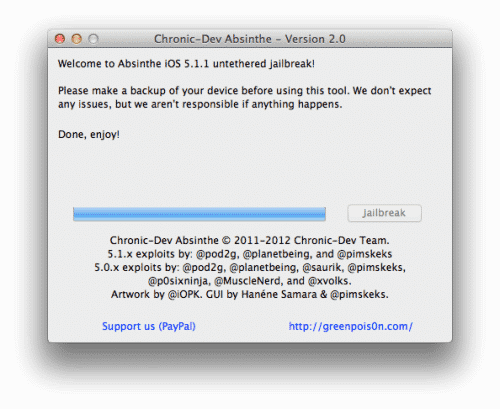
Step 8: You will be able to find a Cydia icon within few minute on your Springboard which will confirm the jailbreak.
[ttjad keyword=”iphone”]

![Read more about the article [Tutorial] How To Share Live Video On Facebook From Android & iOS](https://thetechjournal.com/wp-content/uploads/2016/05/live-reactions-android-512x336.png)
![Read more about the article [Tutorial] How To Hide Google Chrome’s Download Bar](https://thetechjournal.com/wp-content/uploads/2012/06/Google-Download-Bar-512x326.jpg)

that there are no passcodes or VPN settings enabled on your device when you plug it into the computer.
sending initial data, sending final data, waiting for reboot and process completion.