
It is sometimes useful to try to disable the welcome screen of Windows 7 in order to save time on startup. In this tutorial I will show you how to do that, also by following this tutorial and disabling welcome screen you will also disable password request on windows startup.
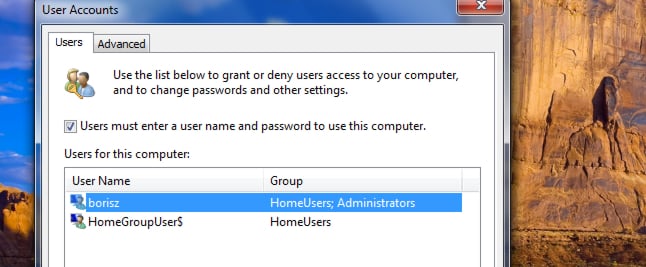
Step 1: Click the Start menu, inside search filed type run and then press Enter.
Step 2: Type the following command: control userpasswords2, and then confirm with OK.
Step 3: Then uncheck the box Users must enter a user name and password to use this computer and click OK to save changes.
Step 4: Restart your computer and you won’t see welcome screen anymore.
[ttjad keyword=”microsoft”]

![Read more about the article [Tutorial] How To Convert 2D Videos Into 3D With PowerDVD](https://thetechjournal.com/wp-content/uploads/2012/11/3d-cyberlink-icon-a8s78979w8798er798w7r9w7e.webp)
![Read more about the article [Tutorial] How To Block Ads On Your Android And Save Data](https://thetechjournal.com/wp-content/uploads/2014/07/AndroidPIT-Chrome-Settings-600x530.webp)
![Read more about the article [Tutorial] How To Prevent Users From Uninstalling Windows 8 (Metro) Apps](https://thetechjournal.com/wp-content/uploads/2013/01/enabled-as56d465ew4r6e5e555ed21s3dpoli.webp)