
Google always surprise us with some of their hidden features for which many of us probably don’t know. One of these features is the ability to perform a search from an image. If, for example, we have a picture of a painting or a famous building, but do not know who is the author, or if we have the logo of a company whose name we do not remember, we can use this feature to find the right answer .
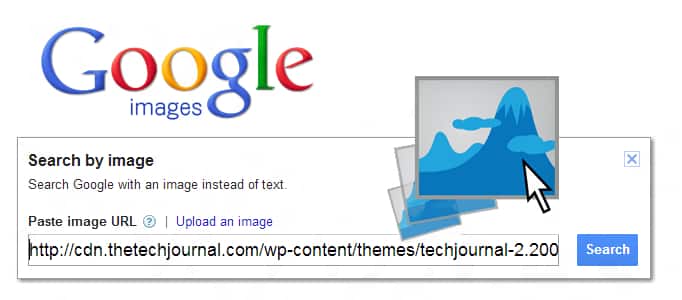
To get started follow steps below:
Step 1: In your web browser address bar type http://www.google.com/imghp.
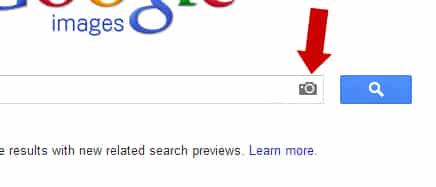
Step 2: Inside search field you should see a little camera icon, click on it.
Step 3: A puncture window will open where we can enter the URL of an image or upload one from your computer.

Step 4: In one case or the other, Google will search for that image on the Internet, throwing a more or less satisfactory results in terms of relevance with this picture.
[ttjad]

![Read more about the article [Tutorial] How To Refresh Windows 8](https://thetechjournal.com/wp-content/uploads/2012/10/choose-refresh-pc-as8d7r1t5r4y5t4y6t4y.webp)
![Read more about the article [Tutorial] How To Easily Rename Multiple Files At Once In Windows](https://thetechjournal.com/wp-content/uploads/2012/10/notepad-exe-freename-asd4e7r9w87t9w87564rf.webp)
![Read more about the article [Tutorial] How To Install New Fonts in Windows 8](https://thetechjournal.com/wp-content/uploads/2012/10/font-esktop.webp)