
One of biggest mistakes most smartphone or tablet users make when replacing their SD cards is not performing the right removal procedure which cause a data loss from their SD cards. In this tutorial I will show you how to safely unmount your SD card and then pull it out from your smartphone or tablet.
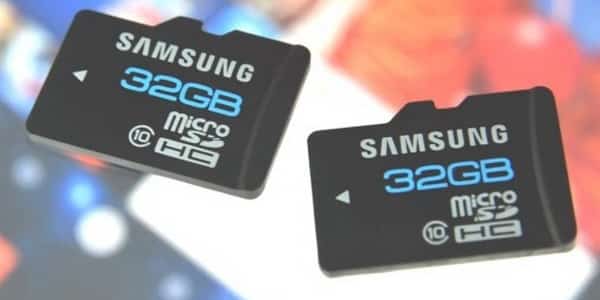
To get started follow steps below:
Step 1: From your home screen tap on Menu button.
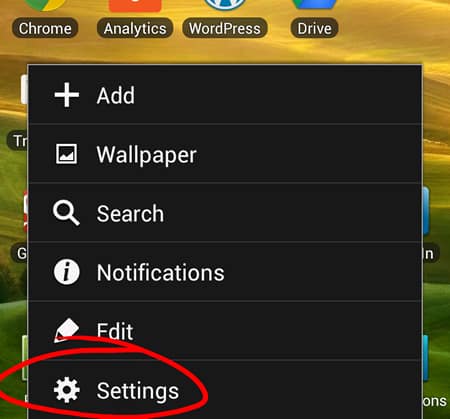
Step 2: From menu that appears tap on Settings.
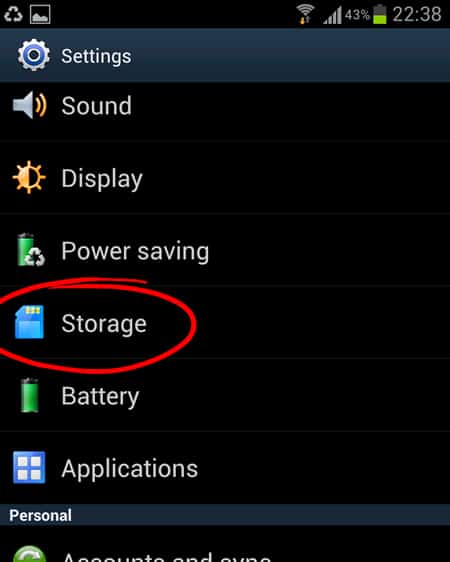
Step 3: Now scroll the options all the way to the middle and tap on option Storage.
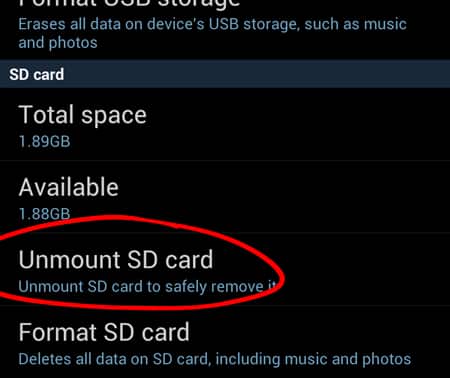
Step 4: Scroll down the Storage screen and tap on option Unmount SD card.
Step 5: A notification window will appear where you need to confirm that you want to unmount your SD card by taping on OK.

Step 6: You can now safely pull out your SD card from phone or tablet without worries of loosing any data.
[ttjad keyword=”hot”]

![Read more about the article [Tutorial] How To Repair A Corrupted Or Damaged Memory Card](https://thetechjournal.com/wp-content/uploads/2014/06/sd-memory-card-errors.webp)
![Read more about the article [Tutorial] How To Show Windows Live Mail Icon In System Tray When Window Minimized – Windows](https://thetechjournal.com/wp-content/uploads/2012/07/wlm-propertiese-a5sd45j445fvb1.webp)
![Read more about the article [Tutorial] How To Create Shortcut To Shutdown And Restart In Windows 7](https://thetechjournal.com/wp-content/uploads/2012/02/windows-shutdown-restart-shortcuts.webp)