website statistics

Intel Touts Ivy Bridge Processors As Apt Choice For Retina Display Computers

When do you use Facebook?

View Results

Loading ... Loading ...
1 Star2 Stars3 Stars4 Stars5 Stars (Rate This)
Loading ... Loading ...

Retina Display is a term which Apple first made popular when it started using it for its new iPad which comes with ultra-high resolution. We have been hearing that the Mac machines from Apple are also about to get a resolution boost in their upcoming line-up. Now, Intel Vice President has stated that Intel’s much-touted and much-anticipated Ivy Bridge processor are built for ‘Retina Display’ computers, shall OEMs choose to use it.
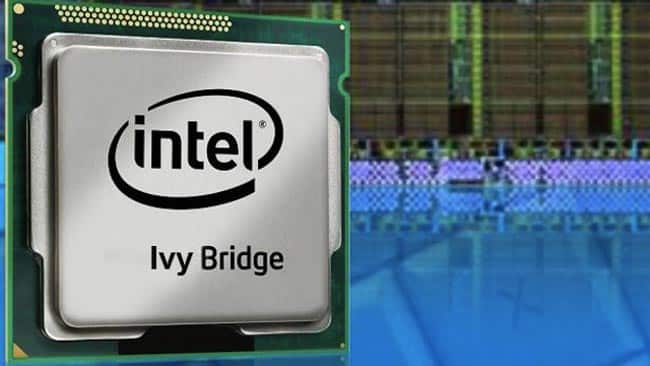

It is interesting to note that so far, the ‘Retina Display’ term has been used by Apple for its new iPad. Now Kirk Skaugen, VP of Intel has used the same term in describing the capabilities of Intel’s Ivy Bridge processor.

According to Skaugen, ‘We are planning to deliver more than 70% higher graphics performance versus the second generation core processor. We’ll have new support for three screens, DirectX 11, OpenCL 1.1, and OpenGL 3.1. These are new disclosures today on the amazing performance that we’re going to be delivering around this with 2560×1600 resolution and just like we had on the second generation core and now third generation core all this is Retina Display capable, if our OEMs choose to deliver on that.’

The Ivy Bridge processor will be able to gear up ultra-high display resolutions without any help from discrete graphics processors. This can make it an excellent choice for Retina Display Macs. Whereas Apple hasn’t officially stated whether or not the next Mac releases will feature Retina display, all hints point to it. Apple has already added support for high-display resolution in OS X Mountain Lion and the 13-inch MacBook Pro and MacBook Air machines would make ideal candidates for Retina Displays.

Buy Cheapest Related Product From Amazon.com


LG BP620: 3D Capable Blu-ray Disc Player With SmartTV

Polaroid Plans To Launch A 10-inch Android Tablet
You can also press the left/right arrow key on your keyboard to go to previous/next post
  On April 13, 2012(1 year, 1 month ago.)

Recent Search

Recent Tutorials

This tutorial will show how to use S.M.A.R.T. (Self Monitoring Analysis and Reporting Technology) to continuously collect information on health of your equipment.
In this tutorial I'll show you how you can easily protect yourself from any kind of security breaks that may occur through Java.
Today Apple enabled "Two Step Verification" for iCloud And Apple ID. But the process is not that simple. But no worry, here we have made a step by step tutorial.
Cant remember your iPhone passcode? Here I will show you some workaround on what to do and how to recover and restore for every possible scenario.
This tutorial will show you how to perform the Winapp2.ini installation inside CCleaner and how to use it under Windows operating system.
With app called AD Sound Recorder, you can record any stream that passes through your sound card or speakers and in this tutorial I will show you how to do that.
If you want to have Boxee app inside your Apple TV, in this tutorial we will show you how to install XBMC and Boxee using Windows on your Apple TV.
This tutorial will show you how to transfer PS3 Saved Game Files from your PC to your PS3 game console.
Adding videos from external sources such as internet, more specifically from YouTube, is a great solution to enhance a presentation; in this tutorial I will show you the procedure.
If you are one of new comers to Windows Phone 8, like me, in this tutorial I will walk you through the process to update your Windows Phone 8 device.
Close You Have To Login
User:
Pass:
Login With »Login With TwitterLogin With Facebook