The famous jailbreaking tool RedSn0w 0.9.6 beta to jailbreak iOS 4.1 on iPhone 3G and iPod Touch 2G has updated by the iPhone DevTeam.with the release of Redsn0w 0.9.6b1, you can now enable Game Center on the jailbroken iPhone 3G running iOS 4.1 firmware.
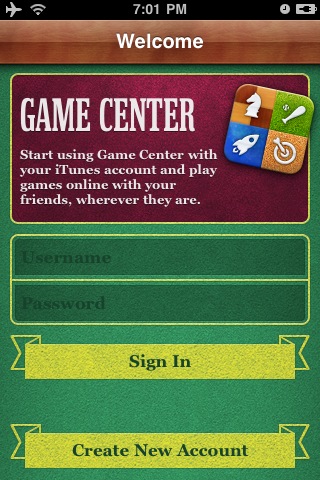
Generally Apple supports social gaming network “Game Center” only on iPhone 4 and iPad running iOS 4.2 firmware.But if you want to activate or install Game Center on iPhone 3G, follow the steps below.
Step 1: Jailbreak your iPhone 3G on iOS 4.1 using redsn0w 0.9.6
Step 2: Download Game Center for iOS 4.1 iPhone 3G (Mirror 1, Mirror 2)
Step 3: Open Cydia and then search for “OpenSSH” then install it on your iPhone 3G.
Step 4: You will now download software to access your iPhone 3G via SSH.
Mac users can use Cyberduck. Enter the following details to login to your iPhone 3G:
* Server: The IP address of your iPhone Settings -> WiFi >
* Username: root
* Password: alpine
* Protocol: SFTP (SSH File Transfer Protocol)
Windows users can use WinSCP. Enter the following details to login to your iPad:
* Server: The IP address of your iPhone Settings -> WiFi ->
* Username: root
* Password: alpine
* Protocol: SCP
Step 5: Once you have got access to the iPhone file system, navigate to /Applications folder and copy Game Center file. Set the permission to 775.
Step 6: Navigate to System/Libary/CoreServices/ SpringBoard.app/
Step 7: Choose from the following functions you want to activate (using folders), taking performance into account. Ideally, you must choose Game Center only.
* Game Center
* Game Centre + Multitasking
* Game Center + Backgrounds
* Game Center + Multitasking + Wallpaper
Step 8: Navigate to System/Libary/CoreServices/SpringBoard.app/ and Copy N82AP.plist file. Save it on your desktop.
Step 9: Now, Copy the file N82AP.plist (found in the archive Game Center for iOS 4.1 iPhone 3G, refer Step 2 ) and replace it with the original file (System/Libary/CoreServices/SpringBoard.app/).
Step 10: Navigate to System/Libary/LaunchDeamons/ and copy the file com.apple.gamed.plist
Step 11: Navigate to usr/libexec/ to copy the file “gamed” (found in the archive Game Center for iOS 4.1 iPhone 3G, refer Step 2) and set the permissions to 755.
Step 12: Restart your iPhone 3G. Voila! You have now successfully enabled and activated Game Center on iPhone 3G.
That’s all.
You could always get support from UnlockAlliPhone.com about any Unlock & JailBreak issue of any model of iPhone including iPhone 2G,3G & 3GS and also upcoming iPhone 4. They provide Premium Members Support for life time. Means just pay one time a small fee and you will receive support(real human support – avg response time 2 hour) for all present & future version of iPhone.
Click On Adds To Buy