Linux On Sony PlayStation 3 [PS3]

You might be thinking how can it be possible….!!!! but yest it is. you can install Linux on your PS3 and run it. There are many Linux distributor OSs that can run on PS3 like Fedora, Ubuntu, openSUSE, Yellow Dog, and Gentoo. he Linux kernel supports PlayStation 3 since version 2.6.21, that means no patches or hacks are required to install and run a full-featured distro.

http://cdn.thetechjournal.com/wp-content/uploads/HLIC/7829c4da6762700c08c9d172a254ed11.jpg

Courtesy of Junauza.com, they reported the steps of using Linux on PS3.

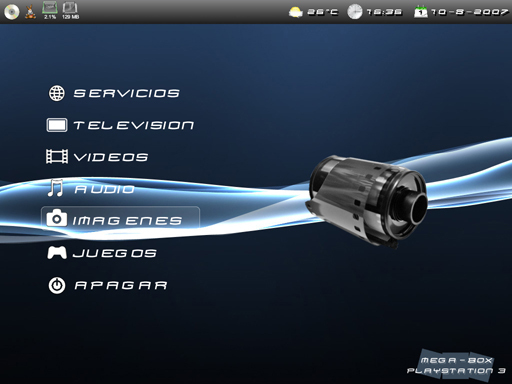
The XrossMediaBar (XMB) menu of the PS3 allows users to optionally install other operating systems making it possible for Linux to boot from the hard drive, USB, or from a LiveCD.

Yellow Dog Linux is perhaps the most widely used distro for the PlayStation 3. If installed on PS3, you can enjoy its many included applications like OpenOffice.org, Firefox, Rhythmbox, Evolution, Pidgin, GIMP, MPlayer, and many others.

The basic requirements for installing Linux on the PS3 are USB keyboard and mouse, Linux distro (supported) installer CD/DVD, USB drive (for backup), and PlayStation 3 video game console.

To install a Linux distro on the PS3, here are the steps needed:

Step-1: Backup all your saved data to the USB drive just in case something bad happens.

Step-2: From the XMB menu, navigate to System –> Format Drive –> PS3 HDD.

Step-3: Then, select a partition for the hard drive by going to Custom –> Allot 10GB to the PS3 System. The PS3 should restart after this.

Step-4: Login and insert your Linux CD/DVD installer.

Step-5: Again from the XMB menu, go to “System” and then “Install Other OS”. The PS3 will search for otheros.bid from the installer. Once found, install it.

Step-6: After the installation, you can now set the PS3 to boot Linux by default by navigating to System –> Default System –> Other OS.

Congratulations! Your PS3 is now running a complete Linux operating system that turns it into an awesome personal computer.
http://cdn.thetechjournal.com/wp-content/uploads/HLIC/a8ae01bda256aefa394ebb8a38a63463.jpg

Recent Tech News

When Facebook acquired Instagram for a whopping billion dollars, many of us kept wondering that why on Earth would the social network pay such a hefty sum for a photo sharing service. However, when Facebook later stated its ambition to be successful across the mobile platform, it was understandable since Instagram has been a huge success on the mobile devices. A recent development suggests, Facebook might have started to utilize the Instagram know-how in their (Facebook’s) products already. You will know what I mean when you see the recently launched ‘Facebook Camera’ app.

While RIM may be deemed the company that launched the true smartphone revolution with its BlackBerry devices and coined the very concept, Apple will always be termed as the company which popularized the notion of smartphones. And its not surprising to note now that iOS and Android smartphones dominate the total shipments of the smartphones made during the last quarter of 2012.

Facebook has become increasingly important for the brands to stay relevant and important on the social media. Facebook pages are a central hub for most brands to connect with their millions of fans and the social network keeps adding newer features to make this more easy and convenient. Now, Facebook has added yet another feature to pages.

Smile is a great way to express pleasure or joy at something or someone. But more often than not, it has to be forced and is fake. While that may work for a lot of people perfectly well, things are about to change. A new technology from MIT can now detect if your smile is true or fake, thus busting you right on spot for pulling that false grin.

  On March 4, 2010(2 years, 2 months ago.)

Recent Search

Tags
3D 3G Amazon Android App Apple Application Apps App Store AT&T Bluetooth. breaking news camera download entertainment Facebook features free free app Game Gaming Google HD HDMI How To HTC intel iOS iPad iPad 2 iPhone iPhone 3GS iPhone 4 iPhone app iPod ipod touch itunes iTunes link jailbreak Laptop MAC Microsoft Mobile news PC review samsung smartphone Software Sony Tablet tablets Tutorial Twitter update Verizon version video Wi-Fi Windows Windows 7
Close You Have To Login
User:
Pass:
Login With »Login With TwitterLogin With Facebook