website statistics

Another iOS 6.1.x Passcode Vulnerability Found

Another passcode vulnerability in iOS 6.1.x version of Apple's firmware has been discovered. By following a few simple steps, a user is able to completely bypass the passcode screen.

When do you use Facebook?

View Results

Loading ... Loading ...
1 Star2 Stars3 Stars4 Stars5 Stars (Rate This)
Loading ... Loading ...

We recently reported that there was a critical vulnerability in the iOS 6.1 which essentially allowed anyone to bypass the lockscreen security on an iPhone. Now, a similar bug has been found in iOS 6.1.x. Like the last bug, this new bug is also exploited by followed a few specific steps listed below.
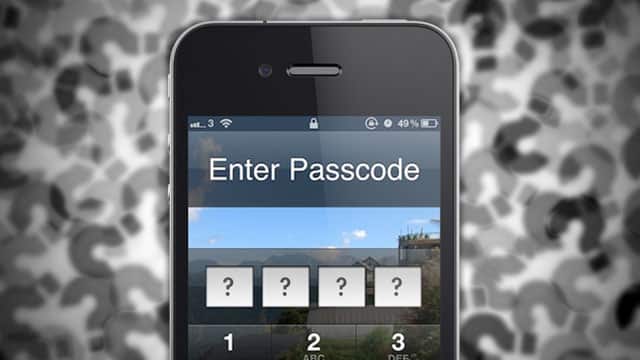

iPhone passcode

Once you follow the steps listed below, you are easily able to bypass the lockscreen security without having to provide any passcode:

  1. Connect your iPhone with iTunes and the App Store to ensure that the lock screen functionality is enabled.
  2. Push the power button. iPhone will turn on and ask you for the passcode.
  3. Click on emergency call. Try to dial any emergency number and immediately cancel the call.
  4. Now push the power button and also push iPhone button.
  5. Keep the power button pressed for 3 seconds – during the third second, press the iPhone button as well as the emergency call button, all at the same time.
  6. Now remove your finger from the iPhone button and then from the power button – the display of the device will go black after this.
  7. Connect a USB plug with your iOS device while the screen is still black and voila! You are able to access content such as photos, videos and contacts without providing any passcode for the lockscreen.

The interesting part is that as far as the earlier passcode bug is concerned, Apple is apparently furnishing a patch for it in the upcoming iOS 6.1.3. The big question is, will the company will consider providing a patch for this freshly discovered bypass functionality?

Watch the video below to watch a hands-on demonstration of this bug.

Courtesy: Threat Post

Buy Cheapest Related Product From Amazon.com


Microsoft Updates Windows Phone App For Windows 8

Dell Latitude 10 Gets Security Enhancements And A 20-Hour Battery Life
You can also press the left/right arrow key on your keyboard to go to previous/next post
  On February 26, 2013(2 months, 22 days ago.)

Recent Search

Recent Tutorials

This tutorial will show how to use S.M.A.R.T. (Self Monitoring Analysis and Reporting Technology) to continuously collect information on health of your equipment.
In this tutorial I'll show you how you can easily protect yourself from any kind of security breaks that may occur through Java.
Today Apple enabled "Two Step Verification" for iCloud And Apple ID. But the process is not that simple. But no worry, here we have made a step by step tutorial.
Cant remember your iPhone passcode? Here I will show you some workaround on what to do and how to recover and restore for every possible scenario.
This tutorial will show you how to perform the Winapp2.ini installation inside CCleaner and how to use it under Windows operating system.
With app called AD Sound Recorder, you can record any stream that passes through your sound card or speakers and in this tutorial I will show you how to do that.
If you want to have Boxee app inside your Apple TV, in this tutorial we will show you how to install XBMC and Boxee using Windows on your Apple TV.
This tutorial will show you how to transfer PS3 Saved Game Files from your PC to your PS3 game console.
Adding videos from external sources such as internet, more specifically from YouTube, is a great solution to enhance a presentation; in this tutorial I will show you the procedure.
If you are one of new comers to Windows Phone 8, like me, in this tutorial I will walk you through the process to update your Windows Phone 8 device.
Close You Have To Login
User:
Pass:
Login With »Login With TwitterLogin With Facebook