
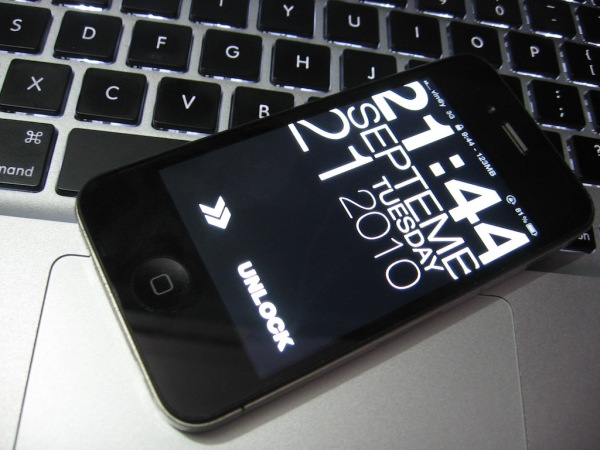
Typophone 4 is an amazing and minimalist lockScreen with full support of retina display.It shows the time and date in large bold letters (made for the iPhone 4!) and contains a cool unlock slider.Typophone 4 is available in Cydia.
To get started with the installation of this theme, you will have to first make sure that your device is Jailbroken and has Cydia installed because the package is only available in the Cydia app.
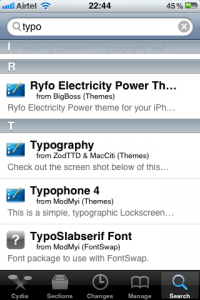
Next you will have to run the Cydia App and tap on the Search button. Search for ‘Typo’ and you will find the app listed in the search results.
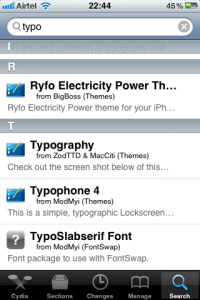
Next tap on the app and you will get the App details as shown below with the author and package settings options.
Tap on the Install button and then you will get the following screen with the app data size and amount of the data which would be downloaded.
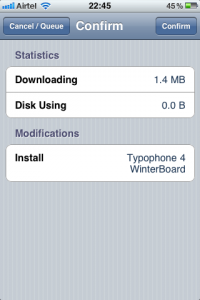
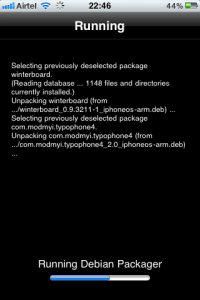
Next the installation process would begin and the app would be downloaded and installed on your device along with Winterboard. Following this the device would be rebooted.
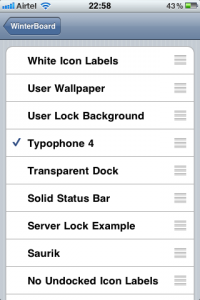
Once the device is completely rebooted you will have to tap on the Settings Icon and then tap on WinterBoard option > Select Themes > Typophone 4.
That’s all, Lock your device and try to unlock it and you will find the above beautiful and elegant lock screen on your Apple iPhone.
You could always get support from UnlockAlliPhone.com about any Unlock & JailBreak issue of any model of iPhone including iPhone 2G,3G & 3GS and also upcoming iPhone 4. They provide Premium Members Support for life time. Means just pay one time a small fee and you will receive support(real human support – avg response time 2 hour) for all present & future version of iPhone.
Click On Adds To Buy


mine still shows the standard Iphone clock on top of the lockscreen – looks tacky – anyway to fix this?
Download Lockscreen Clock Hide from cydia.
My background won’t show up with this lockscreen.
same here! NEED HELP!!!!
this is cool and everything and i was able to hide the lockscreen clock, but the clock on this hack shows the right time but with 88:88 flashing over it. So it goes 12:32, then a half second later it goes 88:88. how do i fix that?’
go to settings on your phone.. change the backgroud to what you want.. set your lockscreen background to your choice.. than go to winterboard click on the select themes and click on typophone 4 to uncheck and click again and check it again than respring the phone and your background will save to your choice and it looooooks absalutely amazing
10 stars.. this is the best lockscreen ever.. absalutely amazing
It’s looks so good, the only bad thing that i’ve got is notification doesn’t show up, phone just vibrate or ring but I can not see any notification.
PLEASE HELP !!!