
iWindows jailbreak tweak lets you run Windows 7 on your iPhone and it’s a new Cydia tweak has been released to run Windows 7 on your iPhone. At first glance iWindows looks pretty good too, but as soon as you try to use it you realize that something is not working properly and your iPhone will not run on Windows 7, but you will have some semblance with the emulator…………
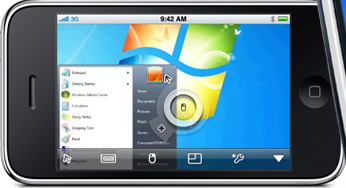
You tap and swipe your way effortlessly around the iOS interface, but it’s just not right. If that rather bizarre and somewhat troubling psychotic episode had ever befallen you, then you’re in luck, because a new jailbreak app has you covered. Unimaginatively named iWindows and currently available for zero dollars, pounds or any other currency via the Cydia app store under the BigBoss repo, this little app offers the Windows 7 interface we’re all familiar with, along with a Chrome flavored web browser for browsing the web. This isn’t actually Windows 7 and it doesn’t actually work properly, its rather an emulation of the real thing for entertainment purposes. While the built-in web browser does admittedly work to a degree, don’t expect Safari-like performance out of it. Pages to render, though the app’s odd resolution can result in some strange occurrences. The only other button inside iWindows is the Info one that simply displays information about the app’s developer. According to iWindows developer, new features will be added in future to make this tweak more practical and interesting and those are:
- Added working startmenu
- Added working notepad
- Added Welcome screen
- Added New Icon
- Better startup screen
- Google Chrome in fullscreen mode
- User Log in/Log out through startmenu
Launching iWindows iDevice will open on your desktop the classic interface of the operating system with the original background of Windows 7. Below, Launch Bar, you will see three shortcuts: Windows logo, which will allow – in theory – to access all the programs on your device, the icon to access the Google Chrome browser for the Internet and label the “Info” to learn about the development of iWindows.
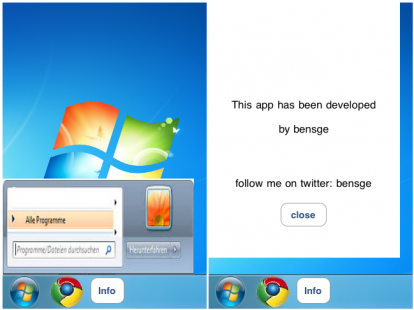
At first glance iWindows looks pretty good too, but as soon as you try to use it you realize that something is not working properly. The Internet browser, the real strength of the application, upload web pages with a resolution of its own that logically does not fit the window size of the emulated program. As for the drop-down menu that appears by pressing the Windows logo, this is pretty much useless as well as having a graphical interface much unwatchable.
Download iWindows For iPhone: Here
Steps To Install iWindows On iPhone:
1. Download iWindows .deb file
2. Start Cydia
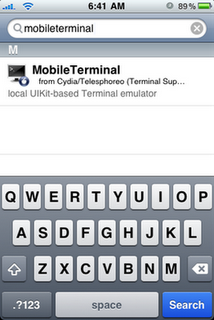
3. Search Mobile Terminal
4. Install Mobile Terminal
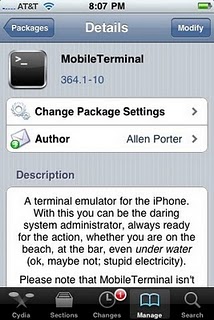
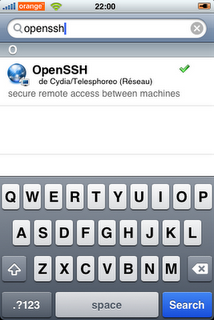
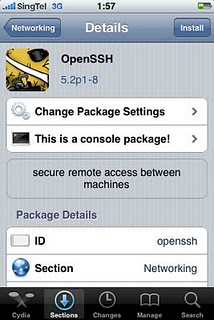
5. Install OpenSSH from Cydia
6. Start MobileTerminal

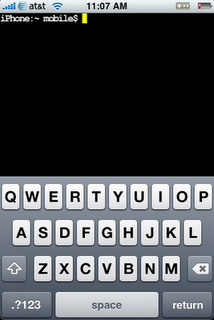
7. Type commands as given below:
- su (press return)
- alpine (press return) (typed password would be invisible)
- dpkg -i nameofpackage.deb (press return, exchange “nameofpackage“ with name of .deb file “Lockinfo”)
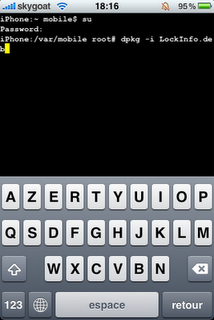
8. Reboot your device
[ttjad keyword=”iphone”]
![Read more about the article Unlock iPhone 4 on iOS 4.3 GM Using Ultrasn0w[How To]](https://thetechjournal.com/wp-content/uploads/2011/03/iOS-4.3-jailbreak.jpg)
Welcome to new cydia tweek has been released to windows phone7.nice to sharing.blog hosting review