
Apple has released iOS 4.2.1.But some iPhone 4 users have reported that they are facing iTunes Error 1013 or 1611 while updating their iPhone 4 to iOS 4.2.1.There is no proper solution available on the Internet and this issue has already been reported to the Apple team.
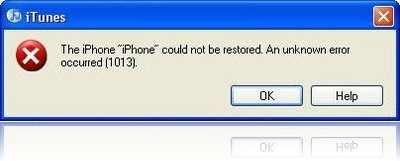
The steps are given below.
For Mac OS X:
Step 1. Go to your “Applications” folder
Step 2. Go to your “Utilities” folder
Step 3. Launch “Terminal”
Step 4. Type “sudo nano /etc/hosts” (without quotes) and hit return
Step 5. Enter your password
Step 6. Use the down arrow key to find the “gs.apple.com” entries. Once the cursor is in front, make sure you comment out the line(s) by entering “#” (no quotes) in front of the text
Step 7. Save the file by pressing CONTROL+O on the keyboard
Step 8. Exit the nano editor by pressing CONTROL+X on the keyboard
Step 9. Restore your iDevice
For Windows
Step 1. Start –> Programs –> Accessories
Step 2. Run Notepad or WordPad
Step 3. Click “Open..” from File menu.
Step 4. Browse to Windows/System32/drivers/etc
Step 5. In “files of type:” select all documents
Step 6. Open “hosts”
Step 7. Delete all line that has “gs.apple.com” or something like that
Step 8. Hit Save
Step 9. Restore your device
That’s all.
Click On Adds To Buy iPhones Accessories


Thank you! this fixed my problem.
If it will not save run as admin when you open wordpad.
i have 2 gs.apple.com wich 1
What if i have no gs.apple.com line in my host file ?
Step 4. Browse to Windows/System32/drivers/etc
I cannot find this? I am currently using Windows 7
this didnt work for me
I HAVE NO GS.APPLE.COM IN MY HOST FILE WHAT NOW
I had the same issue while updating to 4.3.1, the trick which worked for me is that create a new user on your PC(i created Admin User) and login to new user & update with itunes. when the update will finish switch user and sync old backup….
This article really helped me out, thanks!
It works. You have to hit Ctrl+O and then enter, then Ctrl+X to exit.
on a windows based computer, follow the firsts steps of the process. instead of editing the Hosts file, remove it entirely and drag it onto the desktop, then Restore your iOS device.
on a Mac, from desktop go to GO on toolbar, GO TO FOLDER, type in /etc/hosts, pull the hosts file out onto desktop, open it, add the # directly in front of gs.apple, ensure the space stays there, close it and save it, throw it back into its original location and Restore your iOS device.
Thanksssssssssssssssssssssssssssssssssssssssss
I get this everytime I update either my iPhone or iPad, so you need to Download the latest iTunes Software to a Temp Directory ( C: Temp ) Windows 7. You will need this later to reinstall iTunes. With your iPhone / iPod / iPad connected to your Computer, Go to Start / Control Panel / Uninstall Programs, scroll down to the program ” iTunes ” and double click to uninstall….don’t delete any other Apple Software ONLY iTunes.
With your Iphone still connected to your Computer, go to the Temp directory you downloaded iTunes to and double click it to start the installation of iTunes…once the installation is complete, iTunes will recognise your iPhone and restart the Restore process….let it run it’s course until the restore is complete, then you will get a message telling you to Sync your iPhone / iPod from a Backup file, click Yes and let it do it’s thing and when complete your Gadget should be back to normal. This fix should apply to most versions of Windows.
When you Sync your iphone normally, iTunes stores all the information in another directory, so that when you delete iTunes, all you are deleting is the program NOT all your previously Synced / Backup information.
Goodbye Error 1611.
NEED HELP!
how can i restore my iphone 3gs 32gb (model: mc134ta) when this error “err = -3259”, will appear after downloading the update from itunes.
Tikhoy
(tikhoy@yahoo.com)
me neither!
Same, my “hosts” file did not have a line with “gs.apple.com” in it. So now what???
its not getting del showing error path not correct pls help
wen u try to save it , the file save with notepad only
i did it and it still has error 1013 i deleted all gs.apple.com and it goes half way to the reboot and then error 1013
I WHEN THROUGH ALL THE STEPS AND TO MY SUPRISE THEY IS NOTHING IS THAT FILE
If you are connected through a USB hub try connecting to the USB on the computer. It solved my 1611 error when updating to IOS 5 on my iPad.
This always fixed that stupid error for me http://howtofixstuff.blogspot.com/2012/01/how-to-successfully-fix-itunes-error.html