
Saving SHSH Blobs is very important for all iPad users.This guide helps you to save SHSH blobs of iOS 3.2.1 for iPad WiFi, 3G models.This is a guide for Windows and Mac and works on iOS 3.2.1.
IMPORTANT:
* You can save SHSH blobs for iOS 3.2.1 only if it’s being signed by Apple. Go grab your SHSH blobs for iOS 3.2.1 before it’s too late. Apple stops signing a firmware when an updated version is out.
* TinyUmbrella can save SHSH blobs regardless of jailbreak.
* With TinyUmbrella you can save SHSH blobs for iOS 3.2.1 even if you’re on older iOS 3.2.
* It does not matter what firmware version is on the device TinyUmbrella will get the currently signed firmware by default.
* TinyUmbrella supports both the iPad 3G and iPad WiFi
Steps To Save SHSH blobs for iPad iOS 3.2.1:
Download TinyUmbrella
Download iTunes 9.2 (iTunes version between 9.0 to 9.2 should work)
Simple Mode
1. Run the TinyUmbrella. (Mac users: Copy the app to your desktop or you’ll get repeating password prompts if you ran the app from within the DMG).
2. Now Connect your iPhone 4, iPhone 3GS, 3G, iPod Touch 3G or iPod Touch 2G or iPad to your computer
3. Now Simply Hit the Save My SHSH button and TinyUmbrella will grab SHSH blobs of the latest firmware for the connected device. This will also generate a ticket to save SHSH blobs to Saurik’s server.
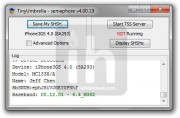
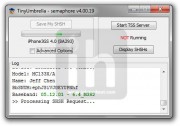
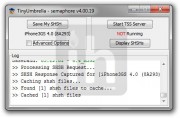
You have secured your future jailbreak by saving SHSH blobs for iOS 4 using TinyUmbrella. You can find the saved SHSH file under:
Advanced Options
If you’ve SHSH blobs saved via Cydia for an older firmware and want to get those old SHSH blobs into your computer or want to save SHSH blobs without connecting your device (not possible for iPhone 4) simply by providing ECID, then use the advanced options. You can also download latest firmware blobs via Advanced options.
1. Connect your Device to your computer and fire up the TinyUmbrella.
2. Check mark the advanced options.
3. ECID: TinyUmbrella auto detects your iDevice ECID or you can enter manually if device not connected.
4. Device/Version: Select your device and the firmware version for which you have saved SHSH blobs on Saurik server or the latest one.
5. Locations
Select Cydia or Apple. This is what these options do:
* Cydia: searches for SHSH blobs on Cydia. If found, then it downloads them to your PC. If NOT found, then it pings Apple server for the blobs and download them to you PC if being signed by Apple and also submits a ticket to Cydia server to save blobs there.
* Apple: Directly pings Apple server and download SHSH blobs for currently signed firmware to your Computer. It does NOT submit a ticket to Cydia for saving SHSH there or download older blobs.
6. Hit the Save my SHSH button.
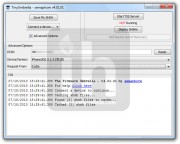
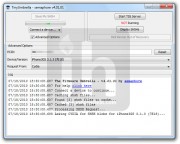
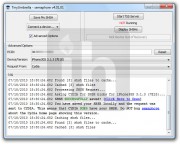
This way TinyUmrella will save SHSH blobs for latest firmware or older firmware (if already saved at Saurik server). This will download and save your older SHSH on file, that are already at Saurik server, into your computer.
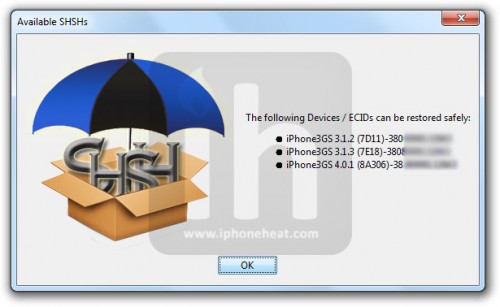
Now Click on Display SHSH to confirm that SHSH blobs has been saved. There’s also a link “Click here to Open” in the Log (the bottom text section) to view the saved SHSH blobs.
You could always get support from UnlockAlliPhone.com about any Unlock & JailBreak issue of any model of iPhone including iPhone 2G,3G & 3GS and also upcoming iPhone 4. They provide Premium Members Support for life time. Means just pay one time a small fee and you will receive support(real human support – avg response time 2 hour) for all present & future version of iPhone.


Pingback: How To Save SHSH blobs for iOS 4.0.2 and iPad iOS 3.2.2 with TinyUmbrella 4.02.04 | TheTechJournal.com
Pingback: Private Servers