iDownloadAll is a wonderful high-speed file downloader app which supports iPhone, iPod touch, and iPad. You may find lots of downloader apps in the iTunes store, but iDownloadAll is a special one that can serve you better than most of them. ColorfulApp is the creator of this app. This app is currently being offered for free.
iTunes Link: http://itunes.apple.com/app/idownloadall-download-view/id504726396?mt=8
Overview:
The specialty of iDownloadAll is its rapid download speed which is achieved using multi-threaded download technology. The multi-thread download is common is desktop based download managers, but not that much prevalent in mobile based download managers.
As this app is built for iOS platform, you can directly download it from your iPhone, iPod touch device.
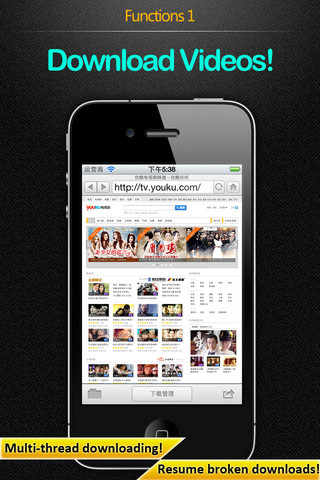
It supports easy video download from YouTube and easy image download from websites. Users are also allowed to browse and play most common file formats. Once you start downloading with iDownloadAll it can resume interrupted downloads from the point where they broke off.
This app will take 18.9 MB space in your device. If you are searching for a good download manager for your mobile, then you should try this app. And, dont miss the offer!
Now checkout more details below from the developers.
Key features:
✔ Download/Upload
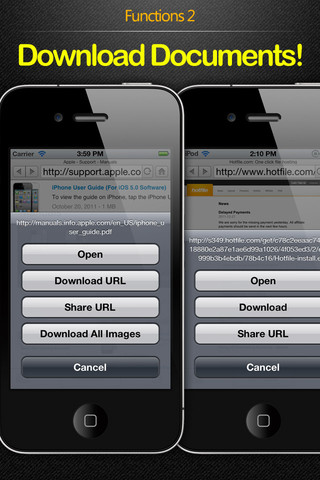
– Built-in webpage browser for easy download from websites.
– Multi-thread download technology simultaneously starts multiple threads to download the same file, achieving maximum download speeds.
– Resume broken downloads technology, resumes interrupted downloads from break off point.
– Supports video downloads from YouTube
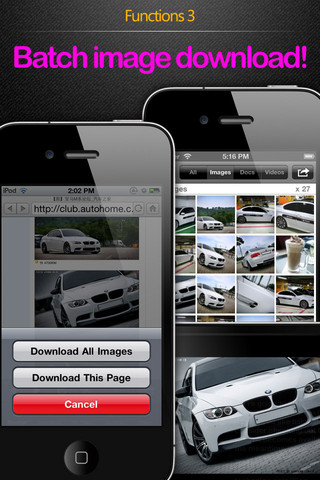
– Image batch download. Downloads all images on one page in a single batch.
– Hold down to download images from webpage.
– Hold down to force download.
– Can save the entire webpage you are browsing.
– Fully-featured download manager that can pause, continue, or delete the files you are currently downloading or ones you have already downloaded.
– Downloaded images can be saved to the system album.
– You can maintain downloads after turning off the screen or switching to other apps.
– Downloaded files can be exported via WiFi, USB, or Email.
✔ File Browsing/Playing
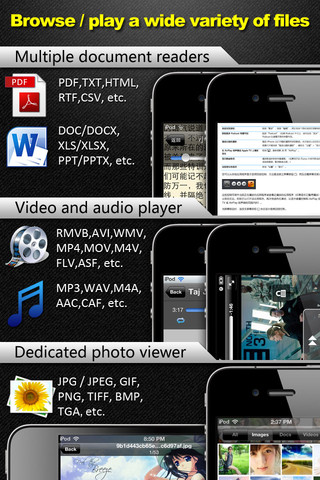
– Built-in fully-featured video player capable of playing most popular video formats (AVI,RMVB,WMA,MP4,MOV, etc.)
– Built-in fully-featured audio player capable of playing most popular audio formats (MP3, MAV, AAC, etc.)
– Remembers last position of video and audio playback (audio clips must be 7 minutes or longer for this function to operate).
– The system’s default playback control buttons allow you to listen to and control musical playback even after turning off the screen or switching to other apps.
– Built-in multi document readers, with support for common formats (PDF, DOC, PPT, etc.).
– Dedicated TXT file reader, allows change of text size, color, etc., and is perfect for lengthy reads!
– Ability to save last reading position reached.
– Built-in dedicated image viewer, for easy image browsing.
– Screen orientation lockable when browsing documents or images.
✔ File Protection
Create multiple password-protected folders for your confidential files.
✔ File Manager
– Fully-featured file manager for managing both downloaded files and files uploaded via WiFi or USB.
– Zip / Unzip
– Supports folder creation, and allows you to assign an access password to each folder.
– Supports movement of files between folders.
– Manipulate multiple files at one time, batch delete, copy, paste, rename, compress, etc.
– Take your own photos or import images from the system album and save as files.
– Videos can be recorded or imported from the system album and saved as files.
– You can enter texts which can be saved as files and edited
– Enter texts, save them as files, and edit them.
✔ File Sharing
– WiFi: No data line, no OS limit, and no need to install additional applications on your desktop PC.
– USB: No need for an Internet connection. IPhone data line and iTunes are enough to transfer files.
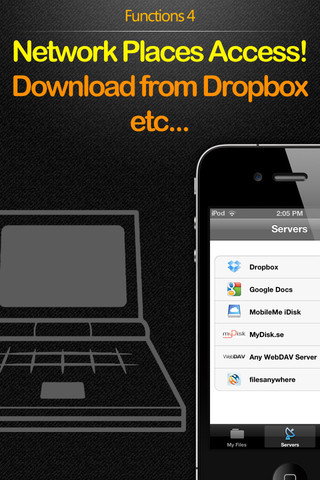
– Online storage: Can exchange files with Dropbox, iDisk (MobileMe), GoogleDoc, and other online storage services
– E-mail: You can use e-mail to send files.
– Use the “open as…” menu to exchange files with other apps (including saving email attachments)
✔ Supported File Formats
Video: AVI, RMVB, WMA, MP4, MPV, M4V, 3GP, MOV, FLV, ASF
Audio: MP3, WAV, M4A, AAC, CAF
Document: PDF, RTF / RTFD, DOC / DOCX, XLS / XLSX, PPT / PPTX, CSV
Text: HTM / HTML, TXT …
Image: JPG / JPEG, GIF, PNG, TIFF, BMP, TGA
Requirements: Compatible with iPhone 3GS, iPhone 4, iPhone 4S, iPod touch (3rd generation), iPod touch (4th generation) and iPad. Requires iOS 4.0 or later. This app is totally free to download from iTunes.
Current Version: 2.6
Size: 18.9 MB
[ttjad keyword=”ipad”]