
After awaiting iPhone 4 Jailbreak released.If you don’t know how to jailbreak iPhone 4 iOS 4.0.1 / 4 with JailbreakMe 2.0 jailbreak i’m giving you a complete guideline.
Steps to Jailbreak iPhone 4 iOS 4.0.1 / 4 with JailbreakMe:
Step 1:
* Download and install the latest iTunes 9.2.1.
* Backup all your personal stuff
* Restore the official firmware (Download iOS 4.0.1 | Download iOS 4.0)
Step 2:
* Make sure your iPhone is connected to the internet.
* Open the Safari Browser from your iPhone 4 Springboard.
* Input one of the following URLs:
o http://jailbreakme.com
o http://jailbreakme.modmyi.com/

Step 3:
Now Slide to Jailbreak iPhone 4 on iOS 4.0.1 or 4.0 firmware.
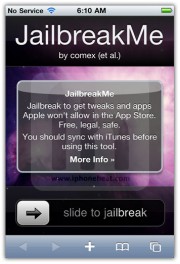
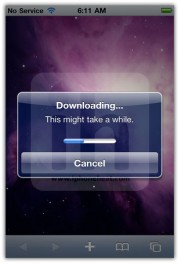
* First it will download the jailbreak data
* then the jailbreak process will begin
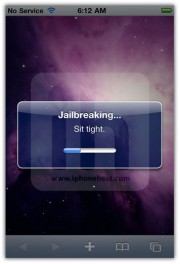
Once the process is complete, the following popup message will appear:
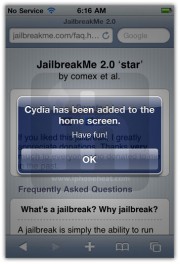
Hit the OK button and close Safari.
You’ve successfully jailbreak iPhone 4 with JailbreakMe userland jailbreak by Comex.
You could always get support from UnlockAlliPhone.com about any Unlock & JailBreak issue of any model of iPhone including iPhone 2G,3G & 3GS and also upcoming iPhone 4. They provide Premium Members Support for life time. Means just pay one time a small fee and you will receive support(real human support – avg response time 2 hour) for all present & future version of iPhone.
You may also use JailbreakMe.us.
Thanks

I HAVE DONE ALL STEPS AND RIGHT NOW CYDIA IS ADDED TO MY HOME SCREEN, BUT DEVICE IS STILL LOCKED AND MY LOCAL SIM CARD IS NOT WORKING PROPERLY,
WHAT SHOULD I DO?
Does this work with 4g itouch