website statistics

Synotes – Note Taking & Management App For iOS [Price Drop]

Synotes is a robust note taking and management application for iOS. You can sync across your devices and store them securely to the Cloud.

When do you use Facebook?

View Results

Loading ... Loading ...
1 Star2 Stars3 Stars4 Stars5 Stars (Rate This)
Loading ... Loading ...

Synotes is a note taking and management application for the iOS. Although there is an built-in note taking app with iOS, those who need more functionality would love Synotes. This app is developed by Syncode. You can get it for free from App Store for a limited time. Grab it before the price returns to the usual $1.99.


Synotes

iTunes Link: http://itunes.apple.com/us/app/synotes/id349443364?mt=8

Our Review:

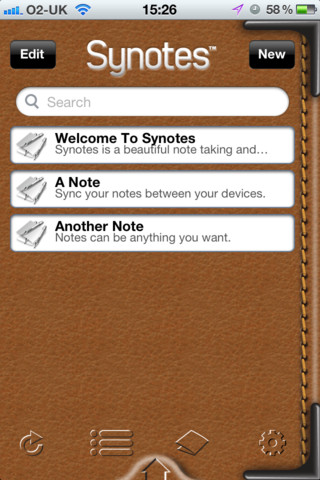
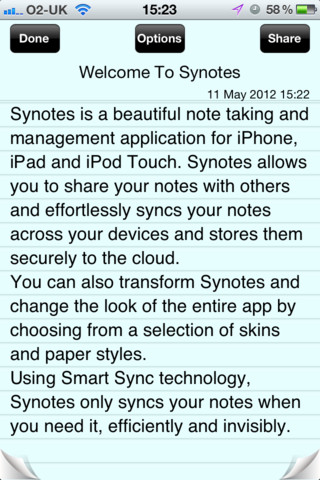
Synotes is a robust note taking and management application for iOS. You can easily type your notes and share those with your friends. You can sync across your devices and store them securely to the Cloud.

If you don’t like the Synotes’ color scheme or the look, don’t brag. You can transform Synotes and change the look of the entire app. You can choose different colors or set gorgeous skins and paper styles. You can create your own attractions to use it.

There is a long list of the features given by the developers. You can check for more below.

Main Features:

  • Add, edit and delete your notes.
  • Sync your notes across different devices, including iPhone, iPad and iPod touch.
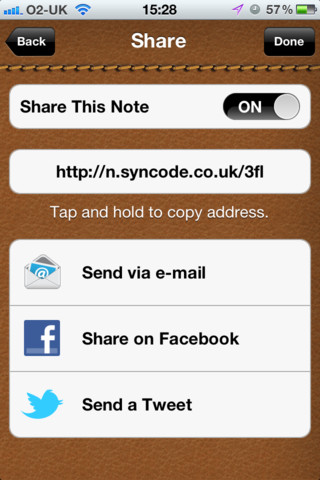
  • Share your notes by email with the ability to control visibility.
  • Share your notes on Facebook and Twitter.
  • Integrated web interface for sharing.
  • Selection of app skins and paper styles for a more personal look.
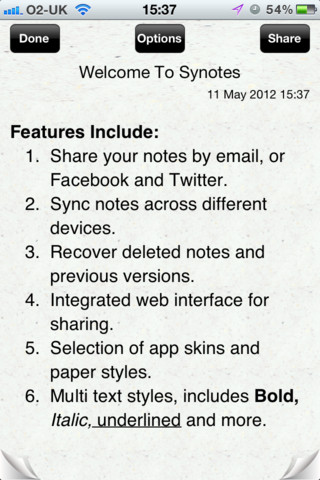
  • Multi text styles, including, bold, italic, underline, bullets, alphabetical and numerical list.
  • Assign each note with specific icon.
  • Search your notes.
  • 256 bit encryption when syncing your notes to the Cloud.
  • Cloud storage for your notes, routinely backed up.
  • Rearrange your notes.
  • Offline editing, adding, deleting and rearranging.
  • Recover deleted notes.
  • Access previous versions of a note.
  • Order your notes manually, by date created, date last modified or by icon.
  • Filter notes list by icon.
  • Secondary password option to protect access to your notes.
  • Full Synotes support and help.

Requirements: Compatible with iPhone 3GS, iPhone 4, iPhone 4S, iPod touch (3rd generation), iPod touch (4th generation) and iPad. Requires iOS 5.0 or later. This app is totally free to download from iTunes.

Current Version: 2.0.0
Size: 9.3 MB

iPhone Screenshot 1
iPhone Screenshot 2
iPhone Screenshot 3
iPhone Screenshot 4
iPhone Screenshot 5

Buy Cheapest Related Product From Amazon.com


Outlook.com Admits Mac Client Deficiency, Hints IMAP Support In Future

Hexapod Aims To Build 6-Legged Rideable Walking Robot Called Stompy
You can also press the left/right arrow key on your keyboard to go to previous/next post

Tags: ,

  On August 12, 2012(9 months, 15 days ago.)

Recent Search

Recent Tutorials

This tutorial will show how to use S.M.A.R.T. (Self Monitoring Analysis and Reporting Technology) to continuously collect information on health of your equipment.
In this tutorial I'll show you how you can easily protect yourself from any kind of security breaks that may occur through Java.
Today Apple enabled "Two Step Verification" for iCloud And Apple ID. But the process is not that simple. But no worry, here we have made a step by step tutorial.
Cant remember your iPhone passcode? Here I will show you some workaround on what to do and how to recover and restore for every possible scenario.
This tutorial will show you how to perform the Winapp2.ini installation inside CCleaner and how to use it under Windows operating system.
With app called AD Sound Recorder, you can record any stream that passes through your sound card or speakers and in this tutorial I will show you how to do that.
If you want to have Boxee app inside your Apple TV, in this tutorial we will show you how to install XBMC and Boxee using Windows on your Apple TV.
This tutorial will show you how to transfer PS3 Saved Game Files from your PC to your PS3 game console.
Adding videos from external sources such as internet, more specifically from YouTube, is a great solution to enhance a presentation; in this tutorial I will show you the procedure.
If you are one of new comers to Windows Phone 8, like me, in this tutorial I will walk you through the process to update your Windows Phone 8 device.
Close You Have To Login
User:
Pass:
Login With »Login With TwitterLogin With Facebook