
If you want to upgrade your iPhone 4 to iOS 4.3.1 without upgrading its baseband using TinyUmbrella for Mac this tutorial will help you very much. Some users have asked us to help them upgrading their iPhone 4 to iOS 4.3.1 without upgrading its baseband. This is a mighty helpfull guideline for them.

Note: This ONLY Works with the iPhone 4 and only for Mac users.
The steps are as follows.
Step 1: Download TinyUmbrella and Also make sure to download the iPhone 4 iOS 4.3.1.

Step 2: Double click the downloaded TinyUmbrella.exe file.
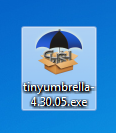
If you get a Windows Firewall notification, check both boxes and click Allow Access.

Step 3: Make sure the device is connected, and Umbrella has detected the type of device and its firmware.
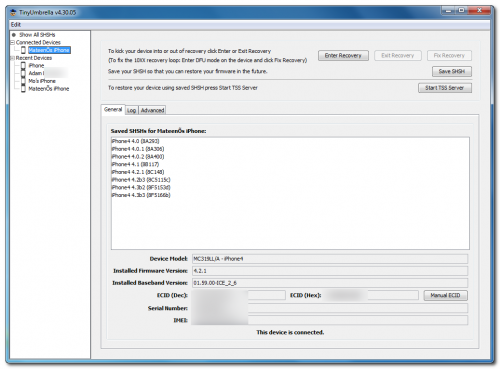
**If you haven’t already saved your iOS 4.3.1 SHSH blobs then click Save SHSH. Make sure they successfully save before continuing.
Step 4: Hit Start TSS Server and make sure you receive no errors.
Once The TSS Server is “running” successfully, umbrella will kill iTunes. Leave TinyUmbrella Open. You can double check to see if the TSS server is running under the Log tab.

If you do receive an error, DO NOT continue. Your restore will not work if the TSS server cannot be started.
Step 5: Open iTunes by doubling clicking its icon.

Hold down the Shift key and click Restore
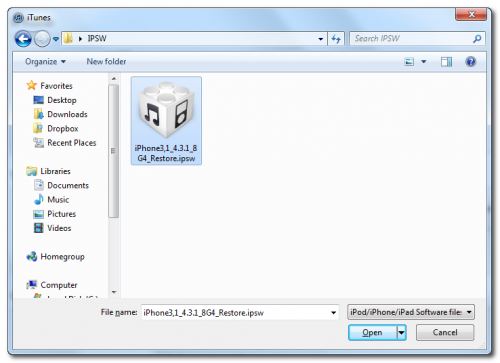
Select your iPhone 4.3.1 firmware file from the popup window that appears and click Open.
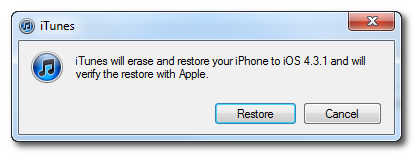
Click Restore to begin restoring your device.
Step 6: iTunes should give you error 1013. This is what we wanted, as it notes the baseband has not updated 🙂 Click Ok and close iTunes.
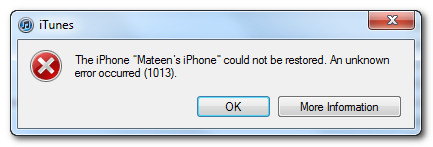
If you get a 16XX error then try entering DFU and go to step 5.
If your restore does NOT end in a 1013, it means your baseband was updated. This is likely because you did not have the TSS server running OR you updated without TinyUmbrella OR you are working with a device OTHER than iPhone 4.
Step 7: Place your iPhone into DFU mode by holding down both the Power and Home buttons for ten seconds, then release the Power button and continue holding the Home button for another 5 seconds.
* Hold Power and Home buttons for 10 seconds
* Now release the Power button but continue holding the Home button for 10 more seconds
* You device should now be in DFU mode

Step 8: Fix Recovery in TinyUmbrella is currently not working. Download this standalone .exe file to fix recovery on 4.3.1. Extract the file and double click on fixrecovery43.exe. A command prompt will open, and the program will go through the process. During this time, you will notice scrolling text on your iPhone 4.
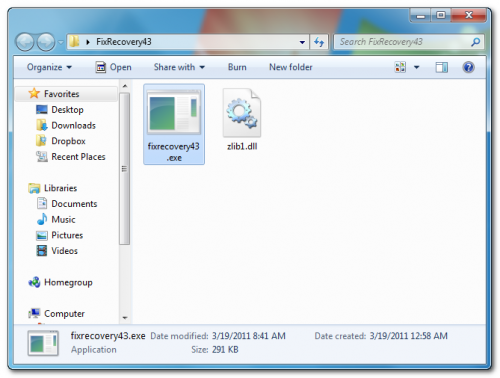
Step 9: Your iPhone will now be on 4.3.1 with the 1.59.00 baseband!
That’s it.
[ttjad keyword=”iphone”]