website statistics

Kodak Introduces ESP 3.2 Cloud Friendly Budget Multifunction Printer

Kodak has added a new all-in-one printer, ESP 3.2, in their budget multifunction printer line up.

When do you use Facebook?

View Results

Loading ... Loading ...
1 Star2 Stars3 Stars4 Stars5 Stars (Rate This)
Loading ... Loading ...

Kodak has added a new all-in-one printer, ESP 3.2, in their budget multifunction printer line up. The ESP 3.2 multifunction printer delivers print, copy and scan functionality in a compact frame. This printer gives touch screen access to a 2.4-inch color display that can also make light photo edits. ESP 3.2 also features Wi-Fi connected cloud services, i.e. you can now connect to the printer from your smartphone or tablet over Wi-Fi.
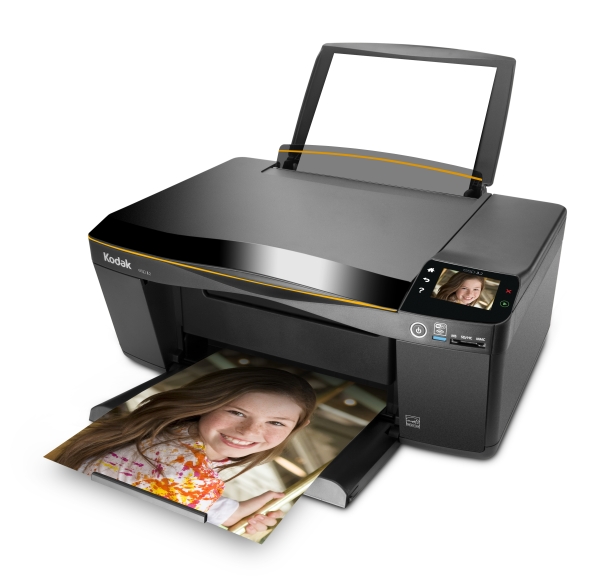

Kodak ESP 3.2 Multifunction Printer, Image Credit:Kodak

Although, Kodak ESP 3.2 features Wi-Fi connectivity, it can’t be connected to the LAN through Ethernet. The only other option available is connecting through a USB 2.0 port. The printer, however, has some cloud friendly features. It supports Google Clod Print-enabled apps and Kodak’s Pic Flick and Document Print apps.

Kodak ESP 3.2 will be easy on your wallet considering the total cost of ownership – its cheap to buy and its cheap to maintain. The printer comes with two cartridges – one black cartridge and one three-color cartridge. The printer is compatible with the Kodak 30 series of pigment-based ink cartridges.

The print resolution is up to 9600 x 2400 dpi, and the scan resolution for flatbed scanning is up to 24 bit 9600 interpolated dpi.

The Kodak ESP 3.2 multifunction printer will be available this June for $99.99.

Source: CNET

Buy Cheapest Related Product From Amazon.com


Google Search Becomes Smarter With Knowledge Graph

New iPhone Will Have A Larger Screen – At Least 4 Inches Diagonally
You can also press the left/right arrow key on your keyboard to go to previous/next post
  On May 17, 2012(1 year, 0 months ago.)

Recent Search

Recent Tutorials

This tutorial will show how to use S.M.A.R.T. (Self Monitoring Analysis and Reporting Technology) to continuously collect information on health of your equipment.
In this tutorial I'll show you how you can easily protect yourself from any kind of security breaks that may occur through Java.
Today Apple enabled "Two Step Verification" for iCloud And Apple ID. But the process is not that simple. But no worry, here we have made a step by step tutorial.
Cant remember your iPhone passcode? Here I will show you some workaround on what to do and how to recover and restore for every possible scenario.
This tutorial will show you how to perform the Winapp2.ini installation inside CCleaner and how to use it under Windows operating system.
With app called AD Sound Recorder, you can record any stream that passes through your sound card or speakers and in this tutorial I will show you how to do that.
If you want to have Boxee app inside your Apple TV, in this tutorial we will show you how to install XBMC and Boxee using Windows on your Apple TV.
This tutorial will show you how to transfer PS3 Saved Game Files from your PC to your PS3 game console.
Adding videos from external sources such as internet, more specifically from YouTube, is a great solution to enhance a presentation; in this tutorial I will show you the procedure.
If you are one of new comers to Windows Phone 8, like me, in this tutorial I will walk you through the process to update your Windows Phone 8 device.
Close You Have To Login
User:
Pass:
Login With »Login With TwitterLogin With Facebook