
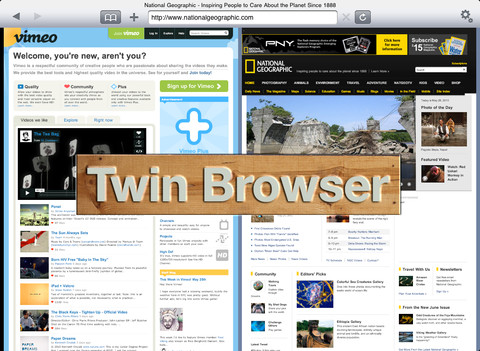
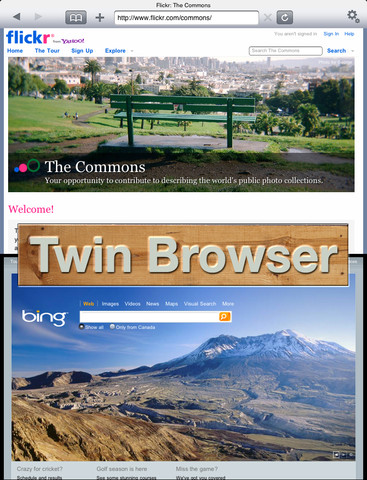
Twin Browser is a web browser app developed specially for the iPad. There are a lot browsers in the app store which are highlighting dozens of features. But Twin Browser is the only app that allows user to view side-by-side webpages on the same same screen. Wesley Dyson is the developer of this wonderful app. The new 1.2 version being complete and waiting for App Store approval, the developer has made the current 1.1.1 version freely available at App Store.

iTunes Link:
Overview:
Twin Browser is the only iPad browser that features side-by-side webpage viewing using one, streamlined, toolbar. The Twin Browser toolbar will adapt itself to the webpage you’re using.
SIDE BY SIDE BROWSING
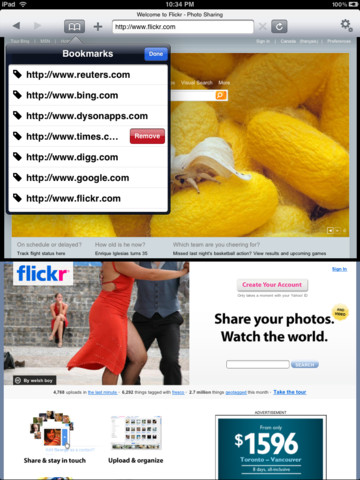
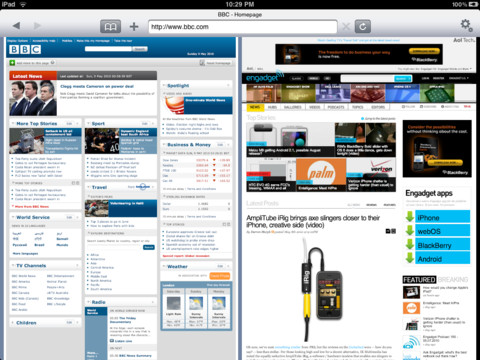
Twin Browser uses two panels, side-by-side, so you can read and compare blogs, research multiple articles at once, and browse your Twitter feed while catching up with friends on Facebook.
It’s easy to view a video on one web page while searching for the latest scores on another.
DESIGN
How you interact with the web is an important aspect to Twin Browser. We strive to keep things simple yet powerful for your everyday web surfing.
Twin Browser doesn’t take up valuable screen real estate with tabs or other unnecessary clutter. Two panels, one toolbar, it’s intuitive to you.
PANELS
Using Twin Browser is simple, just tap one of the ‘Panels’ to make it active. You’ll know which Panel is active by the gray highlight beside it. The address bar and bookmarks menu will respond to the active Panel.
SMART LAUNCHING
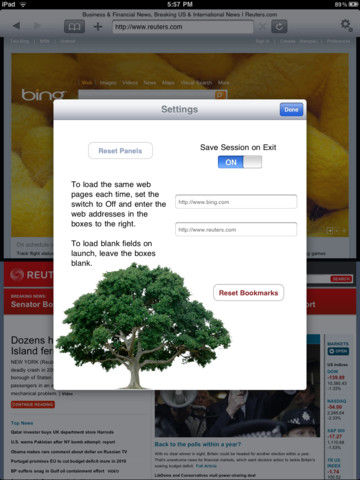
You also have the option for Twin Browser to remember where you were when you last ended a session. You can also load the same websites, of your choice, at the start of each session.
REVIEWS
iPad in Canada – April 28, 2010
“The app is a great browsing experience for bloggers, for those who want to do comparisons between websites (such as product comparisons), or for those that simply want to multitask.”
FEEDBACK
We hope you enjoy this iPad App and we have plenty more features coming to Twin Browser in the near future.
For this version, we listened to your feedback and we’re making changes accordingly. If you have
Our Review:
The Twin Browser is a small app that need 2.9 MB free space in your iPad device. This browser is very useful as you can open two webpages at once and helps you to compare them. With this app you can do multiple work, e.g. while browsing a webpage check the Facebook activities as well. There are different features like when you start browsing you can start from the last ended session.
Requirements: Compatible with iPad.Requires iOS 3.2 or later. This app is totally free to download from iTunes.
Current Version: 1.1.1
Size: 2.9 MB
[ttjad keyword=”ipad”]


