
Now a days computer virus is disgusting to all computer users.If you are looking for how to create bootable rescue USB drive then here is small guide to create bootable Bitdefender USB rescue drive.By creating Bitdefender Rescue USB drive you can boot your pc from USB & scan your computer with Bitdefender antivirus scanner to remove or quarantine viruses.
The instructions are as follows.
1. Download Bitdefender Rescue ISO and keep it on desktop
2. Download UNetbootin and save it on desktop
3. Start UNetbootin and select Diskimage option and browse and locate Bitdefender rescue iso file downloaded in step 1.
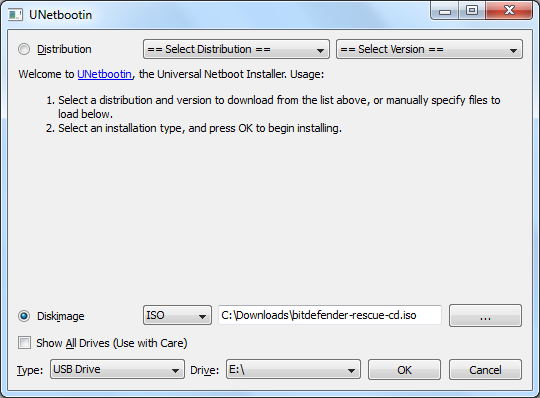
4. UNetbootin will automatically detect connected USB drive, if you wish to install Bitdefender on another removable drive then use drive drop down menu to select appropriate USB drive.
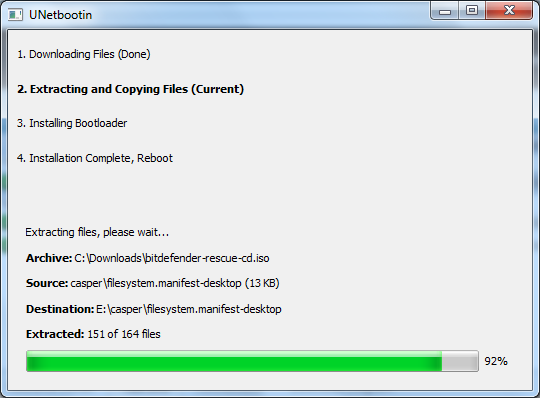
5. Now click OK button to initiate Live USB creation process. Once UNetbootin completes process and displays message “Installation Complete, Reboot”, your Bitdefender Rescue USB is ready.
That’s all.
Let’s know how it work.
![Read more about the article [Tutorial] How To View Thumbnails Of Your Favorite Websites In Mozilla Firefox](https://thetechjournal.com/wp-content/uploads/2012/05/speed-dial-setup-popup-window.webp)
![Read more about the article [Tutorial] How To Perform Secure Format On Your Hard Drive](https://thetechjournal.com/wp-content/uploads/2012/09/disc.webp)
![Read more about the article [Tutorial] How To Record Video Conversation In Windows](https://thetechjournal.com/wp-content/uploads/2012/07/regio-window-camstudio.webp)