
With Yahoo Messenger, Windows Live Messenger, Skype, Google Talk, and many other messenger you are able to save the text of your conversations. However, if you are having a video conversation there is no option to save videos of your video conferencing sessions (except in some cases where an add-on can solve the problem). In this tutorial I will show you how you can record your video chat sessions with free software for Windows called CamStudio, regardless of the messaging software you use.

Before proceeding further make sure you download the latest version of CamStudio from think link and then install it on your computer. Once the installation is finished continue following below steps.
Step 1: Start the CamStudio and if you haven’t already. We are going to define the video recordings settings.
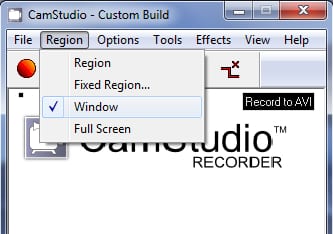
Step 2: In the top navigation menu of CamStudio click Region tab and then from the drop down menu click Window. With this option turned on only the window of your messenger or other video conversation toll will be recorded.
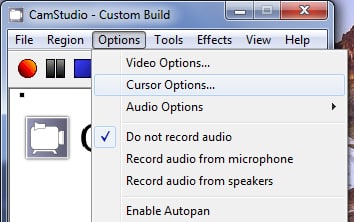
Step 3: Next click on the Options menu and click Cursor Options.
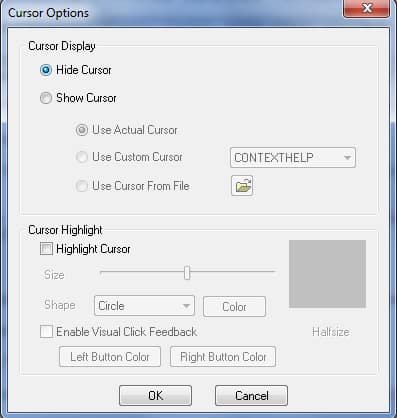
Step 4: In new window select Hide Cursor and click OK.
Step 5: Again click on the Options menu then choose Program Options -> Directory for recording and then click Use Application installed directory.
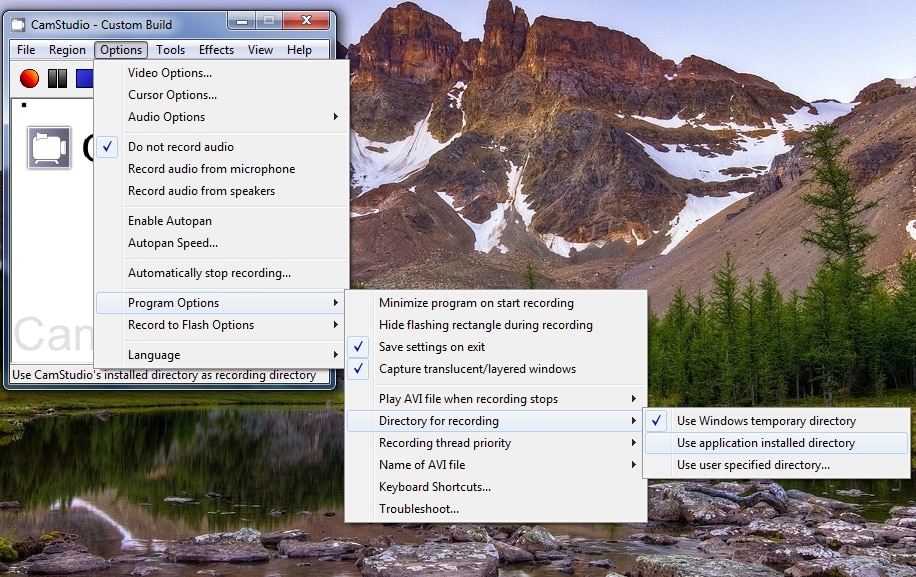
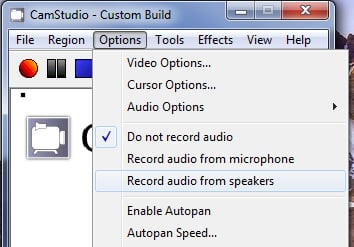
Step 6: Select the Options menu and select Record Audio from speakers. The sound coming out of your speakers and your dialogue with other person will also be recorded with the video.
Step 7: Now that we are finished with settings adjustments go to your messenger or other video conversations tool and start your video conversation.
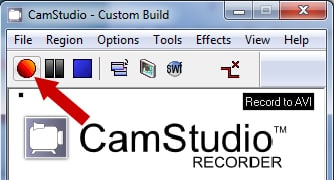
Step 8: Next in CamStudio, click the Record video from the screen red button.
Step 9: Click in the window that displays your video conversation and start your conversation.
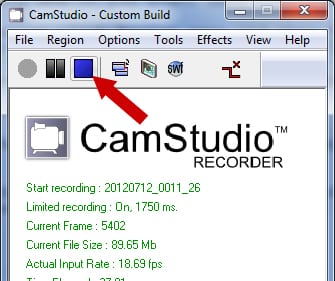
Step 10: Once finished your conversation, go back to CamStudio then click Stop recording video.
Step 11: The video is automatically compressed and then opened with your default media software.
Step 12: You can find the video file in the CamStudio installation folder. In my case, that was C:\Program Files (x86)\CamStudio 2.6b.
[ttjad keyword=”web-cam”]

![Read more about the article [Tutorial] How To Download Videos From Facebook](https://thetechjournal.com/wp-content/uploads/2013/12/Download-Facebook-Videos-512x296.jpg)
![Read more about the article [Tutorial] How To Transfer iTunes Music To Your Kindle Fire](https://thetechjournal.com/wp-content/uploads/2012/04/amazon-kindle-itunes-logo-512x205.jpg)
![Read more about the article [Tutorial] How To Watch Netflix Videos From PlayStation 3](https://thetechjournal.com/wp-content/uploads/2012/03/netflix-ps3-install-512x235.jpg)