website statistics

Google Maps Not Supported On Windows Phone Due To No WebKit Usage

It has now transpired that the reason why you can't access Google Maps on Windows Phone devices is that its default browser, Internet Explorer, doesn't make use of WebKit rendering engine.

When do you use Facebook?

View Results

Loading ... Loading ...
1 Star2 Stars3 Stars4 Stars5 Stars (Rate This)
Loading ... Loading ...

Relations between Microsoft and Google haven’t exactly been amicable. In fact, in recent times, they have soured all the more due to somewhat of a feud between Bing and Google search as well as several other issues. Now, it has turned out that Google Maps can’t be accessed on Windows Phone devices because their default browser doesn’t use WebKit.
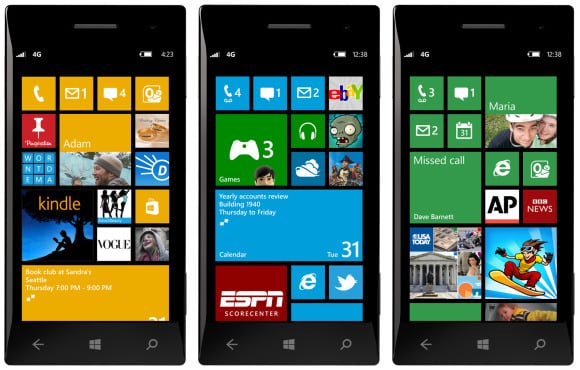

Windows Phone

WebKit is a rendering engine which is open-source and is primarily maintained by Apple. A large number of browsers make use of this rendering engine and Google Chrome is included in that list. However, Internet Explorer does not support WebKit and that’s why when you try to access Google Maps from Internet Explorer in your Windows Phone, you are unable to do so.

Users who have tried to do so have reported that they are rather redirected to Google’s home page. And this isn’t going to change any time soon.

Google has repeatedly cited that it has directed its mobile apps and development efforts at such platforms which are making use of the WebKit rendering engine. Whereas the decision may also be a result of some bias towards Microsoft, it seems more of a sane strategical move.

Windows Phone still doesn’t command a sizeable audience and so, it is natural that Google wishes to focus its efforts on the likes of iOS and Android platforms, both of which have a huge user base and also make use of WebKit rendering engines through their default browsers.

Source: Mashable

Buy Cheapest Related Product From Amazon.com


USPTO Invites Developers To Discuss The Issue Of Software Patents

[Tutorial] How To Play Old Arcade Games On Windows
You can also press the left/right arrow key on your keyboard to go to previous/next post
  On January 5, 2013(4 months, 18 days ago.)

Recent Search

Recent Tutorials

This tutorial will show how to use S.M.A.R.T. (Self Monitoring Analysis and Reporting Technology) to continuously collect information on health of your equipment.
In this tutorial I'll show you how you can easily protect yourself from any kind of security breaks that may occur through Java.
Today Apple enabled "Two Step Verification" for iCloud And Apple ID. But the process is not that simple. But no worry, here we have made a step by step tutorial.
Cant remember your iPhone passcode? Here I will show you some workaround on what to do and how to recover and restore for every possible scenario.
This tutorial will show you how to perform the Winapp2.ini installation inside CCleaner and how to use it under Windows operating system.
With app called AD Sound Recorder, you can record any stream that passes through your sound card or speakers and in this tutorial I will show you how to do that.
If you want to have Boxee app inside your Apple TV, in this tutorial we will show you how to install XBMC and Boxee using Windows on your Apple TV.
This tutorial will show you how to transfer PS3 Saved Game Files from your PC to your PS3 game console.
Adding videos from external sources such as internet, more specifically from YouTube, is a great solution to enhance a presentation; in this tutorial I will show you the procedure.
If you are one of new comers to Windows Phone 8, like me, in this tutorial I will walk you through the process to update your Windows Phone 8 device.
Close You Have To Login
User:
Pass:
Login With »Login With TwitterLogin With Facebook