
website statistics

Apple’s HDTV Will Cost $1,250, Named iPanel, Analyst Says

When do you use Facebook?

View Results

Loading ... Loading ...
1 Star2 Stars3 Stars4 Stars5 Stars (Rate This)
Loading ... Loading ...

We have long been hearing about an Apple TV or iTV to be on its way. However, so far, little have we known about it except rumors and speculations. But many, like us, do believe that the release of an Apple HDTV is definitely going to happen. Now, analyst Peter Misek, has stated that the TV from Apple is going to be called iPanel and the price tag will most probably be somewhere about $1,250.
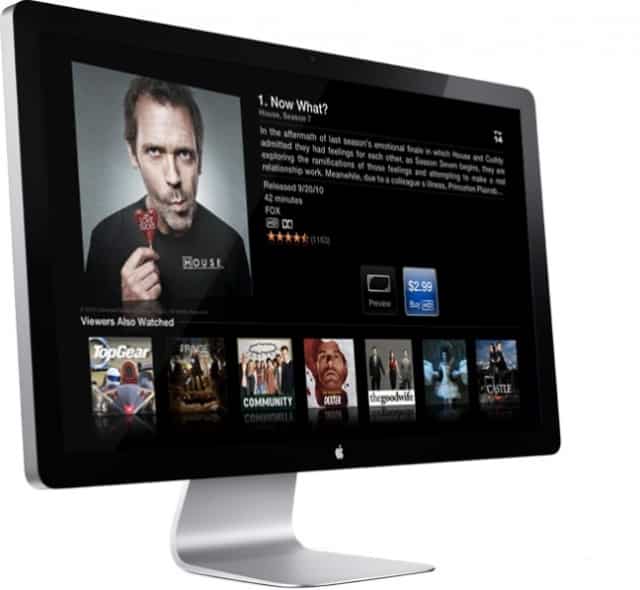

Misek’s decision to call the upcoming Apple HDTV as iPanel, rather than iTV, is quite intriguing. Most of us had stuck to iTV, knowing that Apple likes to keep it simple, and consistent with its other products. However, Misek has some very valid reasons not to go for the name iTV. For instance, iTV is already used by at least two companies. And Apple may either have to buy the copyrights of the name from them, which can cost quite a fortune, or if Apple doesn’t, it runs the risk of being sued by those companies.

Also, another interesting reason that Misek gave was that by assigning the name iTV, we are limiting the scope of the HDTV. ‘It is a display, gaming center, media hub, computer, home automator, etc.’ and hence, he says, iTV is too inadequate as a name for the product.

Misek’s predictions do not end there and he goes on to claim that Apple’s HDTV will be available for some $1,250 and that Apple will start producing them, with an initial volume of 5 million in May.

Also, he said that IGZO displays will be used in Apple TV. We have seen IGZO displays in non-TV products but putting them up in a TV, much power-efficient as they are, would at best turn out to be an experiment. So at the end of the day, it is still all speculation and no facts about Apple’s HDTV.

Buy Cheapest Related Product From Amazon.com


[Tutorial] How To Take/Get The Screenshots On Xbox 360

[Tutorial] How To Remotely Start Torrents With Your iPhone
You can also press the left/right arrow key on your keyboard to go to previous/next post
  On April 6, 2012(1 year, 2 months ago.)

Recent Search

Recent Tutorials

This tutorial will show how to use S.M.A.R.T. (Self Monitoring Analysis and Reporting Technology) to continuously collect information on health of your equipment.
In this tutorial I'll show you how you can easily protect yourself from any kind of security breaks that may occur through Java.
Today Apple enabled "Two Step Verification" for iCloud And Apple ID. But the process is not that simple. But no worry, here we have made a step by step tutorial.
Cant remember your iPhone passcode? Here I will show you some workaround on what to do and how to recover and restore for every possible scenario.
This tutorial will show you how to perform the Winapp2.ini installation inside CCleaner and how to use it under Windows operating system.
With app called AD Sound Recorder, you can record any stream that passes through your sound card or speakers and in this tutorial I will show you how to do that.
If you want to have Boxee app inside your Apple TV, in this tutorial we will show you how to install XBMC and Boxee using Windows on your Apple TV.
This tutorial will show you how to transfer PS3 Saved Game Files from your PC to your PS3 game console.
Adding videos from external sources such as internet, more specifically from YouTube, is a great solution to enhance a presentation; in this tutorial I will show you the procedure.
If you are one of new comers to Windows Phone 8, like me, in this tutorial I will walk you through the process to update your Windows Phone 8 device.
Close You Have To Login
User:
Pass:
Login With »Login With TwitterLogin With Facebook