
Android 4.2 Jelly Bean includes a new and hidden feature called Daydream. This is nothing more than a different name for Android screensaver. Unfortunately this feature is hidden by default, and not many users of Android 4.2 are familiar of it. That’s why, in this tutorial I will show you how to enable it.
To get started follow the steps below.
Step 1: From your home screen tap on the Menu button and then choose Settings.
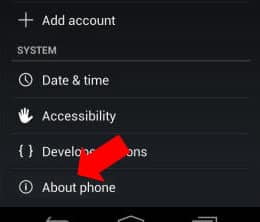
Step 2: Scroll the settings all the way down and then tap on About phone option.
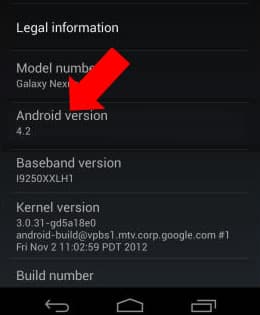
Step 3: In the middle of your screen you should see Android version 4.2 title. Tap on that few times quickly until you see Jelly Bean appearing on your screen.
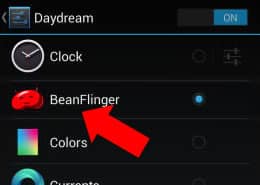
Step 4: Then tap and hold that giant Jelly Bean until your phone vibrates. After that you should see interactive beans floating all around your screen.
Step 5: The BeanFlinger Daydream will be unlocked from now on, and you can find it by going to Settings and then choosing Display.
Step 6: In the Display section you should see Daydream name.
To find out more, visit our Android tutorial section.

![Read more about the article [Tutorial] How To Increase The Battery Life Of Your Windows 7 Laptop?](https://thetechjournal.com/wp-content/uploads/2012/11/hybernate-sleep-as8d788e7r9w7er9.webp)
![Read more about the article [Tutorial] How To Restore Lost Tile From Windows 8 Start Screen](https://thetechjournal.com/wp-content/uploads/2012/07/tiles-back-ttj-logo.webp)
![Read more about the article [Tutorial] How To Restrict Access To Windows 7 Without Exact USB Drive](https://thetechjournal.com/wp-content/uploads/2012/02/flash-drive-letter.webp)