
Google is rolling out “Dark Mode” feature for both its Smartphone and Desktop version. Recently Google launched Chrome Version 74. One of the key features of this Version is the Dark Mode. However, the version is still in its Beta state. Which means there is a strong possibility you won’t find this feature on your device straight away.
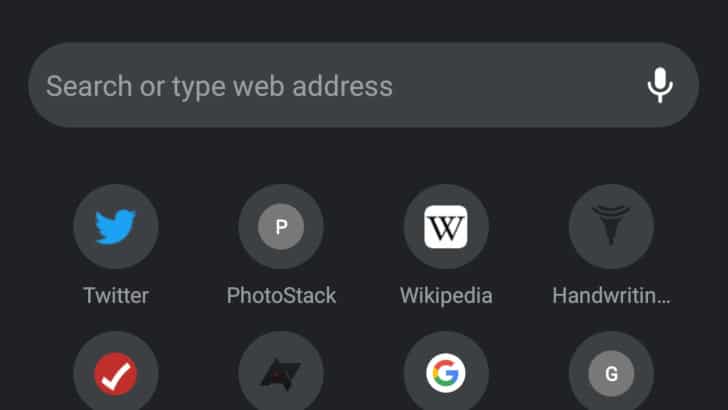
Chrome’s Desktop version gives its users access to a wide variety of Browser Extensions. Using them users can add new functionalities to Chrome. However, it is not possible on Chrome’s Android Version. You can easily use a Dark theme on Chrome’s Desktop version but you can’t do the same on the Smartphone version. If you want to use Dark Mode, you will either have to use the Native Dark Mode feature with the Chrome version 74 or use some bypass.
In case you have already updated to the Chrome 74 Version, you should definitely try looking for the Night Mode option within the Chrome Native Features. To do so follow the below instructions. If you are not sure what version of Google Chrome you are running on Android check for updates from the Google Play Store.
Turn On Dark Mode
- Launch Chrome.
- Click on the three Dots at the top.
- Open the Settings option.
- Toggle On Dark Mode.
If you don’t find this option there are ways you can bypass it and get hands-on experience with the Dark Mode before any of your friends.
Turn On Dark Mode via Experimental Flag Settings
- Launch Chrome.
- Paste the following path to Chrome’s Address Bar and hit enter. “
chrome://flags/#enable-android-night-mode
- Use the Drop-Down menu and select the Enabled Option.
- Hit the Relaunch Now button.
- Select the Main Settings option(Three-Dots). It should be at the top-right corner of the interface.
- Tap the Dark Mode option and toggle it on.
Wrapping Up!
Remember the time when everyone started exchanging the Yellow Banana Emoji to activate the Dark Mode on Messenger. Not everyone succeeded to activate the feature while it was on Messenger’s Beta version. But soon after the Stable Version was rolled out, everyone had access to that feature. We hope the Stable Version of Google Chrome will be launched soon.
![Read more about the article [Tutorial] Delete Saved Usernames And Passwords In Mozilla Firefox](https://thetechjournal.com/wp-content/uploads/2012/05/ff-options.webp)

![Read more about the article [Tutorial] How To Sync Opera Bookmarks Between Multiple Computers](https://thetechjournal.com/wp-content/uploads/2012/05/opera-bookmarks-sync-logo.webp)
psychology reaction paper [url=https://otvetnow.ru]https://otvetnow.ru[/url] tabasco hoy
afunvip is alright, not my absolute favorite but definitely decent. The customer service was helpful when I had a question. Give it a try, see for yourself: afunvip
Alright folks, tried Phsky.com recently. Not bad, not bad at all. Seems to be a decent variety of options. Give it a look if you’re looking for a new place to play. What do you have to lose? phsky.com.
R33win, eh? Spent some time there. Not a bad little platform. Give it a try if you looking for some chill online games r33win.