
This is an amazing news for the Android users because now they can (capture) screenshots & record video with Android Phones very easily. I found this article on technospot.net. So thanks for sharing this steps. And they have tested on Motorola Milestone, which is an Android based smartphone. You can also try it on your Android powered device. So check this out below.
- Download and install Java SE Development Kit (JDK)
- Download Android SDK for Windows Platform
- Extract Android SDK and run the SDKManager.exe. A window will be opened titled (unnecessary word ‘as’ deleted) ‘Choose Packages to Install’. Press ‘Cancel’ and click on the ‘Available Packages’ from left panel on the window titled (unnecessary word ‘as’ deleted) ‘Android SDK and AVD Manager’. Now, select the ‘USB Driver package’ and install it.
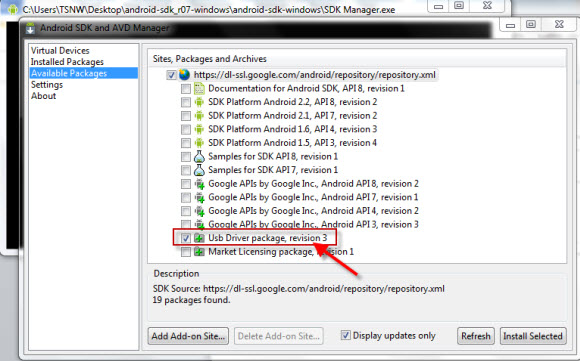
* Done with this, now connect
your Android phone via USB
to your Windows PC.
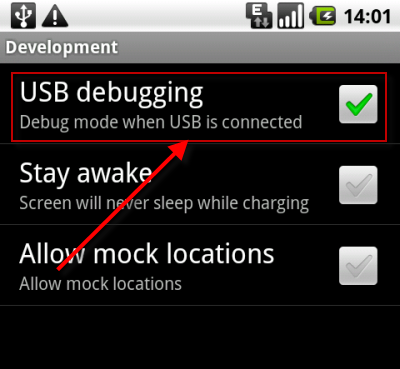
* To get the USB debugging option of your phone, go to ‘Setting-> Applications -> Development’, there you will get the USB Debugging option, turn it on.
- Go to the folder where you extracted the Android SDK, there run the ddms.bat, this can be found in the ‘Tools’ folder.
- Running ddms.bat will launch the ‘Dalvik Debug Monitor’; You will find the name of your device in the list. Now, select your device by clicking on the name.
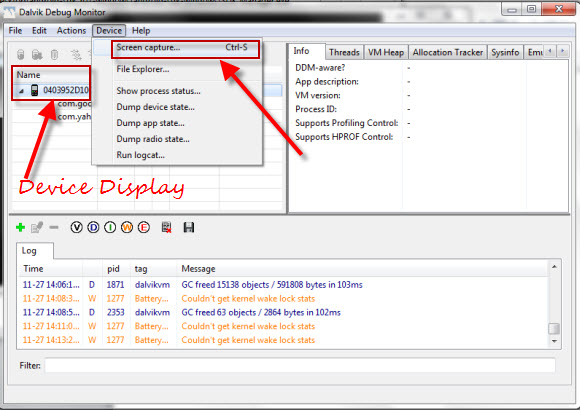
- Now click on the ‘Device’ tab, to get the ‘Screen Capture’ option.
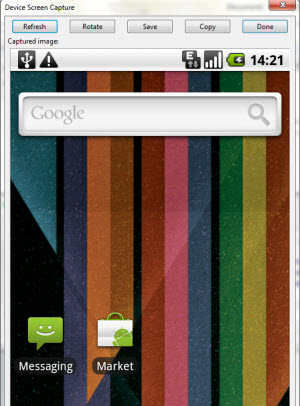
Here you will get all the options, like Save, Copy, Rotate, etc.
However, doing all the aforementioned steps didn’t help me out, but looks like it works on most of the Android based Phones, I had to download and install the Droid driver as well. But, if you have a Droid device, then you should download and install the Droid driver in first step.
Now, the described steps will allow you to take the Screenshot of your Android Phone using the Dalvik Debug Monitor, by running the ddms.bat file.
Application to take screenshot / record video of Android Phone
There is another application which seems to be a better option, named Android Screenshots and Screen Capture, you can download it from here.
Once you are done with all the steps above, run the downloaded AndroidScreenCapureSetup.v1.1.exe. Later launch the Android Screenshots and Screen Capture. Under the file tab, select ‘Set Android SDK Folder’ and give the path of the folder where you have extracted the Android SDK.
Advantage of this application is –
- Apart from other functionalities provided by the Dalvik Debug Monitor, it allows you a full screen view.
- It dynamically changes the view, by showing you current screen, which means you can use it for Screen Casting as well, have a look.
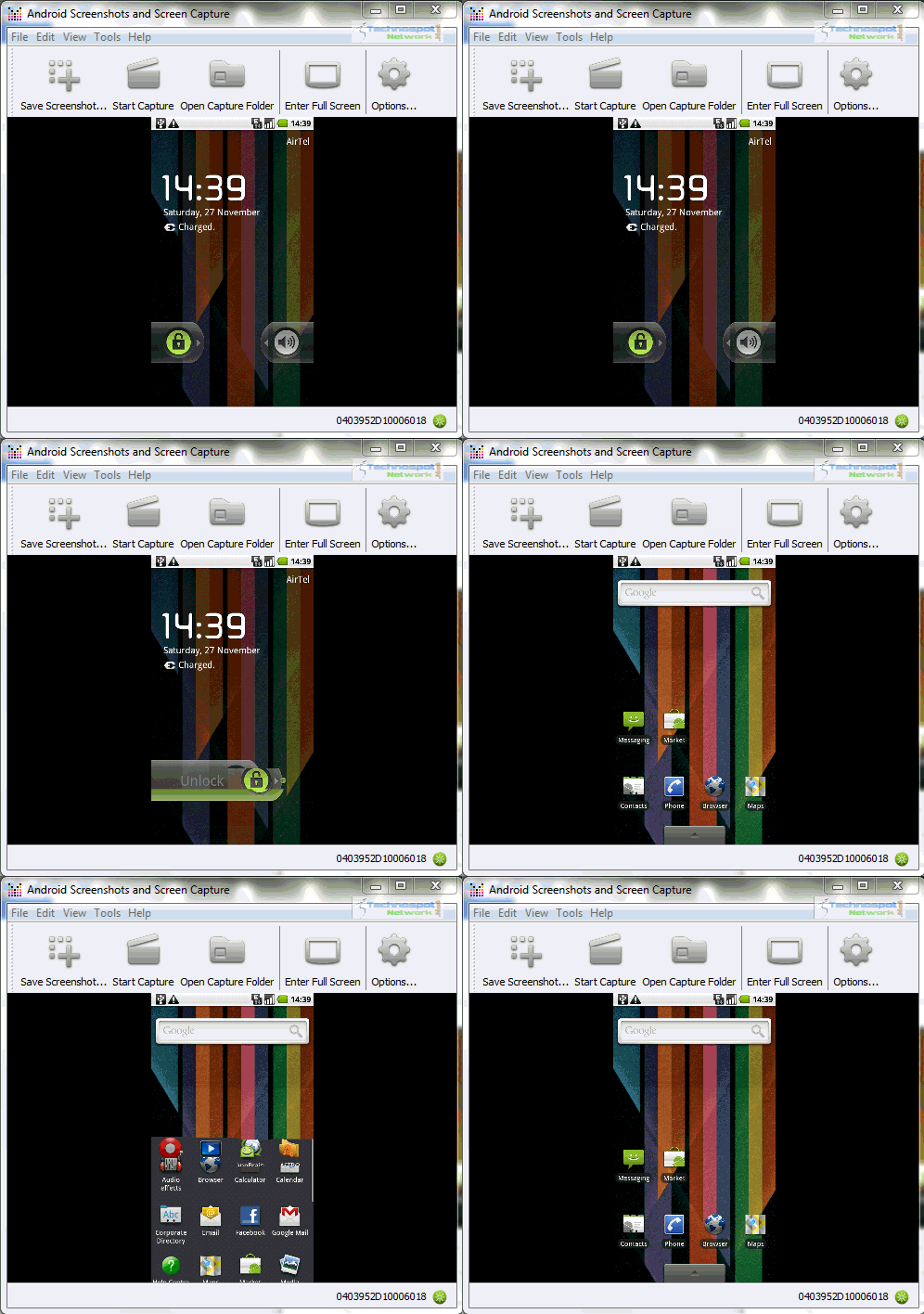
So this is the whole process I have brought form technospot.net to share with you. You can try this out and share your experience with us.
Thanks
Click On Adds To Buy Android Phones


Watch the “improtherapy” movie on easy no root, shake, sdk or button screenshot on android on youtube…enjoy and take pics on any app as well!
Yes, of course you can Record video on Android.. Here is a newly released app of video recorder.. check it ..
http://www.freemobifun.com/download-screencast-recorder-1-0-8-new/
Just installing to try it. I hope it works for a Hannspree Hannspad tablet pc with custom ROM, Hannstitan. For 2 days now I am searching something to capture my screen.
as for me, i usually use this nice screen recorder http://www.macvide.com/Macvide_screencap/, but thanx for info)
thanks dear
Thanks it was so helpful
i can able to take screen shot but how to record a video