website statistics

Microsoft Unveils SmartGlass Android App For Xbox Users

SmartGlass will allow Xbox users to interact & control remotely from their android devices. The smartphone will act as second-screen device. It needs Android 4.

When do you use Facebook?

View Results

Loading ... Loading ...
1 Star2 Stars3 Stars4 Stars5 Stars (Rate This)
Loading ... Loading ...

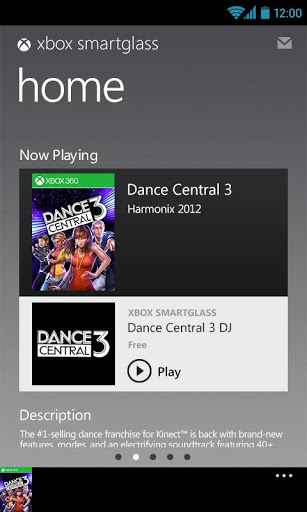
Finally Microsoft released Xbox SmartGlass app for the android users to provide seamless gaming and entertainment experience. Back in June at the annual gaming show, E3, they promised to come up with this app which is more or like Apple’s AirPlay. On the same month, Microsoft released its SDK for the developers. Now Xbox users can use SmartGlass app on their Android phones to interact & control the Xbox devices remotely without any interruption.
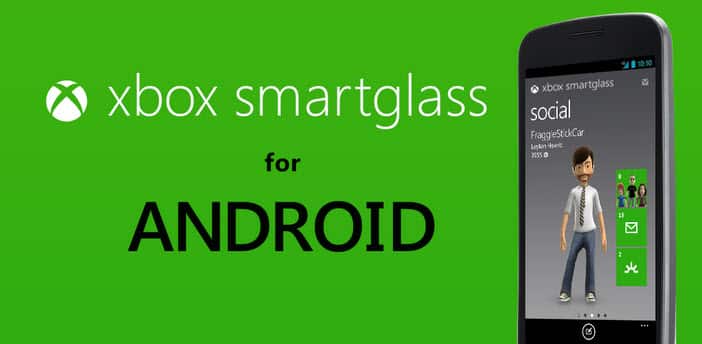

Image Courtesy: Google Play Store

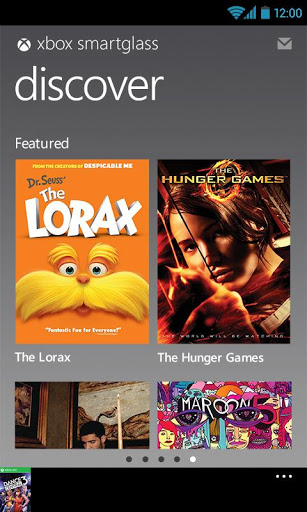
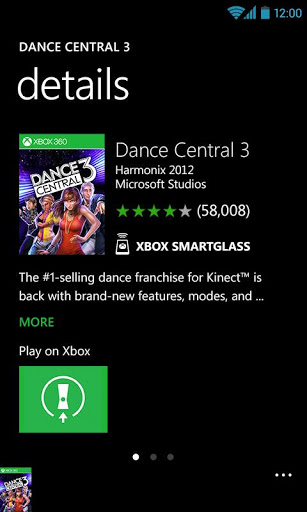
Xbox SmartGlass will allow you to make your smarphone acts as an alternative second-screen device. Say, you are in PC playing games or watching movies & get tired sitting on your chair, you can switch your monitor to your smarthphone & control your action from it using SmartGlass. Some exciting & useful features are included with this app which is listed below.

• Navigate your Xbox 360 with swipe and tap
• Use your phone’s keyboard to type to your Xbox 360
• Browse the Internet on your Xbox 360 with full keyboard and zooming
• Play, pause, fast forward, rewind, and stop videos and music on your Xbox 360
• Search the full Xbox catalog of music, video, and games
• Enjoy rich, interactive experiences from select game and entertainment content creators
• Track and compare your achievements with your Xbox friends
• Change up your 3D avatar
• Message your Xbox friends
• Edit your Xbox profile

Requirements: Android 4.0+, Xbox Live membership, Smartphones with WVGA screen resolution or higher.

You can download the app from Google Play Store.
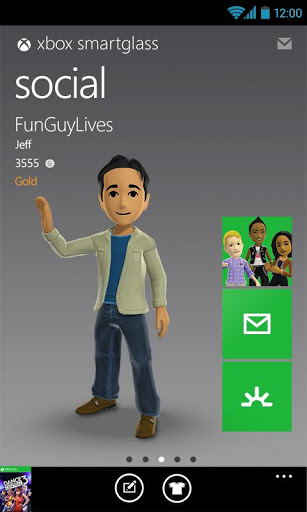
Courtesy: Google Play Store

Via: CNET

Buy Cheapest Related Product From Amazon.com


The LG-Google Nexus 4 Android Smartphone Saga

Ceglia Arrested For $28 Billion Fraud Attempt On Facebook
You can also press the left/right arrow key on your keyboard to go to previous/next post
  On October 27, 2012(6 months, 28 days ago.)

Recent Search

Recent Tutorials

This tutorial will show how to use S.M.A.R.T. (Self Monitoring Analysis and Reporting Technology) to continuously collect information on health of your equipment.
In this tutorial I'll show you how you can easily protect yourself from any kind of security breaks that may occur through Java.
Today Apple enabled "Two Step Verification" for iCloud And Apple ID. But the process is not that simple. But no worry, here we have made a step by step tutorial.
Cant remember your iPhone passcode? Here I will show you some workaround on what to do and how to recover and restore for every possible scenario.
This tutorial will show you how to perform the Winapp2.ini installation inside CCleaner and how to use it under Windows operating system.
With app called AD Sound Recorder, you can record any stream that passes through your sound card or speakers and in this tutorial I will show you how to do that.
If you want to have Boxee app inside your Apple TV, in this tutorial we will show you how to install XBMC and Boxee using Windows on your Apple TV.
This tutorial will show you how to transfer PS3 Saved Game Files from your PC to your PS3 game console.
Adding videos from external sources such as internet, more specifically from YouTube, is a great solution to enhance a presentation; in this tutorial I will show you the procedure.
If you are one of new comers to Windows Phone 8, like me, in this tutorial I will walk you through the process to update your Windows Phone 8 device.
Close You Have To Login
User:
Pass:
Login With »Login With TwitterLogin With Facebook