
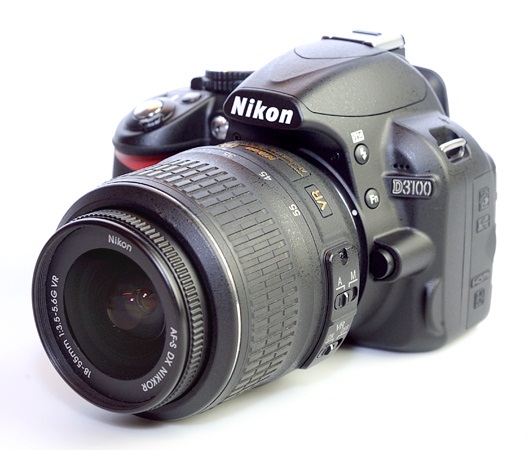
According to your affordability Nikon’s D3100 is the best solution to meet your desire. The D3100 digital SLR offer you high-resolution of 14-megapixel CMOS DX sensor, high-quality 3x NIKKOR 18-55mm VR image stabilization zoom lens and intuitive onboard assistance including the learn-as-you grow Guide Mode.This is a product review form Anazon.com. Now check out some more detail according to Amazon.
|
Nikon D3100 Highlights:
14.2-megapixel DX-format CMOS Image Sensor:
Delivers beautiful photographs and prints well beyond 20 x 30 inches.
Includes 3x 18-55mm Zoom-NIKKOR VR Image Stabilization Lens:
Included lens offers the legendary NIKKOR optical quality and fast, accurate autofocus for vivid color, striking contrast and crisp detail and VR image stabilization to ensure the sharpest hand-held pictures and movies.
Full 1080p HD Cinematic Video:
Features full-time autofocus and sound record cinematic-quality movies in Full 1080p HD format 1920 x 1080 pixels.
Easy-To-Use:
The D3100 features Nikon’s Guide Mode with intuitive controls and on-board assistance helping you take better pictures every step of the way.
Compact and Lightweight Design:
Beautifully styled–ready to go wherever life takes you.
Split-second Shutter Response:
Eliminates the frustration of shutter delay, capturing moments that other cameras miss.
Fast 11-point Autofocus System:
Delivers razor-sharp pictures.
ISO sensitivity 100-3200, expandable to ISO 12800 equivalent:
Delivers exceptional results, even in the most challenging low-light situations.
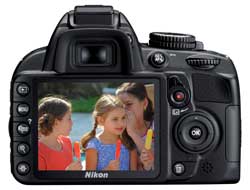
3-inch monitor:
Features One-Touch Live View shooting and movie capture.
Scene Auto Selector:
Lets the D3100 decide the best mode to match the shooting situation when using Live View.
EXPEED 2:
Nikon’s new image processing engine assures breathtakingly rich image quality, managing color, contrast, exposure, noise and speed.
Scene Recognition System in Live View:
Automatically optimizes exposure, autofocus, and white balance, allowing you to obtain beautiful photos without the hassle of making complicated camera adjustments yourself.
6 Automatic Exposure Scene Modes:
Just set the Mode dial to Portrait, Landscape, Child, Sports, Close-up or Night Portrait for stunning results in otherwise challenging conditions.
Active D-Lighting:
Restores picture-enhancing detail in shadows and highlights.
Picture Control:
Choose from Standard, Neutral, Vivid, Monochrome, Portrait, or Landscape to apply a personal look and feel to your pictures.
Automatic Image Sensor Cleaning:
Ultrasonic process and exclusive Airflow Control combats the accumulation of dust in front of the image sensor, safeguarding image quality shot after shot.
Built-in pop-up flash:
Perfect for those times when there isn’t enough light.
In-camera Image Editing:
Allows creative freedom, without the need for a computer, offering easy editing functions.
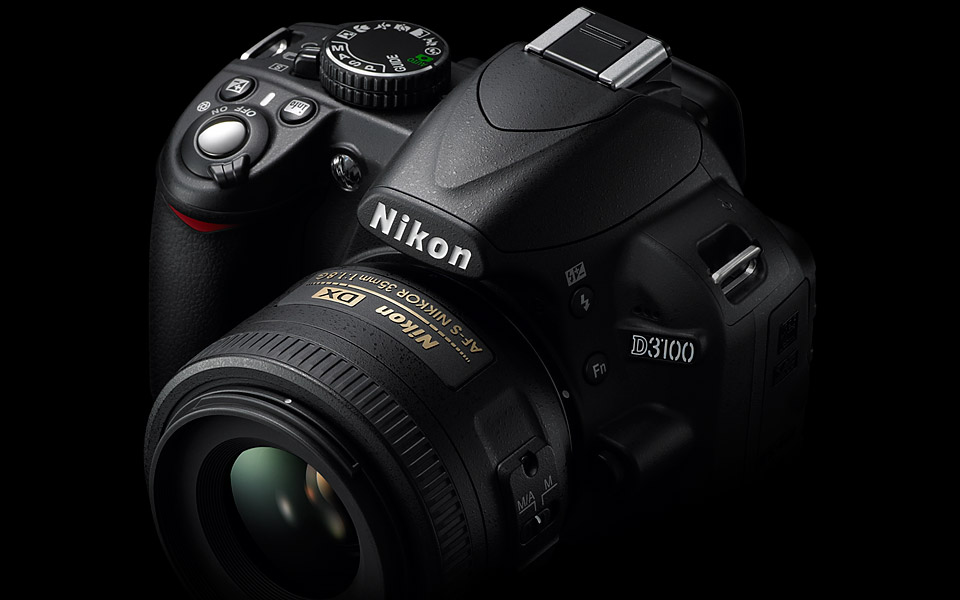
Compatible Lenses
- AF-S and AF-I: All functions supported
- Type G or D AF NIKKOR without built-in autofocus motor: All functions except autofocus supported. IX NIKKOR lenses not supported.
- Other AF NIKKOR: All functions supported except autofocus and 3D color matrix metering II. Lenses for F3AF not supported.
- Type D PC NIKKOR: All functions supported except autofocus and some shooting modes.
- AI-P NIKKOR: All functions supported except autofocus and 3D color matrix metering II.
- Non-CPU: Autofocus not supported. Can be used in exposure mode M, but exposure meter does not function.
So that’s all form Anazon’s product review. If you are agree to have one you can order or buy it now form Amazon.com form here.
Source


