
Today popular mobile VoIP application “Viber” updated to version 2.1. And this update bring a lot of enhancement like improved voice quality with new Voice Engine, Picture and Location Messaging. It is available for free for both iOS device and Android OS. Check the cool functionality details below.

The new version of Viber is being released simultaneously for Android and iPhone. The new features include multiple user interface enhancements that make Viber even easier to use. Having reached more than 30 million registered users and over 18 million monthly active users within its first 10 months, Viber is the world’s fastest growing VoIP service.
Update is already available in all respective market places( App Store & Android Market Place). You could download update for free.
Get Viber:
App Store – iPhone, iPad, iPod Touch | Android – Market Place
Updated Feature:
Easy Photo Sharing
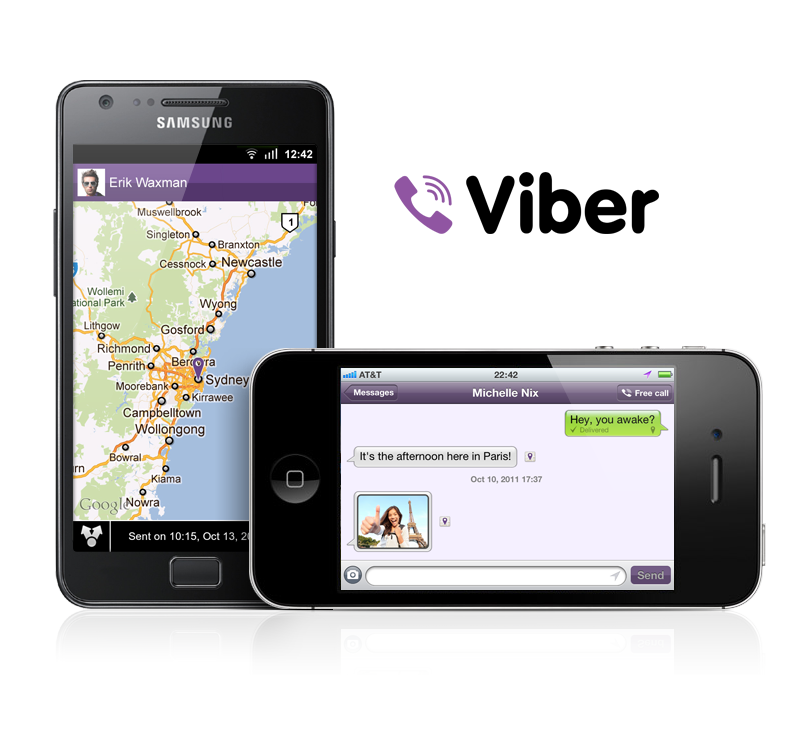
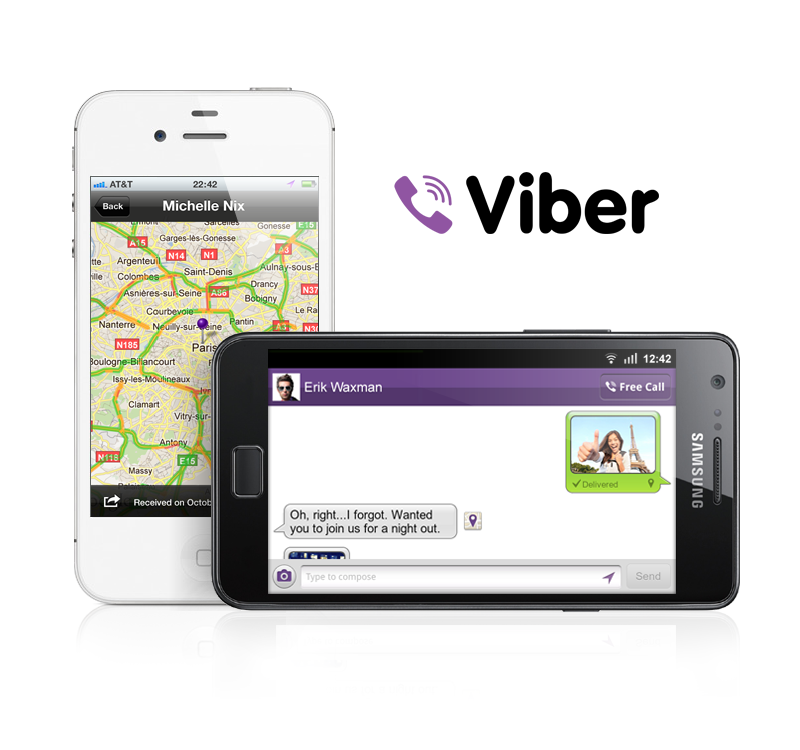
Viber users have reacted enthusiastically to the app’s free text messaging feature, sending billions of free messages to other Viber users, and today’s enhancements provide even more options to users. Sending a photo message is simple, as users just need to tap the photo icon next the text entry field. Users can choose to either take a photo or to select one from the photo library. This system will feel instantly familiar to anyone who has sent photo messages from smartphones ensuring that the feature will be super easy to use.
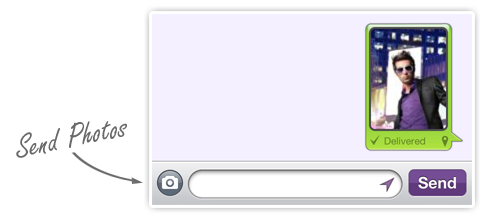
Users also have the option to share photos via email, on Facebook, or directly to other Viber users. This new feature gives users multiple new options to share and communicate with their friends and expands Viber’s role as a vital communications tool.
Location Sharing
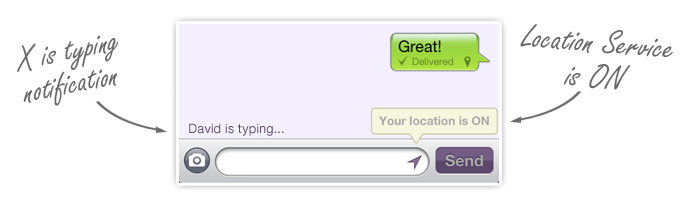
Additionally, Viber is introducing location-tagged messages that allow users to quickly identify their location to the recipient. This allows for a broad spectrum of possibilities and will simplify many common tasks such as giving directions. Turning the feature on and off is as simple as tapping the location icon next to the send button. When the feature is turned on, all messages are tagged with the user’s location.
Improved UI and Other Enhancements
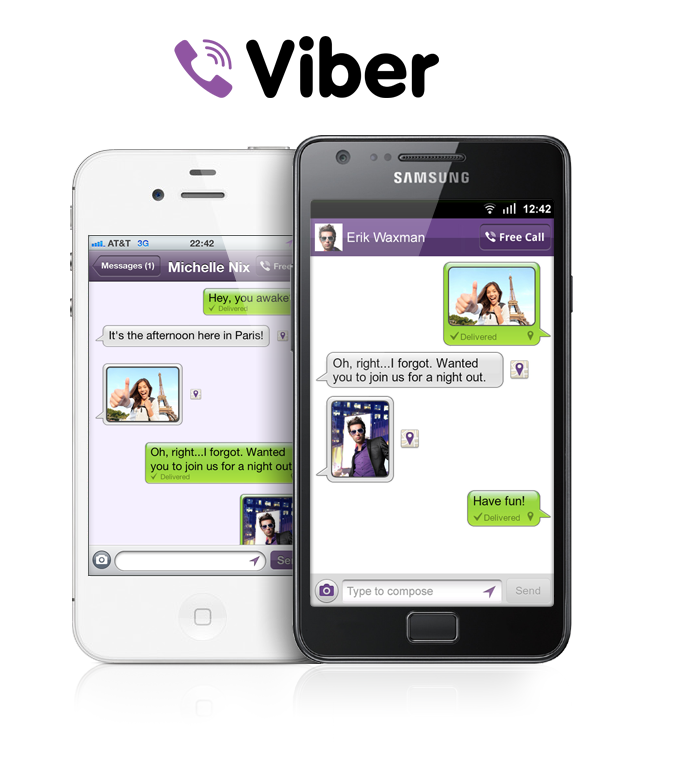
Viber users love the app’s easy to use UI and in Viber 2.1 the interface has been refined, ensuring that Viber will be even easier to pick up and use. The changes start with the messages tab, which has been moved to the left of the screen, making it simple for users to access the features they want to use most.
Adding to the new features is a notification that lets users see when their friends are typing a response to a text message. This new “Is typing” notification will make sending text messages feel even more natural and conversational. On top of this, users can easily make free Viber calls right from an existing text message thread thanks to the addition of a new “Free call” button.

Additional new features include:
- Landscape support for messages to make it even easier to quickly write a new message
- Option to send a text message when a user is busy or doesn’t answer a call
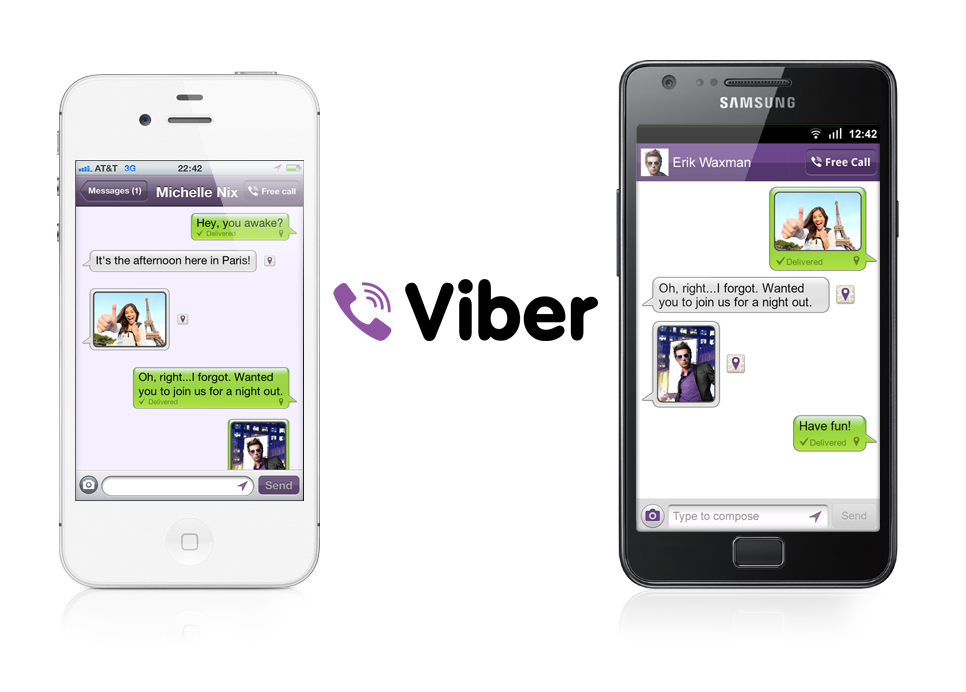
Viber is an awesome app, it makes calling easier and most importantly free. Another main thing is Viber allow to call from an iOS device to an Android device. It also makes iPod Touch Calling capable. Whats your thoughts about New Viber Update?
[ttjad keyword=”iphone”]


Hi,
This is a member of the Viber Development Team!
Thank you for your review of Viber’s new version, we are always delighted to hear our users’ feedback and comments 🙂
Please feel free to let us know your thoughts, questions and comments, we’d be happy to hear from you.
Viber Team
A really nice app but i wish it will be compatible to samsung galaxy tab 7 wifi and it will a perfect app.
Thanks. We have Updated Post with Download link.
quit working on two of our Droid 2 phones on verizon. Keep getting message that the app has been deactivated. A few other people also see this when looking at the reviews in the Droid app market page.
Guys nothing works ! there so many bugs in the latest version that I doesn’t worth tu hassle!
Viber should generally work on your Tab. What exactly is the problem?
Tuft and DJ – we are aware of the problems you are describing – they were caused by the immense pressure on our servers when so many users tried to upgrade. We are working hard to in order to resolve the problems as soon as possible. Meanwhile – I recommend you to deactivate Viber, remove it, and then reinstall.
How to be invisible in viber?
This option is not available yet, and it is something we are considering to add in the future. Stay tuned for updates and news 🙂
How to be invisible in viber? Please help me…
Please see our response below:
”
This option is not available yet, and it is something we are considering to add in the future. Stay tuned for updates and news :)”
How to disable sounds on BB and iP5 ?
Currently, Viber utilizes your phone’s main settings for volume and vibration, so if you want to change anything in Viber, you should change the settings of your phone itself. In the future, we plan to add settings that are specific only to Viber, and when we have about this we will publish it officially.
I don’t want Viber to share my pictures in facebook, how can I stop that feature in Viber
how to remove downloaded stickers in viber using ios?