
Japanese emoticons is famous for text messages and web pages.The use of these emoticons, called Emoji.
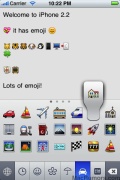
Though Apple is known to have built the standard emoji keyboard into the iPhone since the firmware 2.0 update, this has not been made available to users outside Japan.
Hacking into the iPhone SDK to enable these emoji emoticons is possible. Some of the older iPhone apps made use of a loophole in the SDK to enable these characters on non-jailbroken iPhones. These apps have since then been removed from the App Store. Consequently, the only way to now access the iPhone’s native emoji icons is by jailbreaking your iPhone.
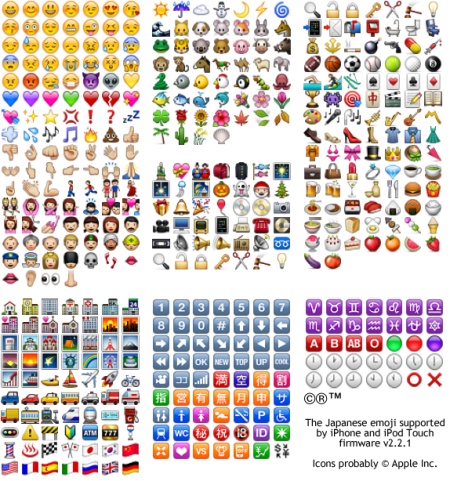
The process to activate it is given below.
First you will have to download the app from the App Store from here.
Then launch the app and tap on ‘Ok, Let’s do this’ to initialize the emoji keyboard.
You should now be able to enable the new Emoji keyboard by navigating to Settings -> General -> Keyboard -> International Keyboard -> Add New Keyboard -> Emoji. Reboot the iPhone to complete the process.
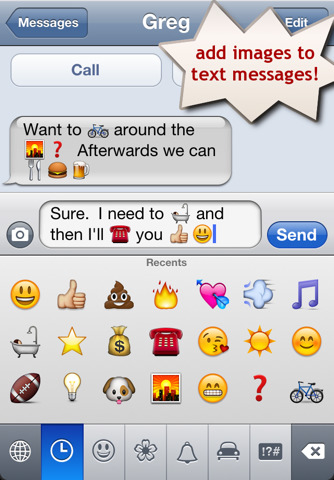
The emoji icons can be accessed while typing text messages and emails or while accessing the Notes app. However, do note that these icons can only be viewed by Apple device users. The developers point out that this is a limitation with the Emoji character set and that all Emoji apps behave the same way.
Thanks

![Read more about the article Geohot’s Return with Limera1n iOS 4.1 Jailbreak Is Real [Confirmed]](https://thetechjournal.com/wp-content/uploads/2010/10/limetime1.webp)

Hi. I have successfully download emoji icons. But when i used it in facebook to comment to my frnds it doest appear? what seems to be the problem? Help pls.
I dont understandtheinstrictions. After i download the app
i cant Finder the settings thing
I downloaded the app. And though I can see it on my phone just fine when I text message my other I phone users they only get ? marks and these symbols (:/><~^ what went wrong?
This doesn’t work with the iPhone 4. Emjoi doesn’t show up under keyboards.
i was able to get it to work with my verizon i phone. :-/
On my iPhone, emoji isn’t on keyboards.
On my iPhone, emoji isn’t on keyboards.
On my iPhone, emoji isn’t on keyboards.
I have the iPhone 3G I can’t find ’emoji’ under keyboards
I have the iPhone 3G I can’t find ’emoji’ under keyboards
I have the iPhone 3G I can’t find ’emoji’ under keyboards
Try looking under international
I downloaded this app and I have the globe symbol but when I touch it, it just changes my letter to Japanese! What’s up with this?
Nevermind! I’m stupid! I figured it out!
I dont have the globe symbol on my keyboard??
I’m the same way. However, I noticed that when I turn “ON” the switch in the app, it doesn’t stay on when I exit the app to go into settings; because when I open the app again the switch is off. It doesn’t work.
I just want to know what are the two icons between the sushis and the rice bowl?? 😛
Me too! I tried re booting the app. still doesn’t stay on!