
SAM (subscriber artificial module) has updated to fix the ‘Stockification Failure Error’ on jailbroken iPhone running iOS 4.3.1 or iOS 4.3. So, if you want to activate your iPhone 4/3GS with iOS 4.3/ iOS 4.3.1 using SAM here is a complete step by step guide to do so.
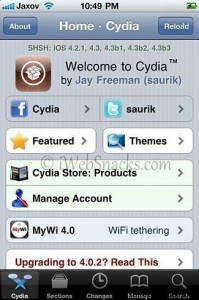
Steps to Activate Your iPhone on iOS 4.3 or iOS 4.3.1 Using SAM:
Step 1: First install SAM on your iPhone 3GS/ iPhone 4. Click HERE to get the steps.
Step 2: Disconnect your iPhone from PC or Mac (If connected via USB cable)
Step 3: Open SAM app from your Springboard or choose SAM by navigating to Settings » SAM
Step 4: Now, tap on UTILITIES Menu and then tap on ‘REVERT LOCKDOWN TO STOCK’ button. You should see the message ‘STOCKIFICATION SUCCESS’. If you see Stockification Failure message then it means you have not installed correct version of SAM on your iPhone.
Step 5: Get back to the Main Menu by tapping on ‘SAM’ button.
Step 6: At this point, Plug your iPhone to Mac/PC and start iTunes.
Step 7: Wait while iTunes generate legitimate activation packets for your iPhone. Once done, you are all set to sync and backup your iPhone.
Step 8: After syncing and backing up your iPhone, iTunes will throw error 1631. Just ignore this message.
Step 9: Now, tap on SAM on the Springboard and tap on ‘MORE INFORMATION’. And you should see Activation Status would be: WILDCARDACTIVATED.
Step 10: Now download iPusher App from App Store to check whether ‘PUSH NOTIFICATIONS’ are working or not.
Step 11: Open YouTube App on your iPhone and it will show an error ‘CANNOT CONNECT TO YOUTUBE’
That’s it.
[ttjad keyword=”iphone”]
Although this seemed to work for me (Wilcard Activated) push is stll not working.
When using Push Doctor afterwards everything seemed to work again but when I use Push Checker it says I don’t have a unique push ID and I’m not receiving any push messages.
I never got an “iPhone Activated” message from iTunes so what’s going wrong here?
I’m using a 3GS with firmware 4.3.1 on baseband 6.15 jailbroken with Sn0wbreeze and unlocked with Ultrasn0w fixer for 4.3.1
Please help…
I have found a great site where you can learn how to activate iso 5 for iPhone, take a look it’s really easy and great value. http://activateios5.blogspot.com/
So, if I see ActivationState: WildcardActivated, that means it all went fine?
Thanks
I forgot to mention that Youtube and Notifications are working too.
after jailbreak(iso 4.3.3)
use cydia install youtube cracked 2 but only can download cannot watch…
pls assists
i don’t have the option revert lockdown to stock in sampref!! how do i find it or get it?!
i don’t have the option revert lockdown to stock in sampref!! how do i find it or get it?! i only have more information, utilities, method, disable feedbac, hide samprefs icon. i have iphone 3gs ios 5 jailbroken with sn0wboard and unlocked with ultrasn0w