
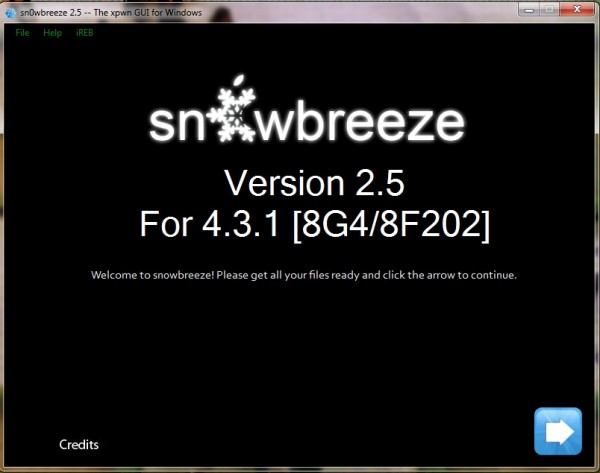
Just a few minutes ago iH8sn0w has updated sn0wbreeze to version 2.5 to support the recently released iOS 4.3.1 untether. This update has came after the release of Redsn0w 0.9.6 RC9 and PwnageTool 4.3 for untethered iOS 4.3.1 jailbreak. If your device is on baseband 01.59.00, 04.26.08, 05.11.07, 05.12.01, 05.13.04 or 06.15.00. Sn0wbreeze 2.5 lets you update your iPhone 3GS to 06.15.00 baseband for unlocking.
Requirements
1. Download Sn0wbreeze 2.5.
2. Download iOS 4.3.1 for iPhone, iPad or iPod Touch.
3. Download iTunes 10.2.1 for Windows
The steps are as follows.
Step 1: Extract Sn0wbreeze-v2.4b1.zip on your desktop (Windows Vista or Windows7 users must start the application in Administrator mode. To do so, click the right button of your mouse on the icon and selecting “Run as administrator”) and connect your iPhone or iPod Touch to your PC via USB.
Step 2: At this stage you will get an option to select the firmware. Select “Browse” directly drag-and-drop your iOS firmware file.
Step 3: The application will automatically detect the device which is required to be jailbroken. For testing we have selected iPhone 4 IPSW. Sn0wbreeze check the firmware if it is correct. Once the 4.3.1 IPSW is verified, click the blue arrow button to continue.
Step 4: Now you will get option to select either “Simple Mode”, “Expert Mode” or “Baseband Preservation Mode” . Select ‘Expert Mode’ which will allow you to add multi-touch gestures on your device. If you do not need any of these options, you can select Simple mode and directly jump to Step 6.
Step 5: If you have an iPhone 4 (factory unlocked) or are on an officially supported carrier like AT&T: DO NOT select “Activate the iPhone”. Make sure the option is unchecked.
i) In case you are using iPhone 3GS (in Step 3), select option ‘Unlocks’. Else jump to Step 6. This step is mandatory if you want to unlock your iPhone 3GS running on BB 05.14.02 or 05.15.04. To do so, make sure you first update your baseband to 06.15.00 and then unlock it. The next step will update the baseband of your iPhone 3GS to iPad’s baseband.
ii) Select “Install 06.15.00 iPad baseband. Click Ok and then Blue arrow button to continue. It is important to note that upgrading iPhone 3GS baseband to the 06.15.00 may cause you to lose your GPS! This is known issue and haven’t been addressed so far by hackers.
Step 6: Click ‘Build IPSW’. It will start buildting jailbroken custom firmware for iOS 4.3.1. During the process, it will Patch iBSS, ramdisk etc. Wait till the entire custom IPSW file creation process is completed.
Step 7: Now, press ‘OK’ button to follow the onscreen instructions to put your device into restorable state.
Step 8: You will then be prompted to connect your device and click start when you are ready. Please turn off your iPhone 4 or any other iOS device. Put the device in DFU mode.
For the DFU mode:
* Turn off the device while connected to your computer
* Click the Home + Power button for 10 seconds then release only the power button while continuing to press the Home button.
Step 9: Open iTunes and will show a warning message where there is informed that you have connected an iPhone in DFU mode, click OK and go forward.
Step 10: Hold down the Shift key on your keyboard, click with the mouse on the Restore button in iTunes.
Step 11: Now select the pre-jailbroken custom IPSW that was created (must be on your desktop) and click the Choose button. Wait for a while till iTunes installs the new firmware 4.3.1 on your iPhone 4. After the installation is done, iPhone 4 or any of your iOS device you selected above will restart automatically. You have now successfully jailbroken iOS 4.3.1.
That’s it.
[ttjad keyword=”iphone”]


Is it safe ? And also what is baseband? I keep encountering the word bht never got around to its meaning.