
Amazon has already released “Cloud Player”, a streaming music service. At the time of announcement, they didn’t mention whether or not it would work on the iPhone, or any other iOS device for that matter. But Christina Warren has found out a workaround that will allow you to use Cloud Player on your iPhone, iPod Touch and iPad.

Just follow these simple steps to get the service running on your own iDevice:
1. Open Mobile Safari and navigate to Amazon’s Cloud Drive website here, then select the Music folder on the left navigation menu.
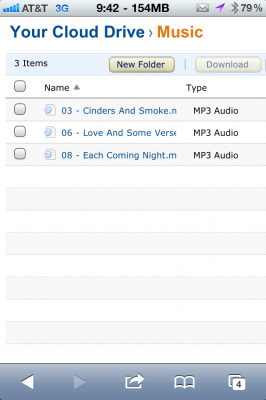
2. Choose the song you’d like to play by selecting the checkbox next to the track name.
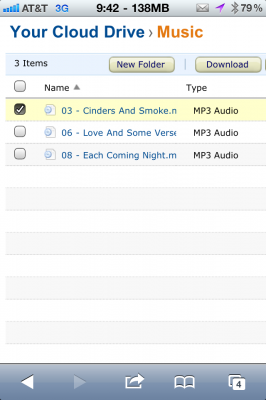
3. Tap ‘Download’ above the track selection list.
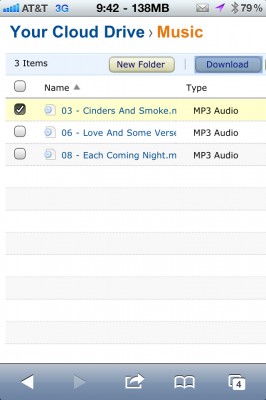
4. Put in your earbuds and enjoy the streaming music!

While this work around isn’t perfect by any means, it does work if you want to play songs from the Amazon Cloud Player on an iOS device.
[ttjad keyword=”iphone”]

![Read more about the article Apple Next Generation iPhone 5 May Have Quad-Core Processor [Rumor]](https://thetechjournal.com/wp-content/uploads/2012/07/Apple-Next-Generation-iPhone-5-Assumed.jpg)