
What’s at the heart of our home Wi-Fi networks? Wireless routers. These magic devices are designed and programmed so that these can be used by anyone with minimal knowledge of networking. But beyond the simplicity, there are a number of configuration options that many overlook, and those can be useful and important in securing our home networks from prying eyes.
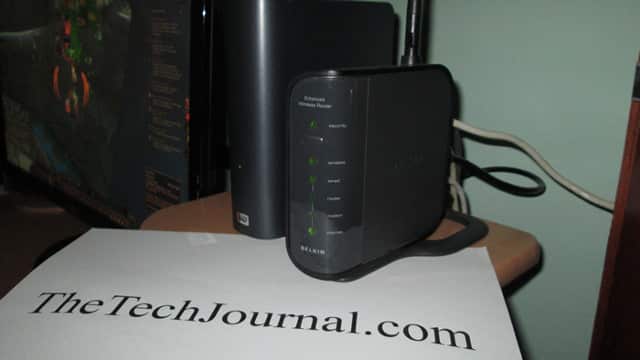
Once we access the user interface of our router configuration we will find a variety of options, some quite basic and others a bit more complex. Let’s see which ones could be useful in making our home Wi-Fi network secure.
MAC Filtering
Although, some routers have security options to control which devices could be connected to it, there is a much more effective method to allow/block these connections, and it is by filtering MAC address of devices.
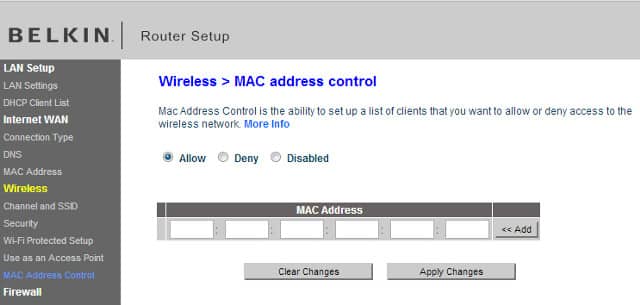
Absolutely all networking devices have an access control code that uniquely identifies the device. It is called MAC address. Now, with MAC filtering enabled, you can create a white list of devices you want to grant access to your Wi-Fi network.
Although this method is a secure, it has its cons. For example, every time a friend comes to your home and want to connect to the internet through your router, you must manually enter the MAC address of the device to the filter list, making one simple process cumbersome.
Port Forwarding
Data travels across the internet in packets, these packets are addressed to a specific IP address and port. Every application installed on a connected device uses a port (or a range of ports) to communicate with other connected devices. For example, web browsers use port 80 for HTTP protocol (that is, for browsing the web).
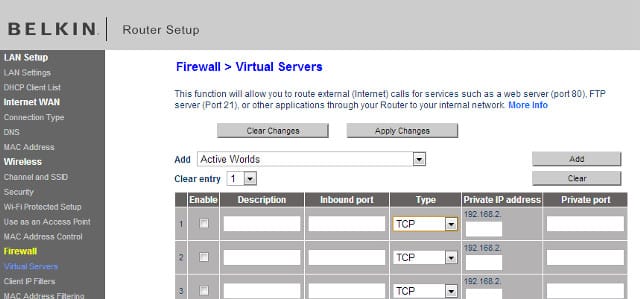
Wireless routers are smart enough to determine the destination device of data. But, it could be handy to manually configure the way wireless routers handle the traffic to certain ports and thus ensure that applications run properly. This could be helpful in playing some multiplayer games and using some torrent programs. By manually configuring ports you can also block unnecessary ports to secure your network. Make sure you check these options on your router if you need to configure them manually.
Router QoS
QoS stands for Quality of Service. It’s a very important feature brought by routers to prioritize multimedia packets passing through the router. As I said earlier, data travels in packets and each application generates a different kind of packages.
When we have many applications connected to the internet, such as online games and multimedia applications, their performance is affected significantly because of increased latency.
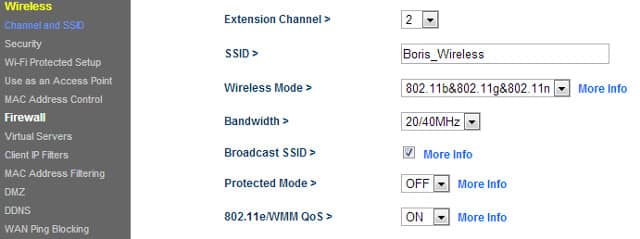
By going to your router settings and enabling QoS, you can assign higher priority to multimedia package. Other kind of data would get lower priority, but we can enjoy seamless streaming content and online games without a “lag”.
Guest Access
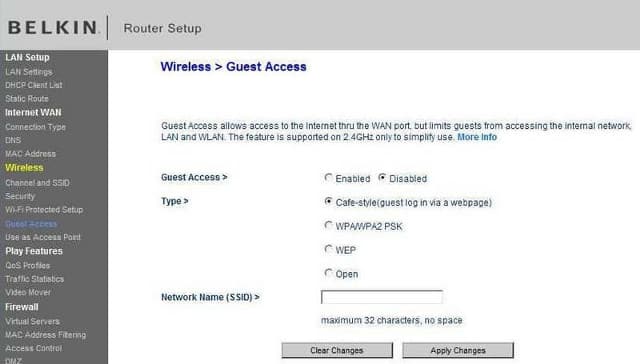
Most of us have a router configured to authenticate devices using SSID and password. This is particularly problematic when you have guest users in your network. They can practically access your local network. To reduce the risk and protect your local network many routers have the option to grant Guest Access to specific users and devices. This option allows guest devices to have access to the internet connection only, and blocks access into the local network.
[ttjad keyword=”wireless-router”]

![Read more about the article [Tutorial] How To Recreate The Partition Of USB Drive In Windows](https://thetechjournal.com/wp-content/uploads/2012/10/diskpart-as7d778as7d98as7d9as.jpg)
![Read more about the article [Tutorial] How To Automatically Share Updates From Pinterest On Facebook](https://thetechjournal.com/wp-content/uploads/2012/05/pinn-facebook-512x273.jpg)
Thanks Zegarac. I didn’t know that. That’s really informative.