
Today’s presentations are expected to contain as much interactive content as possible, and videos are certainly something we can not avoid. Adding videos inside your presentation will certainly make people more interested in what you are presenting. However, videos can sometimes be too large (especially if they are of HD quality) and keeping them stored on your flash drive will take too much space. That’s why adding videos from external sources such as internet, more specifically from YouTube, is a phenomenal solution; in this tutorial I will show you the procedure.
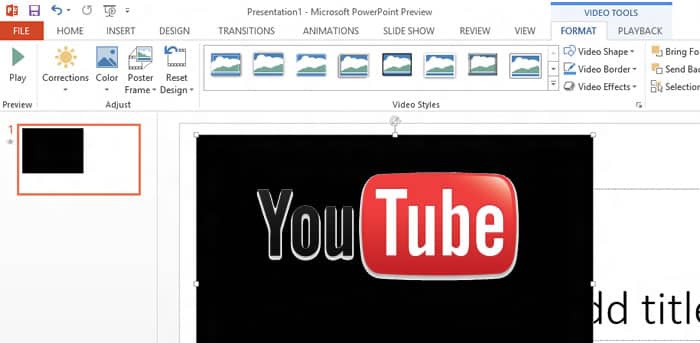
Step 1: Open you PowerPoint presentation and go to your slides or create a new sideshow.
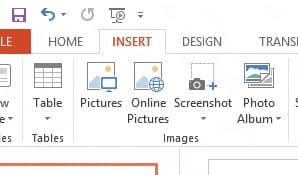
Step 2: Now from top ribbon navigation choose Insert tab.
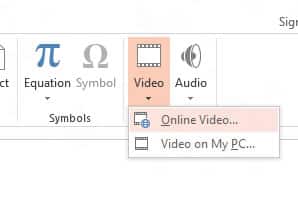
Step 3: Under Media>Video section, click on small black arrow and then from expended options choose Online Video.
Step 4: When new window opens up, inside From a Video Embed Code field add YouTube video embed code.
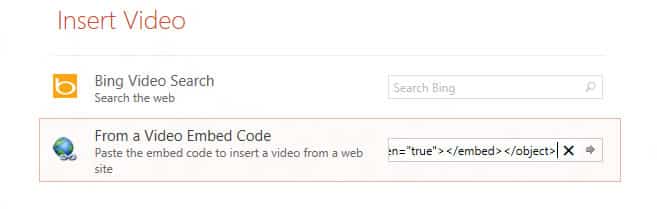
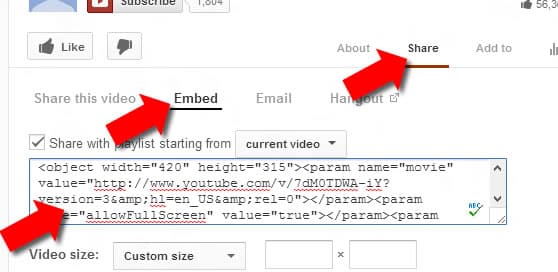
Note: To get the YouTube embed code for your video, from your web browser open the video you want to add, below YouTube video click Share tab and then Embed. You will see a big text box, copy the entire code from that box and paste inside field from Step 4.
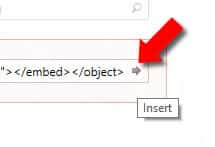
Step 5: Click Insert button to add your YouTube video inside presentation.
Step 6: Wait for couple seconds until your video is added and you are ready to position it or apply other changes.
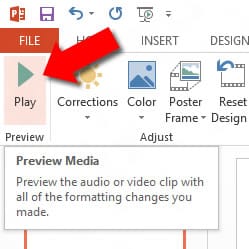
Step 7: In order to play your video and see how it performs inside your presentation, from ribbon navigation make sure that Format tab is active and then click Play button.
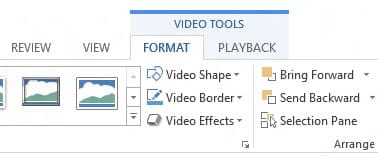
Under Format tab you also have various other tools which you can use to apply changes on your YouTube video such as Frames, Video Shape, Borders, etc.
[ttjad keyword=”microsoft”]

![Read more about the article [Tutorial] How To Re-Install USB Drivers In Windows 8](https://thetechjournal.com/wp-content/uploads/2013/01/control-panel-search-windows-8-askdjasd6as5d65te6r4e65.jpg)
![Read more about the article [Tutorial] How to Remotely Wipe A Mac OS X Lion](https://thetechjournal.com/wp-content/uploads/2012/03/mac-remote-logo-512x263.jpg)
![Read more about the article [Tutorial] How To Use On-Screen Virtual Buttons At Ice Cream Sandwich ROM On Android](https://thetechjournal.com/wp-content/uploads/2012/02/11-512x173.jpg)
in my online drop down menu I do not have embed code option why would that be. I have pp 2013
thank you for a wonderful tutorial and your help with my problem