
Microsoft added a brand new way for you to protect your Windows 8 computer or touch PC, its called picture password. With picture password you can choose any picture, and the three gestures which you use with the picture, and create a strong unique password for your Windows 8 user account. In this tutorial I will show you how to create this kind of password and how to relearn if you forgot it.
Create Picture Password
Frist we will see how to create your Windows 8 picture password
Step 1: Press Win+C on your keyboard to bring a charm menu and then select Settings

Step 2: Now select Change PC Settings
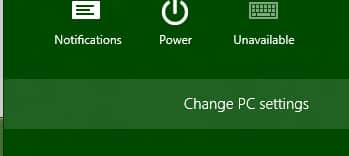
Step 3: Inside left pane select Users and then inside right page click on Create a picture password


Step 4: Windows 8 will now ask you for your username and password which you use to login into Windows 8. Type it inside required fields and press OK
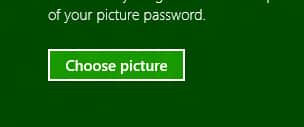
Step 5: Click on Choose a picture button
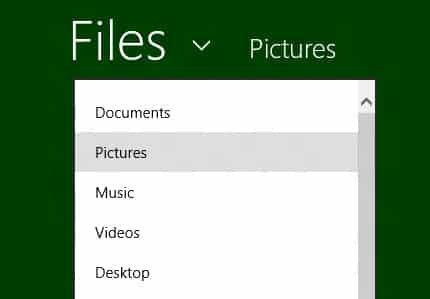
Step 6: Click File and choose where from you want to use your picture as password
Step 7: Now select your picture and click Open
Step 8: Click Use this picture button to select your picture for picture password
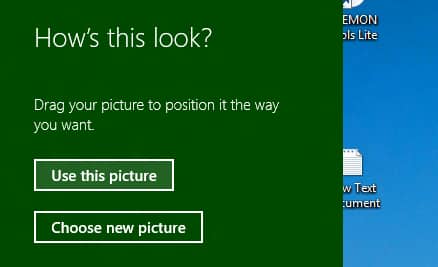
Step 9: From now on you will need to draw three gestures on the picture one by one. There are many different combination you can use such as circles, straight lines, taps, clicks.
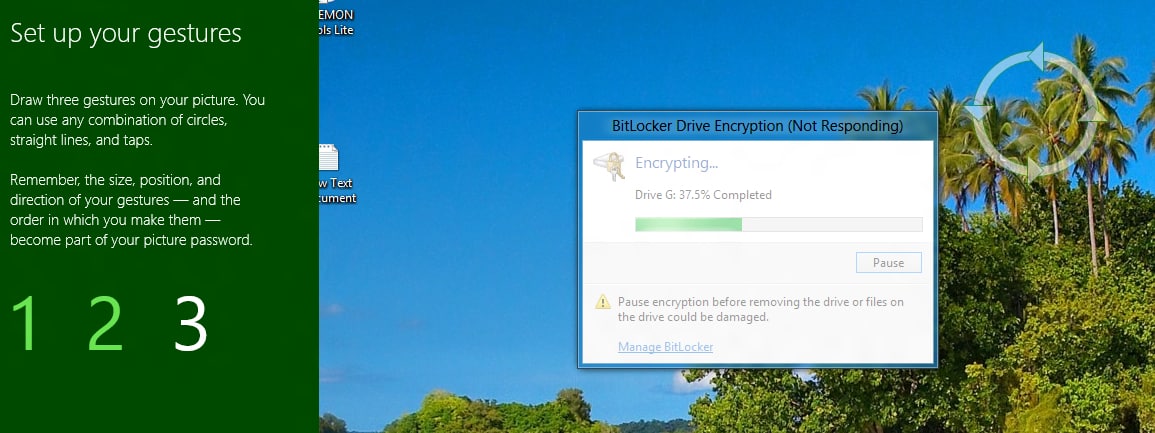
Step 10: Once you draw all three gestures, you will have to repeat them again exactly one by one in order to confirm them
Step 11: As you last step is to click Finish button and return to your usual work since you picture password is now created.
Relearn Picture Password
Now if by any chance forgot the gestures you need to use on your picture, here is how to relearn it and add a new one.
Step 1: Press Win+C on your keyboard to bring a charm menu and then select Settings
Step 2: Now select Change PC Settings
Step 3: Inside left pane select Users and then inside right page click on Change

Step 4: Now type in your current Windows 8 account password and press OK.
Step 5: From left pane click on button Replay
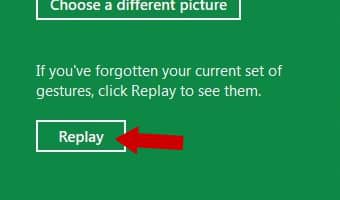
Step 6: Now you will now be shown the example the gestures you previously created one at a time on the picture have chosen. You need to draw the example gesture show on your picture after each example gesture one at a time before it will move on to the next gesture.
Step 7: When you are successfully finished, you will need to repeat the three gestures again exactly in the same size, position, and direction.
Step 8: Once you have successfully relearned you picture password click OK

[ttjad keyword=”windows-tablet”]

![Read more about the article How To Redeem iTune Promo Code[Tutorial]](https://thetechjournal.com/wp-content/uploads/2010/09/iTune-Reedme-TTJ-300x178.jpg)
![Read more about the article [Tutorial] How To Update Your WD MyBookLive Firmware](https://thetechjournal.com/wp-content/uploads/2012/10/update-firmware-as9d8df1321r65y4try1321i-512x265.jpg)
![Read more about the article [Tutorial] How To Disable Auto Play For Advertisement In Google Chrome](https://thetechjournal.com/wp-content/uploads/2012/10/chrome-settings-asd87et1t65u4ty654.jpg)