
Installing new fonts in Windows is not that hard, however it is a bit different compared with earlier versions of Windows. In this tutorial I will show you how to install it and before proceeding on tutorial make sure you have ready .ttf files which you want to install.
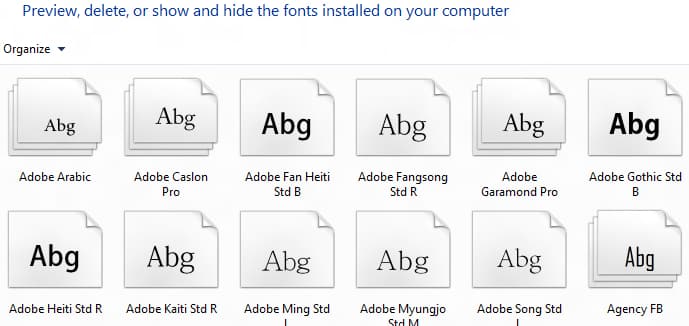
To get started follow steps below:
Step 1: Press Win+C on your keyboard and from Charm bar choose Search.

Step 2: Type word fonts, then select Settings and press Enter on your keyboard.

Step 3: Place you new font on desktop.

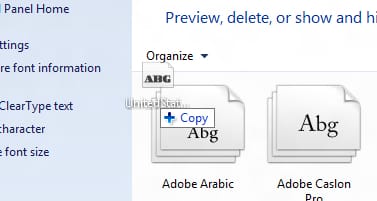
Step 4: Now drag your new font from desktop into Fonts folder and you font is now ready for use.
[ttjad keyword=”windows-tablet”]

![Read more about the article [Tutorial] How To Get Virtual 3d Effect On Headphone – Windows 7](https://thetechjournal.com/wp-content/uploads/2012/03/3d-sound-headphones.webp)
![Read more about the article [Tutorial] How To Use Dropbox From Portable USB Drive](https://thetechjournal.com/wp-content/uploads/2012/10/language-select-next-as5d465w4rt56y4u54iy65.webp)