
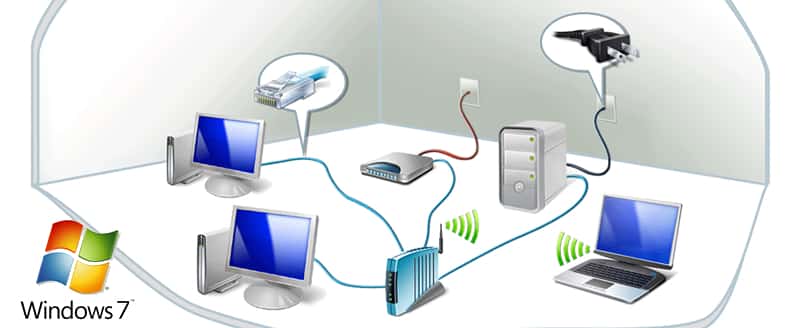
Windows 7 allows you to easily display in the form of a diagram a plan for your local network, indicating the computers, switches, routers, access points and modems that are connected. In this tutorial I will show you how to access this diagram inside Windows 7.
To get started follow steps below:
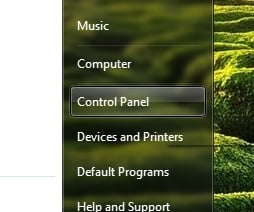
Step 1: Click the Start button and then click Control Panel.
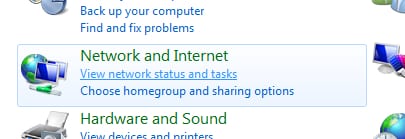
Step 2: Under the Network & Internet section, click View network status and tasks.
Step 3: Then click See full map.
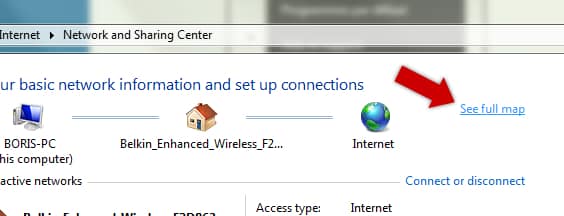
Step 4: Windows creates the mapping of your network as a graph and displays it on the screen. Computers, switches and modems are indicated.
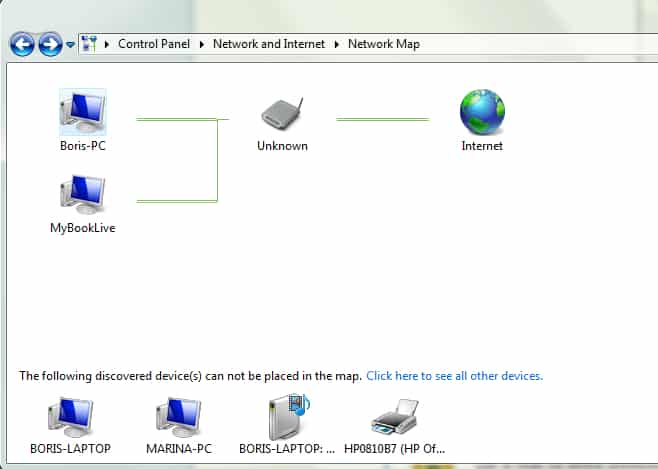
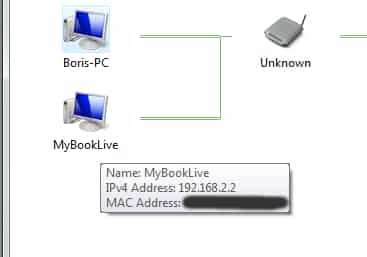
Step 5: Moving the mouse over a device will display information such as the MAC address or IP address.
[ttjad keyword=”wireless-router”]

![Read more about the article [Tutorial] How To Restore Deleted Files On SkyDrive](https://thetechjournal.com/wp-content/uploads/2012/10/recycle-bin-as87d7798a7sd.webp)

![Read more about the article [Tutorial] How To Send Contacts From One iPhone To Another](https://thetechjournal.com/wp-content/uploads/2012/03/iphone-contacts-share.webp)