
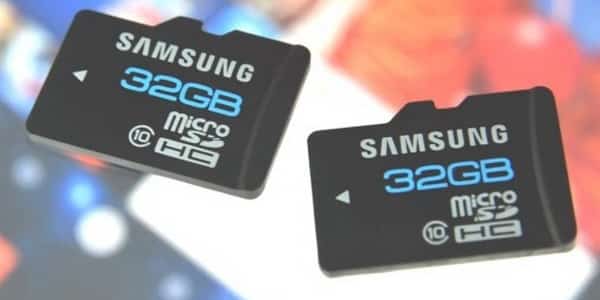
One of biggest mistakes most smartphone or tablet users make when replacing their SD cards is not performing the right removal procedure which cause a data loss from their SD cards. In this tutorial I will show you how to safely unmount your SD card and then pull it out from your smartphone or tablet.
To get started follow steps below:
Step 1: From your home screen tap on Menu button.
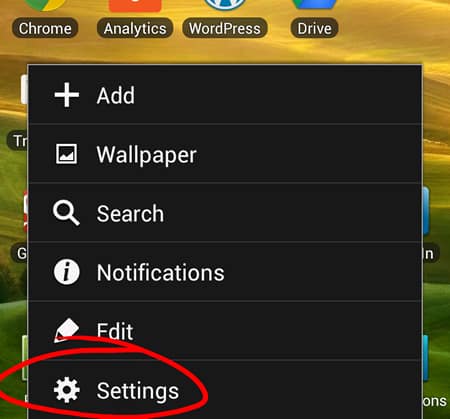
Step 2: From menu that appears tap on Settings.
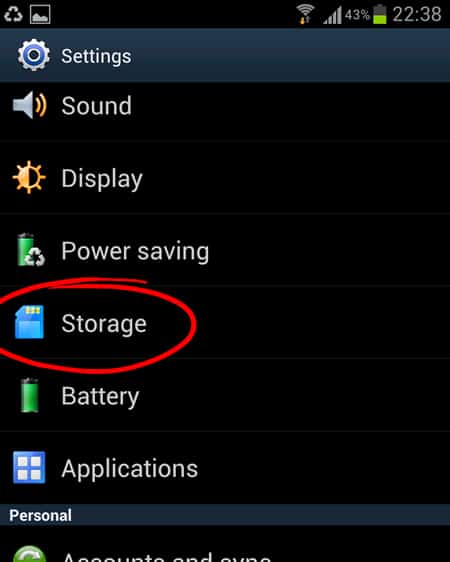
Step 3: Now scroll the options all the way to the middle and tap on option Storage.
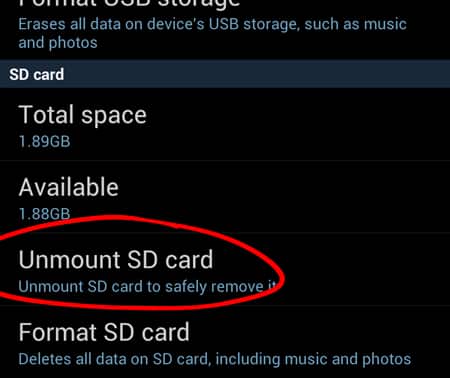
Step 4: Scroll down the Storage screen and tap on option Unmount SD card.
Step 5: A notification window will appear where you need to confirm that you want to unmount your SD card by taping on OK.

Step 6: You can now safely pull out your SD card from phone or tablet without worries of loosing any data.
[ttjad keyword=”hot”]

![Read more about the article [Tutorial] How To Download Directly From Google Chrome To Dropbox](https://thetechjournal.com/wp-content/uploads/2013/01/add-to-chrome-a5s4d54ewr65.webp)
![Read more about the article [Tutorial] Guide To Fix iPhone Screen If It Turned Black & White](https://thetechjournal.com/wp-content/uploads/2016/05/iphone-stuck-in-black-white-mode-fix-610x542-512x319.jpg)
![Read more about the article [Tutorial] How To Reset Folder View Settings Back To Default in Windows 8](https://thetechjournal.com/wp-content/uploads/2012/10/view-tab-win8-asd44446a5s4d.webp)