Phone Drive is an wonderful all-in-one app that helps you to store, view and manage files. The app is developed by Eightythree Technology. This premium app was charged $0.99. For now you can download this app free for a limited time period directly from App store. Don’t miss the offer!
iTunes Link: http://itunes.apple.com/app/phone-drive-file-sharing-wifi/id431033044?mt=8
Overview:
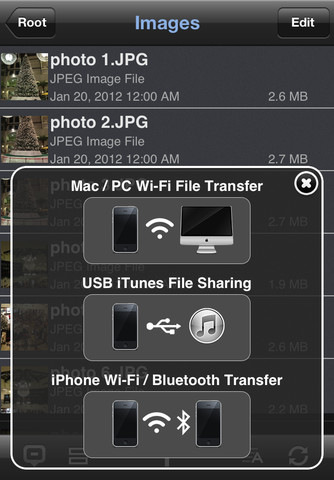
You can now use your iOS device as a portable WiFi/USB Flash Drive. Phone Drive allows you to store, view and manage files on your iPhone or iPad. You can connect to Phone Drive from any Mac or PC over the Wi-Fi network and transfer files by drag & drop files straight from the Finder or Windows Explorer.
Phone Drive features document viewer, PDF reader, music player, image viewer, voice recorder, text editor, file manager and support most of the file operations like – delete, move, copy, email, share, zip, unzip and more.
KEY FEATURES:
✔ PDF READER (New):
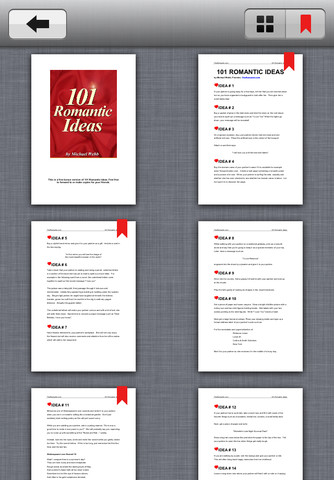
Support fast PDF reader with thumbnails and bookmarks features.
✔ MULTIMEDIA PLAYER:
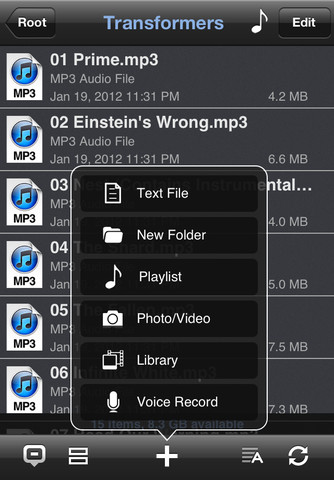
An ability to in app create your own audio playlist with repeat, shuffle, background playback and remote control from multitask.
✔ DOCUMENT READER:
Support MS Office, iWork, Text & HTML
✔ SUPPORT PERSONAL WiFi HOTSPOT:
You can now connect to your computer with your iPhone enabled Personal Hotspot to transfer files without having to connect to the public/office Wifi.
✔ HTTP/FTP PASSWORD PROTECTED:
Files transfer between PC/Mac with password protected.
✔ FILE OPERATION:
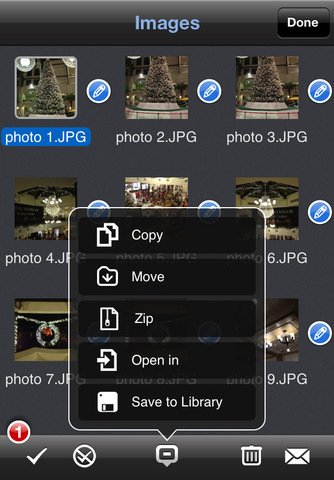
Move, Copy, Rename, Delete, Zip, Unzip, UnRAR, Create File and Folder.
✔ FILE SHARING:
File sharing with other iPhone/iPad devices via Bluetooth or Wi-Fi connection with automatic search of nearest available devices around you.
✔ EASY FILE UPLOAD:
Drag and drop files upload via your PC/Mac web browser or USB via iTunes.
✔ TEXT EDITOR:
Built-in text editor that allows you to edit your text files or source codes on your iOS device.
✔ IMPORT/ FILES CREATION:
An ability to create text files, image captures, video records, voice recordings and import pictures from photo library.
✔ PASSCODE LOCK:
An ability to protect your files from viewing by others.
✔ UNIVERSALITY:
This app is developed for both iPhone and iPad, you need to purchase only once.
AUDIO PLAYER:
– Able to in app create audio playlist.
– Plays all MP3 files from a folder as a playlist.
– Repeats and shuffles songs.
– Supports background audio playback.
– Supports Audio Remote Control from multitask.
VIEWABLE FORMATS:
– Audio (WAV, MP3, M4A, CAF, AIF, AIFF, AAC)
– Images (JPG, PNG, GIF, BMP, TIF, TIFF, ICO)
– Movies (MP4, MOV, MPV, M4V)
– iWorks (Pages, numbers, and Keynote)
– Microsoft Office (Word, Excel and PowerPoint)
– RTF (Rich Text Format)
– RTFD (TextEdit with embedded images)
– PDF Documents
– Plain text
– Source code
– HTML web pages
– Web archives
Our Review:
Phone Drive is a very needed utility app that makes easy to manage your files on iOS device. This app needs 11.9 MB of free space on your iPhone, iPod touch, and iPad. This is a multiple utility app. You can store, view and manage any files. There is a long list of it’s supported format and including the common operations. Like to manage the files you can delete, move, copy, email, share, zip, unzip and more. There is built in document viewer, PDF reader, music player, image viewer so you don’t need to use different apps access those files. The file manager supports most of the file operations. As it is free now you can try this app.
Requirements: Compatible with iPhone 3GS, iPhone 4, iPhone 4S, iPod touch (3rd generation), iPod touch (4th generation) and iPad. Requires iOS 4.0 or later. This app is totally free to download from iTunes.
Current Version: 2.1.2
Size: 11.9 MB

[ttjad keyword=”iphone”]

![Read more about the article Install Windows Phone 7 Theme on iPhone, iPod Touch with Live Tiles[How To]](https://thetechjournal.com/wp-content/uploads/2011/02/Windows-Phone-160x300.png)