
You have used your Facebook profile on friends laptop, or a computer in office or conference room and you are not quite sure if you have logged off? No need to worry because in this tutorial I will show you how to logout your Facebook profile remotely and avoid potential problems that this can bring.

To get started follow steps below:
Step 1: Log into Facebook from a trusted computer or device.
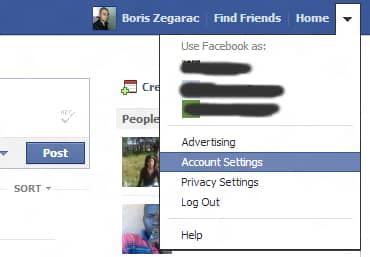
Step 2: In the upper right, click the arrow to display options and from drop down menu select Account Settings.
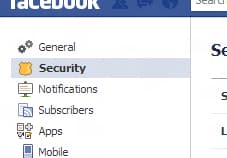
Step 3: When new page loads, on the left side click on Security.
Step 4: Click Active Sessions (last option on the list).
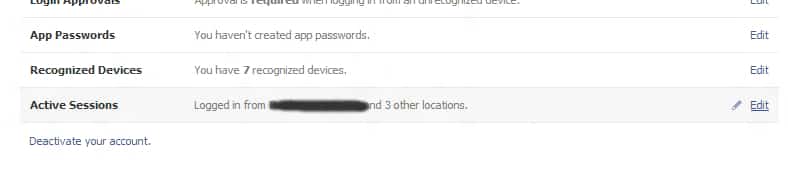
Step 5: Analyze carefully the list of sessions that are active. In here you can see the logon date, location and even the type of device (for example, logged on to a Chrome browser on Windows 7), then all this will give you clues to help you determine what sessions to close.
Step 6: Clicking End Activity link and session is closed, so if you want to continue using the account from that location, you will need to enter the username and password again.


![Read more about the article [Tutorial] How To Add More Keyboard Layouts In Windows 8](https://thetechjournal.com/wp-content/uploads/2012/11/general-windows-8-5a4sd6e7r9w8er.webp)

![Read more about the article [Tutorial] How To Remove Search History From Your Facebook Activity Log](https://thetechjournal.com/wp-content/uploads/2013/01/activity-log-as56d465ew4r6we4r.webp)
Whenever you are worried about your Facebook security you should check remote access log.
Thanks Zegarac.. that’s really helpful.