
If you go on Google and search for information’s on how to detect if someone is connected to your router without your permission you will get results with several programs for mac, console commands for Linux and some other little program for windows. But to be honest not many of them actually work or they are too much expensive to buy. For me the easiest and with no need to do any additional installation is to enter the configuration page of your router and see who is connected and in this tutorial I will show you how to do that.
How to access your router
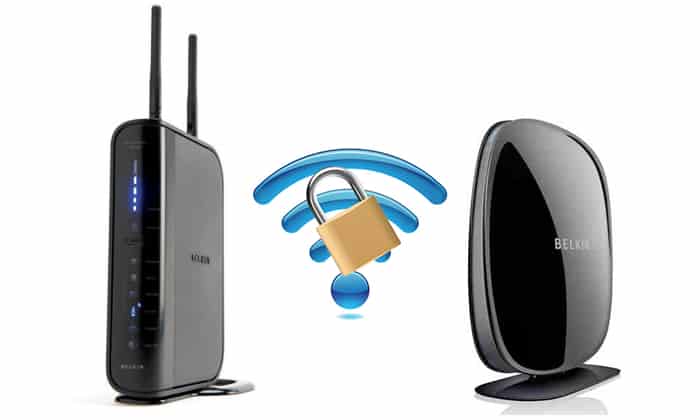
To access your router the first thing you have to know is the manufacture and model of your router. Look on the appliance and in the instructions you were given when you installed it. Once you have found it, type the given IP address for your router in your web browser address bar. In my case that IP is 192.168.1.1 (Belkin router).
Type user and password which is usually something like admin admin, admin 123456 or leave both fields empty and press OK. Find what’s yours.
Once you successfully find entered username and password you will enter the control panel, there are many options in here we can look but we are not sure if they are better not touch to avoid shocks to our connection.
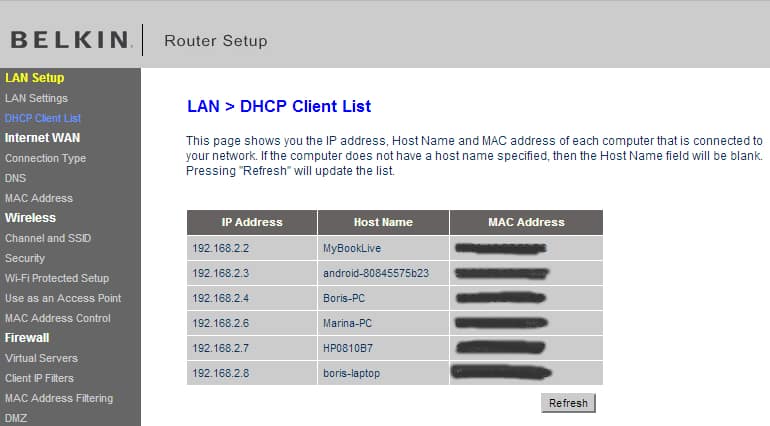
We have two ways to see who is connected to our router, first is to enter in router Setup which will tell us the number of connected devices , as you can see in my case there are six different devices connected to a router, corresponding to a PC, laptop, WiFi printer and Android smartphone. I am familiar with all these devices and I know they are all mine.
As you see it is very simple, so when you see that the internet connection is slow and you think that someone is connected to your router, al you have to do is enter the router setup and check.
What if someone is connected?
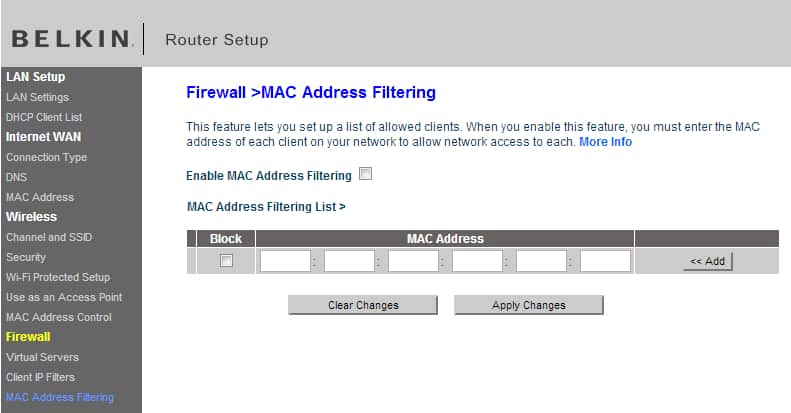
If you notice someone is connected to your router without your permissions you can change the password and connection encryption system. Avoid WEP and use WPA encryption and even much better filtering by MAC address to allow access only to computers that you want. From your router control panel enter MAC Address Filters section and enter the MAC address for each of your devices connected to router. This is the safest option I know.
[ttjad keyword=”wireless-router”]

![Read more about the article [Tutorial] How To Block Automatic Addition Of Contacts In Windows Live Mail](https://thetechjournal.com/wp-content/uploads/2012/12/option-mail-as5d89we7r98we7r.jpg)
![Read more about the article [Tutorial] How To Stop Your Mouse From Waking Up Your Windows 7 Computer From Sleep Mode](https://thetechjournal.com/wp-content/uploads/2012/02/windows-sleep-mode-mouse-move-512x340.jpg)
![Read more about the article [Tutorial] How To Easily Reduce Video File Size Before Uploading It To Web](https://thetechjournal.com/wp-content/uploads/2012/11/add-videos-as5d498e7r98y7u.jpg)