
Your bookmarks include hundreds of links to sites, documents and articles. But since the day you added these documents to your bookmarks, they may have disappeared from the web site. To easily detect deas links within your bookmarks and remove them you can use a free tool called AM-DeadLink and in this tutorial I will show you how to do that under Windows 7.
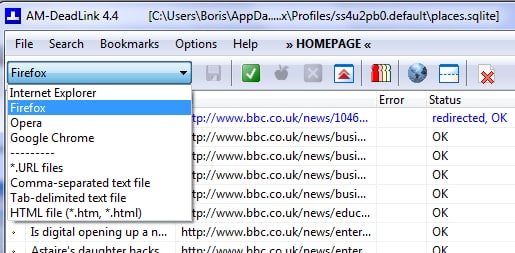
To get started follow steps below
Step 1: Download AM-DeadLink from this link.
Step 2: After downloading the program, install it.
Step 4: AM Deadlink detects all Internet Explorer favorites by defaut.
Step 5: Scroll down the list and instead of Internet Explorer choose Firefox.

Step 6: If requested provide the path to the file where your Firefox bookmarks are located. By default, they are in the file C: \ Documents and Settings \ [Your Username] \ Application Data \ Mozilla \ Firefox \ Profiles \ [string]. Default \ bookmarks.html. Click the Open button.
Step 7: Then pull down the Bookmarks menu and then click Check bookmarks.
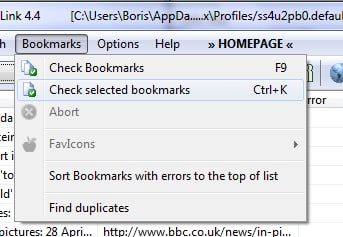
Step 8: The program then tests all links.
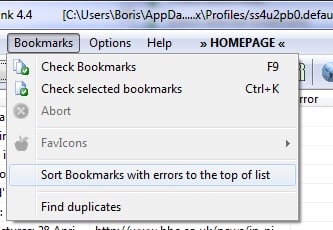
Step 9: Once verification is complete, open the Bookmarks menu and click on the command Set bookmarks with errors to the top of list.
Step 10: Then select the bookmarks that point to a 404, that is to say that the pointed documents no longer exist, then press the Delete button.
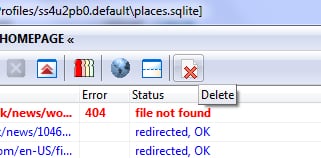
Step 11: Confirm the deletion by clicking Yes. The bookmarks with errors are deleted.
Step 12: You can then close AM Deadlink.
Repeat this process for any other web browser you have, it will work just the same way as for Mozilla Firefox.
[ttjad keyword=”all-in-one-desktops”]

![Read more about the article [Tutorial] How To Record A Skype Call (Audio/Video)](https://thetechjournal.com/wp-content/uploads/2014/02/How-To-Record-A-Skype-Call-512x339.png)
![Read more about the article [Tutorial] How To Remove Your Computer From A Homegroup In Windows 7](https://thetechjournal.com/wp-content/uploads/2012/02/windows-home-group-512x288.jpg)
![Read more about the article [Tutorial] How To Install The Android SDK On Eclipse](https://thetechjournal.com/wp-content/uploads/2012/05/android-sdk-eclipse-512x256.jpg)
does not work. You cannot use this program to remove bookmarks within firefox. See also version history for the program.. it’ll tell you.