
website statistics

[Tutorial] How To Safely Share A Password With LastPass?

Here's how to safely share passwords in just a few clicks without the person has direct access to your account, all thanks to LastPass online tool.

When do you use Facebook?

View Results

Loading ... Loading ...
1 Star2 Stars3 Stars4 Stars5 Stars (Rate This)
Loading ... Loading ...

Sometimes we have to share a password with a friend, family member or colleague. Instead of email, there is a safer way to share passwords in just a few clicks without the person has direct access to your account. Here’s how to safely share a passwords using LastPass online tool.
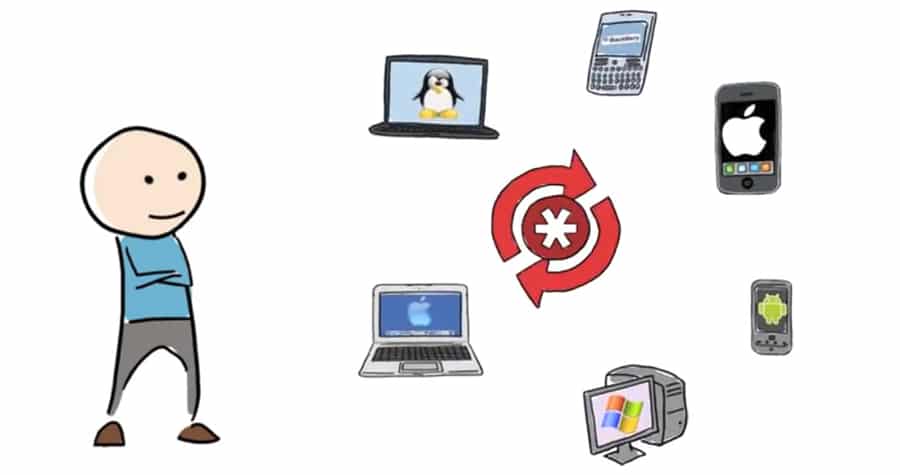
To get started follow steps below:

Step 1: Login to the website LastPass.com or if you don’t have an account create one. If you want, you can also download the software or use web browser toolbar.

Step 2: Ask the person with whom you want to share your password to the same.

Step 3: To add a site whose password you want to share with someone, click on “Add Site” which is located in the left menu. Repeat this step if you want to share more than one password.

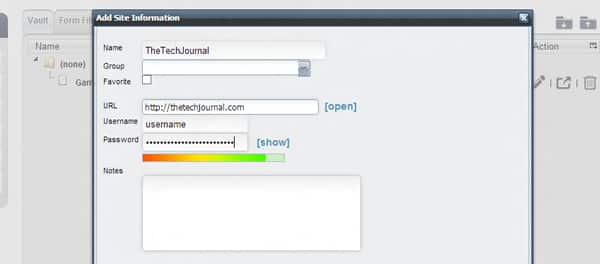
Step 4: And then fill in the required information such as the site name, URL, account name and password. Once you fill all necessary fields click Add button.
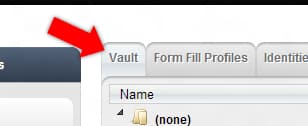
Step 5: Click “Vault” tab to see the list of sites that you have entered the data.
Step 6: Select the site you want to share and click “Share” button.

Step 7: In the “Share Items” window that opens up, simply enter the email address of the people you wish to share the password. In the message field, you can include a short message to the recipients.
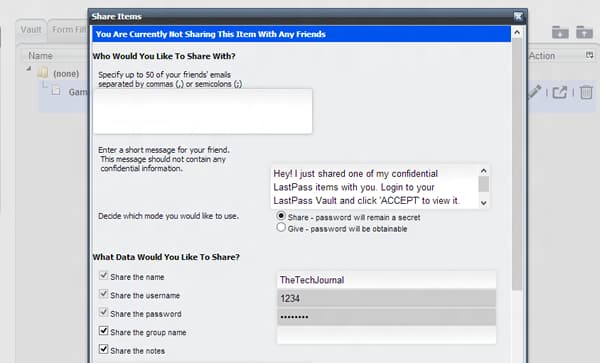
Step 8: If you want that password remain a secret select Share select-box or if you want that password be obtainable select Give select box.

Step 9: You just have to click on “Share” button to send information securely.
Buy Cheapest Related Product From Amazon.com


Any.DO Adds Support For Gmail, Updates Chrome Extension, iOS And Android Apps

isocket Raises $8 Million To Take Premium Online Advertising To The Next Level
You can also press the left/right arrow key on your keyboard to go to previous/next post
  On November 2, 2012(6 months, 24 days ago.)

Recent Products

Buy Now | Compare  
Buy Now | Compare  
Compare  

Recent Search

Recent Tutorials

This tutorial will show how to use S.M.A.R.T. (Self Monitoring Analysis and Reporting Technology) to continuously collect information on health of your equipment.
In this tutorial I'll show you how you can easily protect yourself from any kind of security breaks that may occur through Java.
Today Apple enabled "Two Step Verification" for iCloud And Apple ID. But the process is not that simple. But no worry, here we have made a step by step tutorial.
Cant remember your iPhone passcode? Here I will show you some workaround on what to do and how to recover and restore for every possible scenario.
This tutorial will show you how to perform the Winapp2.ini installation inside CCleaner and how to use it under Windows operating system.
With app called AD Sound Recorder, you can record any stream that passes through your sound card or speakers and in this tutorial I will show you how to do that.
If you want to have Boxee app inside your Apple TV, in this tutorial we will show you how to install XBMC and Boxee using Windows on your Apple TV.
This tutorial will show you how to transfer PS3 Saved Game Files from your PC to your PS3 game console.
Adding videos from external sources such as internet, more specifically from YouTube, is a great solution to enhance a presentation; in this tutorial I will show you the procedure.
If you are one of new comers to Windows Phone 8, like me, in this tutorial I will walk you through the process to update your Windows Phone 8 device.
Close You Have To Login
User:
Pass:
Login With »Login With TwitterLogin With Facebook