
With Windows 8, installing printer or any other external devices is quite easy and you won’t be having any problems like those we had with Windows Vista. By simply connected your printer with Windows 8 computer, it will be recognized and installed, however if it’s not recognized this tutorial will show you which steps you need to take in order to install it and test to make sure everything works without problems.
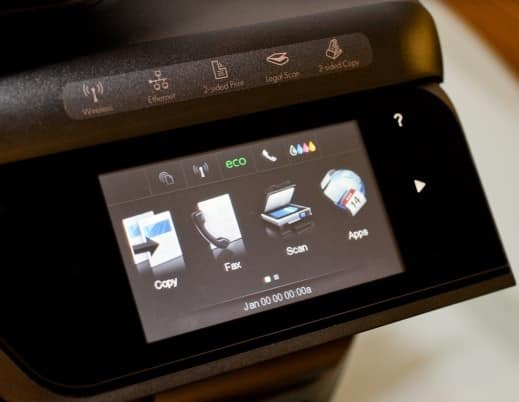
Before get started to below steps make sure your printer is turned on and connected to your computer or network.
Step 1: Bring up the Charm menu by pressing Win+C on your keyboard and choose Search.
Step 2: Type control panel and then open Control Panel from left pane.

Step 3: In a new window open choose Large icon view and then open Device and Printers.
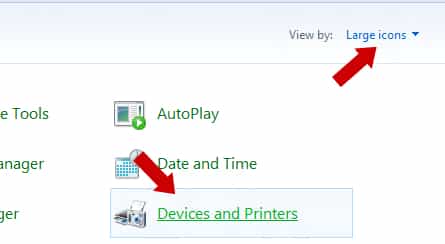
Step 4: Now under Printers you should see your printer listed.

Step 5: If Windows 8 doesn’t recognize your printer immediately, from Step 4 window click on Add printer.

Step 6: A new window will open and scan your computer for new printers. Once it’s found click Next button to continue.
Step 7: Windows will now start search for printer drivers. If you have a disk with your printer drivers, insert it inside your disk reader, press Have Disk button and locate your reader.

Step 8: If you don’t have a disk with printer drivers locate your printer inside Windows 8 listings and click Next. Simply follow the instruction inside window now and you are done.
Step 9: Now to test your printer and if it’s properly installed and configured, from Devices and Printers window right mouse click on your printer icon and from context menu choose Printer Properties.
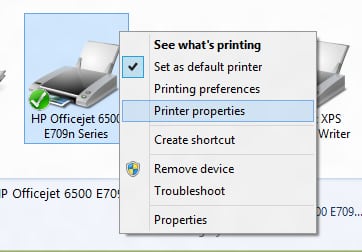
Step 10: When new window open click Print Test Page button located at bottom right.

You are done. You printer is ready for use. If you use your printer at work or share it with friends. I strongly suggest you to read this tutorial in order to protect your printer.
[ttjad keyword=”printers”]



![Read more about the article [Tutorial] How To Replace Laptop Hard Drive With SSD](https://thetechjournal.com/wp-content/uploads/2012/04/crucial-ssd-kit-512x273.jpg)
Thanks for this informative post.I would like to read your more updates.Keep them coming.
Great points you have shred with us.Thanks for this post.
You have put huge information in a single blog.Keep it up in future too.
Pingback: 2unabated